Unreal Engine 4
The Hive SDK used in Unreal Engine development consists of Interface package and Platform packages for each target OS (Android, iOS, Windows). Therefore, you can select and install only the Interface package and the Platform package that matches your game app's target OS.
- Hive SDK Unreal Engine 4 Interface (default installation)
- Hive SDK Unreal Engine 4 Platform (install only the Platform package for your target OS)
- Hive SDK Unreal Engine 4 Android
- Hive SDK Unreal Engine 4 iOS
- Hive SDK Unreal Engine 4 Windows
Note
For more information about plugins and modules, which are components of Unreal Engine projects, see the links below.
Hive SDK installation
Step 1. Download the latest version of Hive SDK
Download the Interface package and the Platform package that matches your game app's target OS from Hive SDK Unreal Engine 4 latest version.
Step 2. Install Interface package
-
Extract the downloaded Hive SDK v4 UE4 Interface 26.x.x.zip file and add the HIVESDK folder to the Unreal Engine project path below.
- Path:
/Plugins
- Path:
-
To use the installed Interface package, add the dependency code to the Build.cs file in the path below.
- Path:
/Source/ / .Build.cs - Dependency code:
- Path:
Step 3. Install Platform package
Extract the downloaded Hive SDK v4 UE4 {Target OS} 26.x.x.zip file and add the generated folder to the Unreal Engine project path below according to your target OS.
- Path:
/Plugins/HIVESDK/Source
Note
During the packaging phase where Hive SDK creates executable files (.apk_, _.IAP, *.exe, etc.) after building your game app, the code and resources of the Platform packages added to the paths above are automatically included in the executable files for each target OS.
Package compatibility
Interface and Platform packages can be compatible even if they have different versions, following the package application rules below.
- Compatibility is supported only at the
patchversion level in themajor.minor.patchversion format. If themajorandminorversions do not match, they are not compatible.- Example 1: If the Interface package version is 26.1.0, only Platform package version 26.1.x is compatible. (26.1.1, 26.1.2, etc.)
- Example 2: If the Interface package version is 26.1.0, Platform package versions 26.0.0 or 26.2.0 are not compatible.
Hive SDK update
To manually update Hive SDK, delete the existing Hive SDK and install the latest version.
Step 1. Delete Hive SDK
Delete Interface package
- Delete the Unreal Engine
/Plugins/HIVESDK folder. -
Remove the dependency code from the Build.cs file in the path below.
- Path: Unreal Engine
/Source/ / .Build.cs - Dependency code:
- Path: Unreal Engine
Since deleting the Interface package changes the project structure, you must restart Unreal Editor to perform a new compilation.
When you restart Unreal Editor, compilation automatically proceeds based on the changed project structure. However, if binaries compiled from the previous project structure remain cached in the Intermediate and Binaries folders, a build error occurs. In this case, delete the Intermediate and Binaries folders and restart Unreal Editor to recompile and rebuild.
Delete Platform package
Select and delete the Platform package installed in the Unreal Engine
<project_root>
└─ Plugins
        └─ Source
                ├─ HiveSDK
                ├─ HiveSDKAndroid    (optional)
                ├─ HiveSDKiOS        (optional)
                └─ HiveSDKWindows    (optional)
Since deleting the Platform package changes the project structure, restart Unreal Editor for editor rebuilding.
Step 2. Install the latest version package
Refer to Hive SDK installation to install the latest version of the Interface and Platform packages.
Precautions
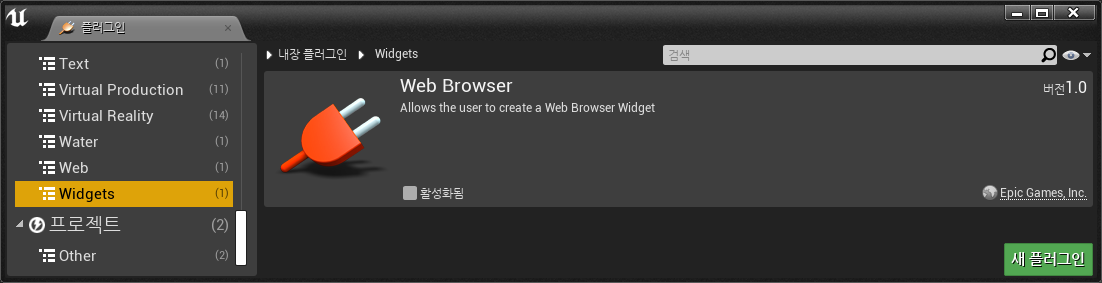
When you restart Unreal Editor, you can install built-in plugins in Unreal Engine. However, WebBrowser using CEF (Chromium Embedded Framework) cannot be applied because it conflicts with the CEF applied in Hive SDK.
Warning
WebBrowser CEF is not currently updated or maintained, so applying it may be vulnerable to security issues.