Report·Sanction
You can check the chat messages reported by users in-game and impose sanctions on the user if necessary to prevent them from chatting. You can also manage the sanction status, such as extending or ending the sanction period for users who have already been sanctioned.
Report
You can view chat messages and sanction reported users through the reports submitted by users in-game.
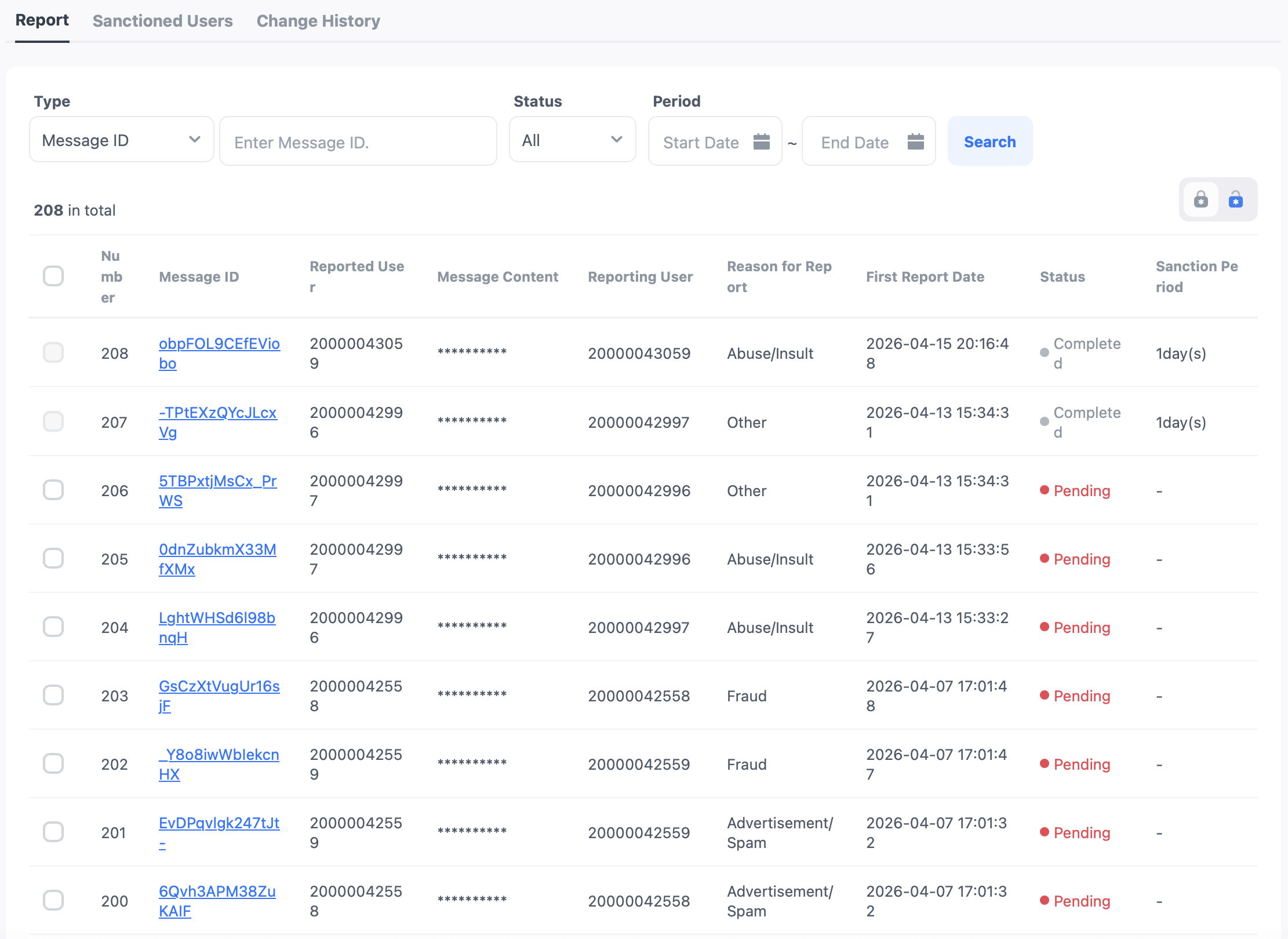
- Message ID: A unique value representing the message.
- Reporting user: If there are multiple reporters, it will be displayed as "n other reporters" excluding the reporter.
- Reason for report: If there are multiple reasons for the report, it will be displayed as "n other reasons" excluding the reason for the report.
- First report date: Since multiple users can report a single message, the date of the earliest report among the multiple reports will be displayed.
- Status
- Before processing: The state before the sanction is processed.
- Processing complete: The state after the sanction has been completed.
- Sanction period: Indicates the number of days of chat sanctions. If the report is closed without any sanctions, it will be displayed as 'No sanctions'.
Report Management
You can check the report history to sanction the user who sent the corresponding message.
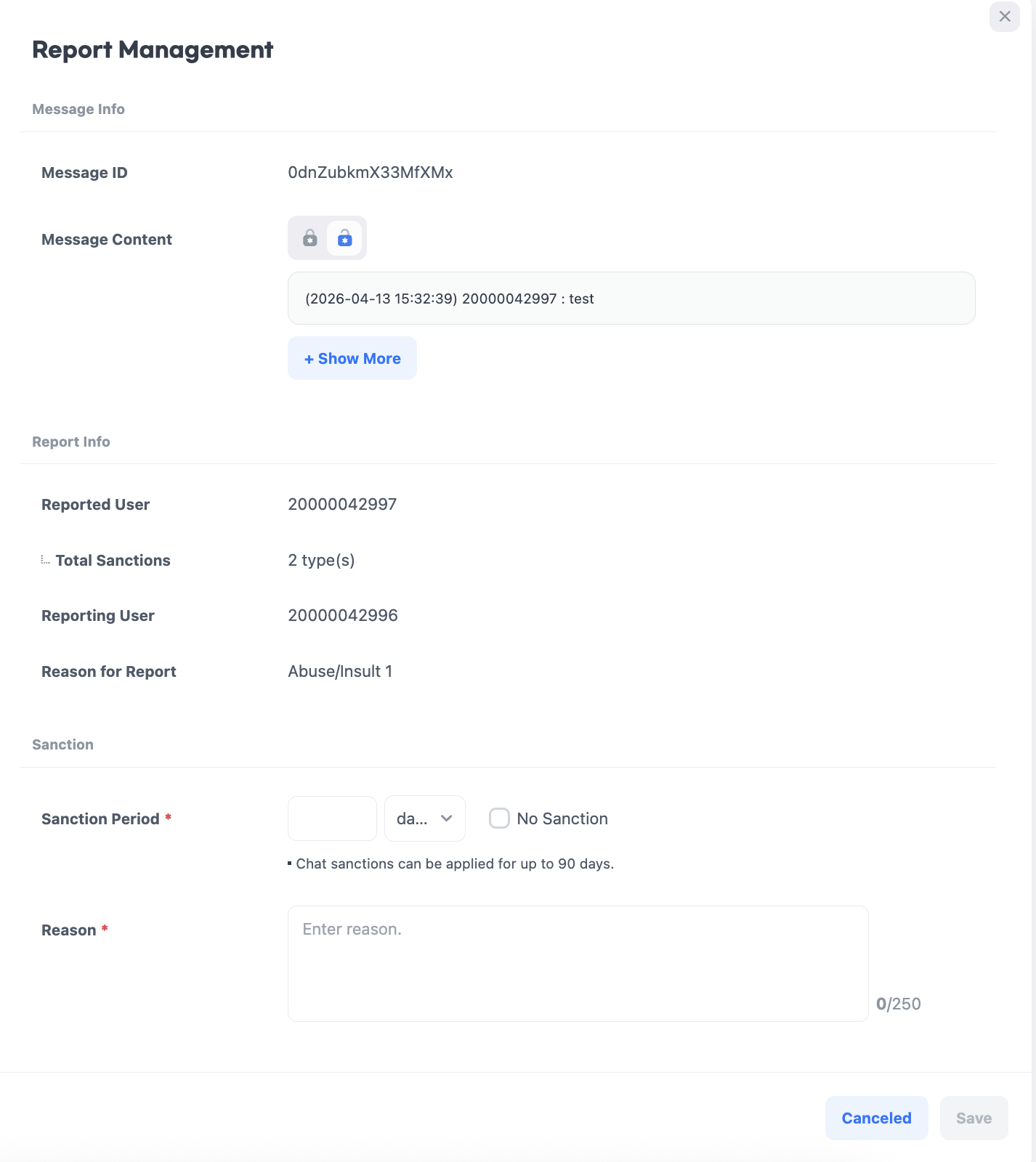
- View more messages: By clicking the 'View More' button, you can check up to 40 additional messages within 60 minutes before and after the selected message.
- Sanction period: The sanction period can be entered for a maximum of 90 days in units of days, hours, and minutes.
- No sanctions: Checking 'No sanctions' will complete the report without any sanction measures.
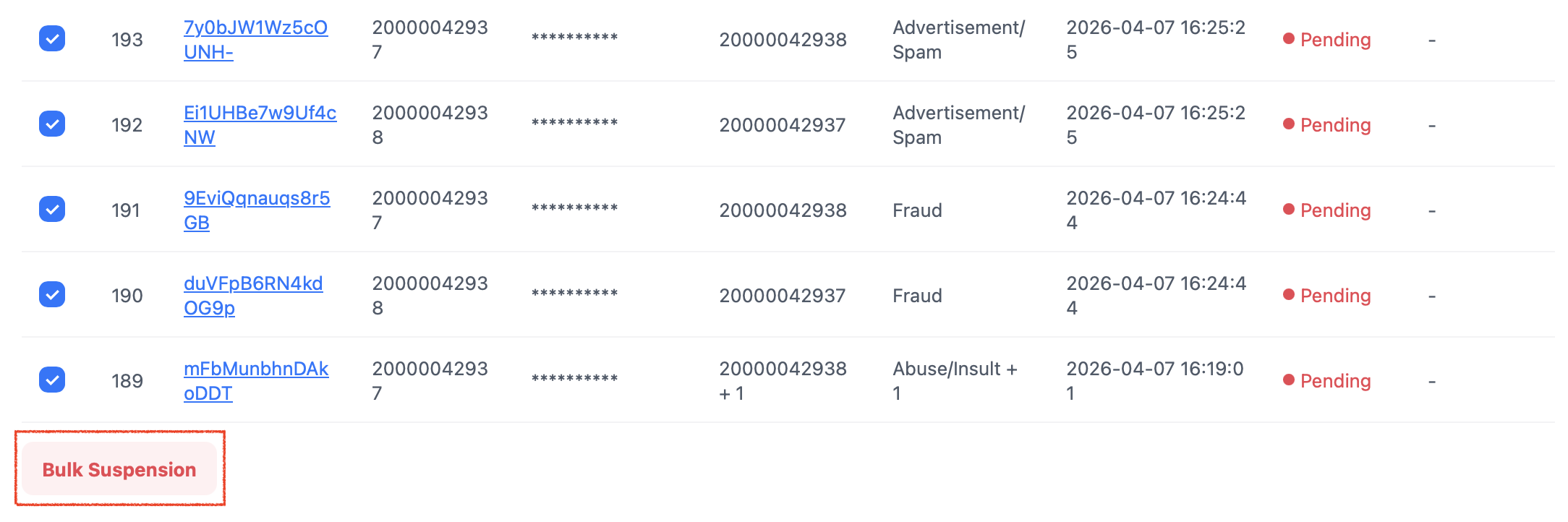
Bulk Sanction
You can select the reports that require sanctions and complete the sanction process all at once.
Sanctioned Users
You can check the sanction status of users who have already been sanctioned and adjust the duration or terminate the sanctions. All sanction information is displayed based on data from the last 90 days.
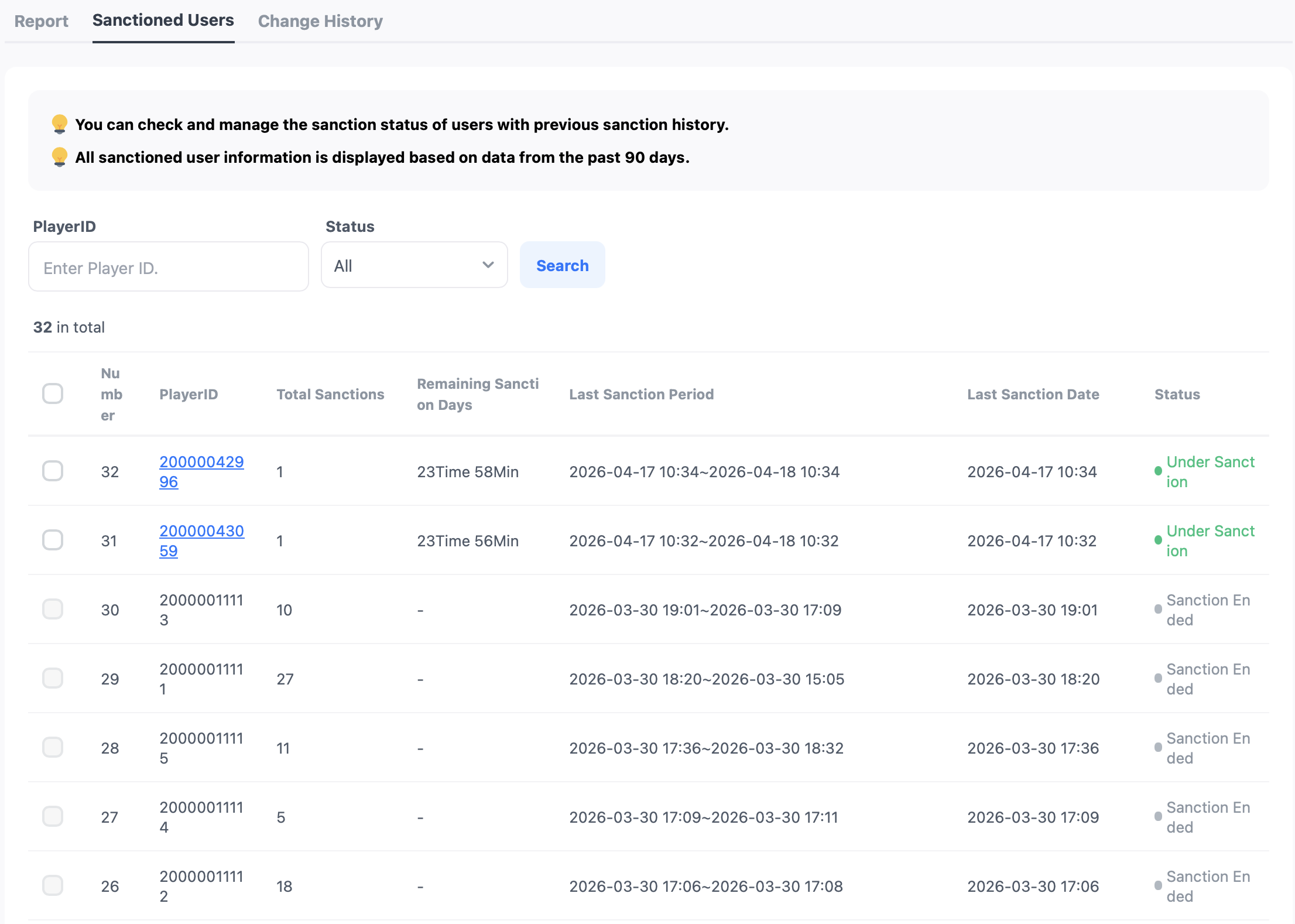
- Cumulative penalty count: This is the number of penalties the user has received in the last 90 days.
- Last penalty period: This shows the most recent penalty period the user has received.
- Last penalty application date: This shows the date when the last penalty was applied to the user.
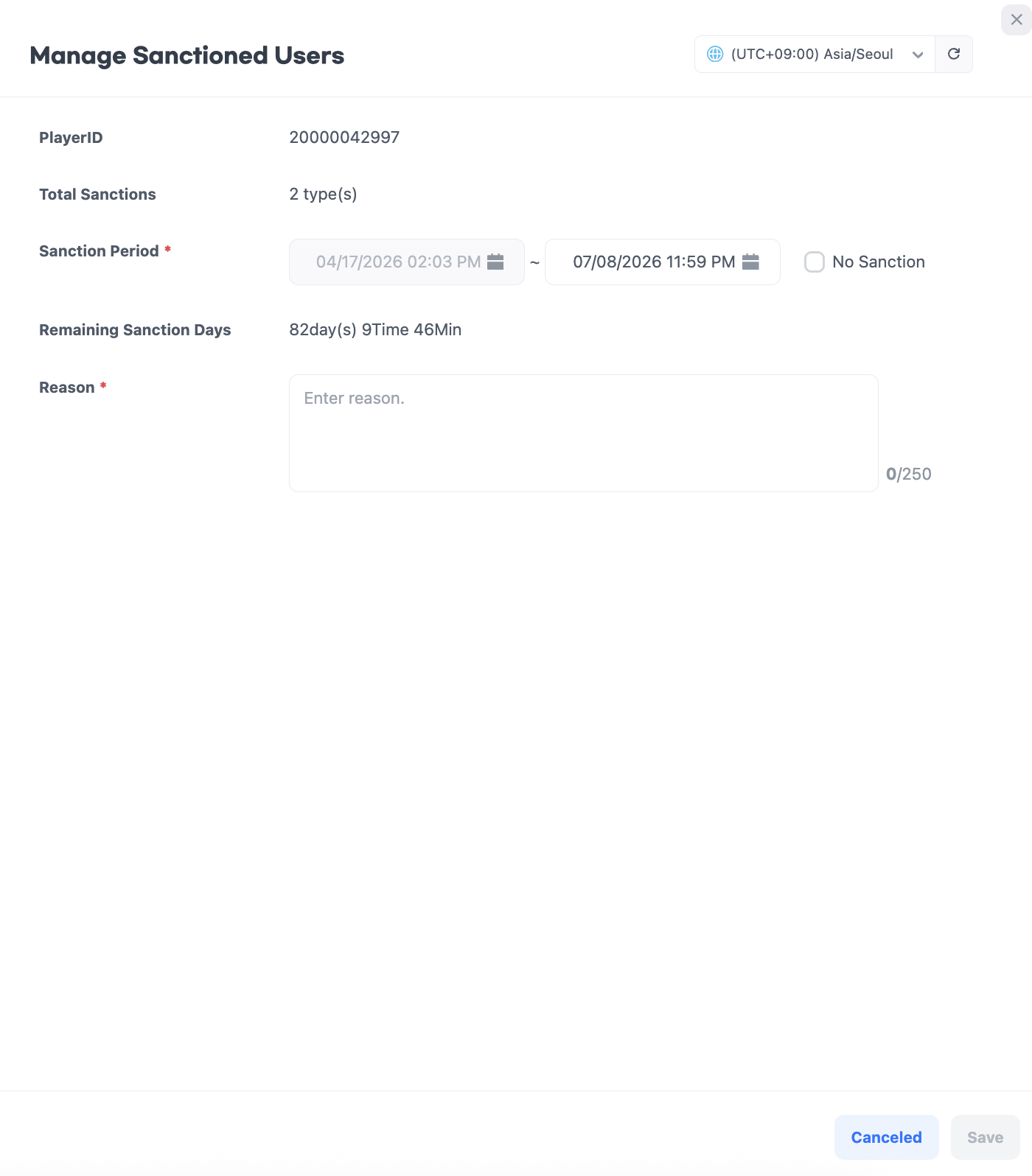
User Management for Sanctions
You can specify users currently under sanctions to change the existing sanction period or to terminate the sanctions immediately.
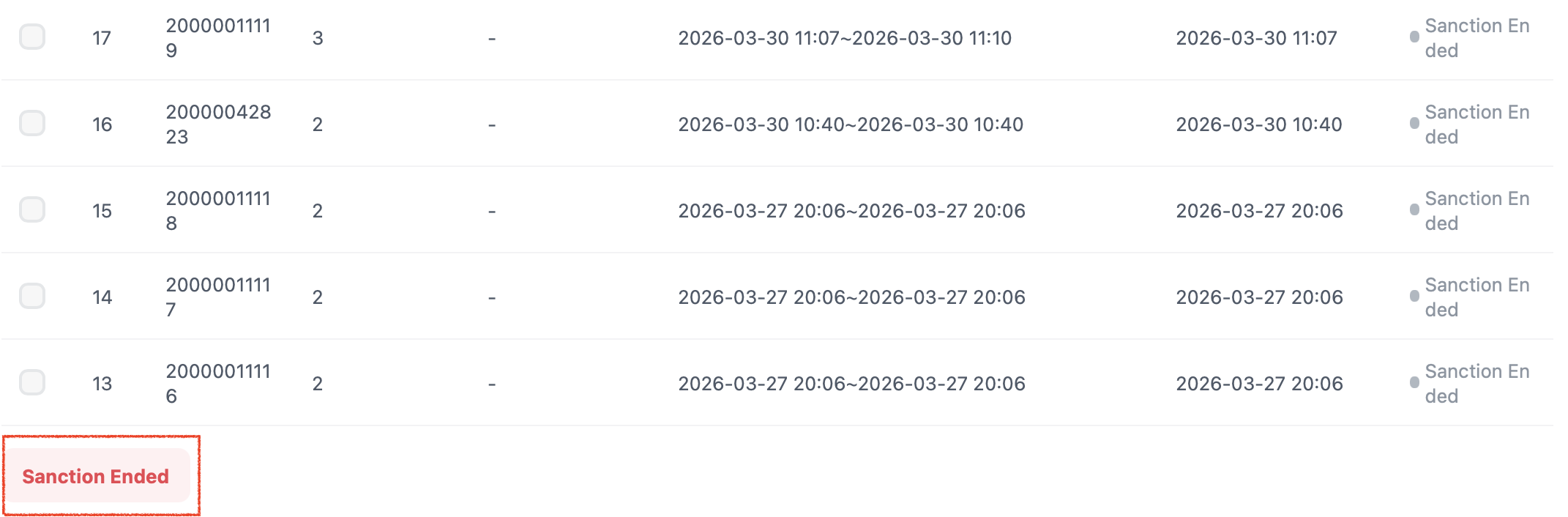
End of Bulk Sanction
Clicking the end sanction button will immediately end the sanctions for all selected users. Once the sanctions are lifted, the respective users will be able to use the chat immediately.