Admin Nickname
This page is where administrators set the nickname and profile image that will be displayed when creating a post. A nickname is required to write administrator posts, so please register it before writing posts.
Note
To register or edit an admin nickname, you need the Nickname Registration permission. For more details, see the Console Guide.
➡️ Console Path: Community & Web Store > Community > Admin Nickname
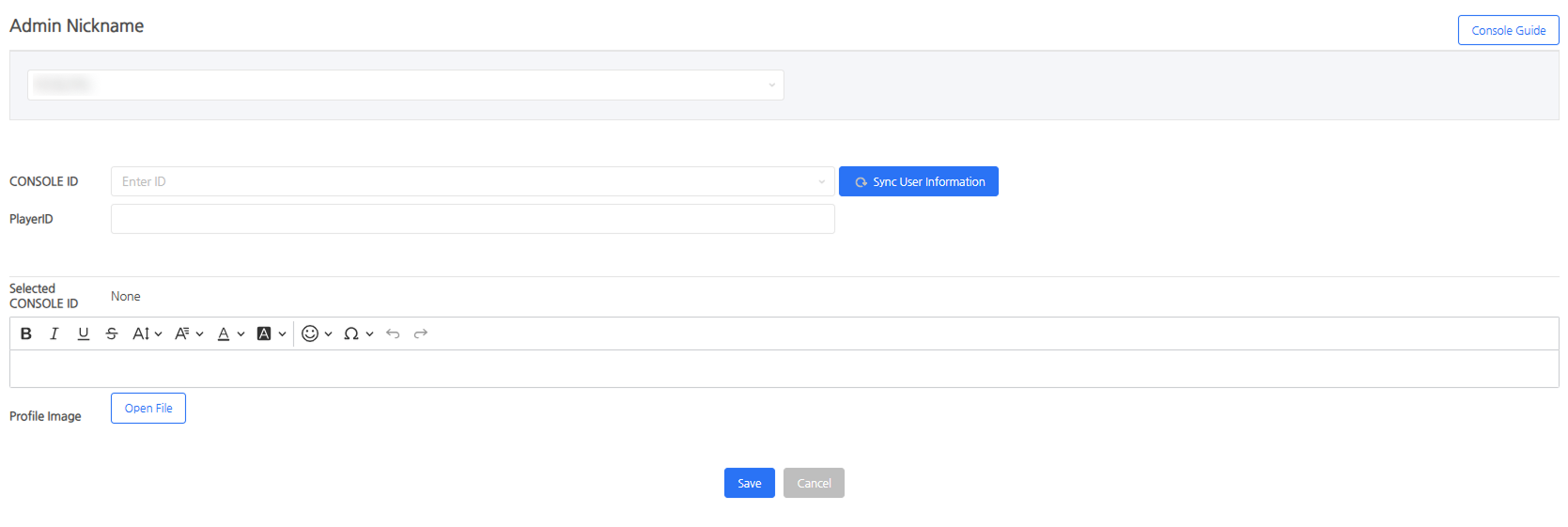
Registration Methods
- New Admin Nickname: Registers a console account and an admin nickname by matching them 1:1. Only accounts that have completed the 1:1 registration can write posts.
- New Shared Nickname: A feature that allows an administrator who has already completed admin nickname registration to register and use an additional shared nickname without linking a specific console account. However, Player ID linking is not supported for manual registration.
Notes on Registration
- The profile image must be 160×160px, and you can freely choose the file format.
- For console accounts registered on the same day, click the [Sync User Information] button to look them up.
- Player ID integration is optional, and writing posts or managing comments on the community website is supported only when linked.
Selecting Nickname When Writing Posts
Select your desired nickname from the registered nicknames. Multiple administrators can use the same nickname.
Next Steps
Register words to be prohibited in community posts and nicknames. Learn More