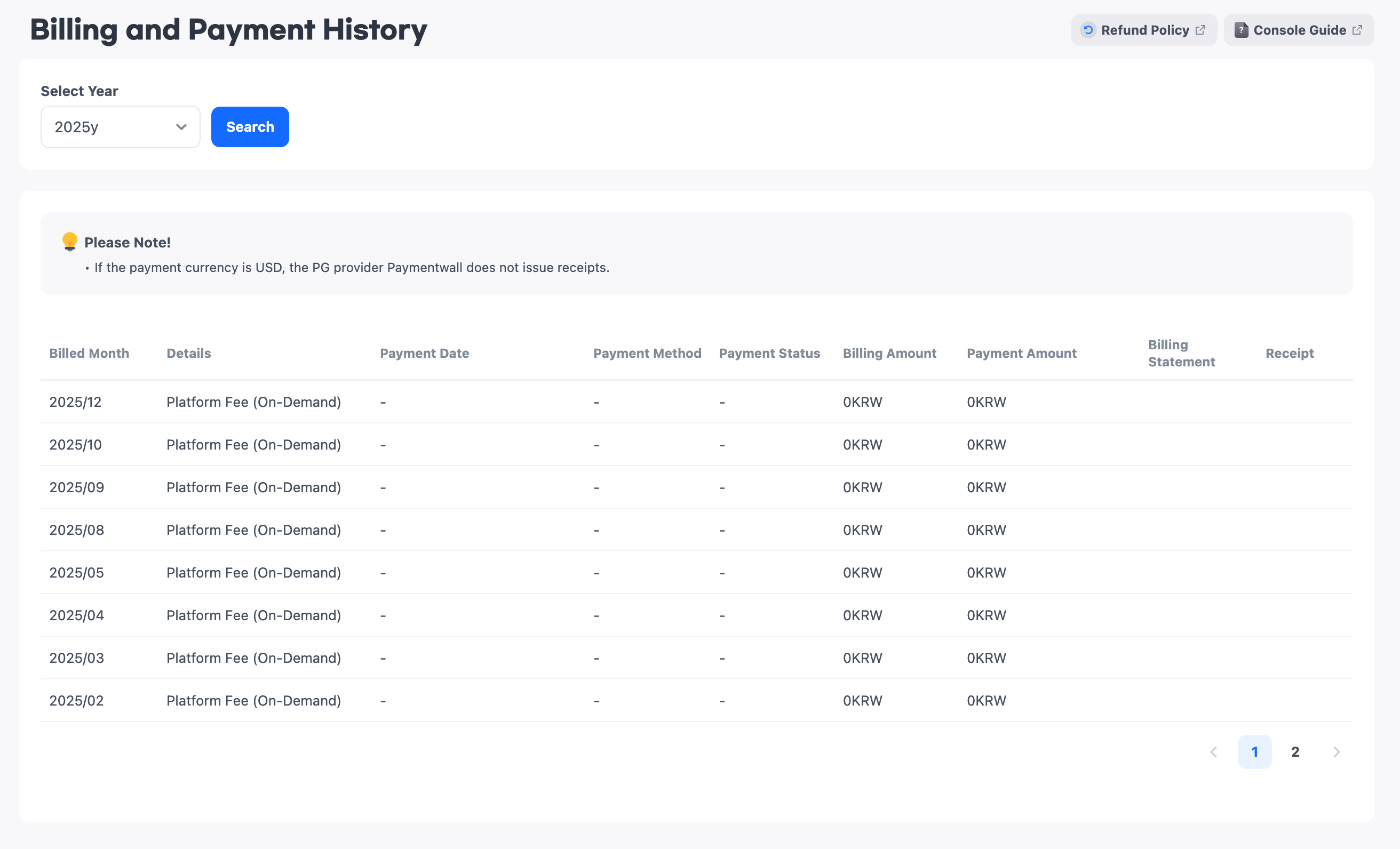
Billing and Payment History
In Billing and Payment History, you can view billed charges, payment history, and receipts.
Checking Billing and Payment History
- Billing month: Indicates the month in which the charges were billed.
- Details: The HIVE platform charges are displayed.
- Payment date: Charges are automatically paid using the registered payment method between the 10th and 14th of each month. The scheduled payment date is determined based on business days.
- Payment method: Only cards can be used as a payment method. For example, the card issuer name and the last 4 digits of the card are displayed in the format 'Hive Card (123*)'.
- Payment status: The payment status is displayed as one of the following: Payment completed, Payment failed, Payment scheduled, or Accrual completed.
- Payment amount: Displays the payment amount for the billing month.
- Usage statement: You can check the usage statement for the billing month by clicking the image button.
- Receipt: You can view the receipt provided by the PG company only when the payment currency is Korean won (KRW). If the payment currency is U.S. dollars (USD), a receipt link is not provided.