Manage Refunds
This page is for managing refund CS cases, including registration, inquiry, and processing status management. Refund entries can be registered, processing statuses can be changed, and refund user repayment exclusions can be configured. For information on refund user repayment exclusions, refer to the Refund User Repayment Guide.
Refund Search
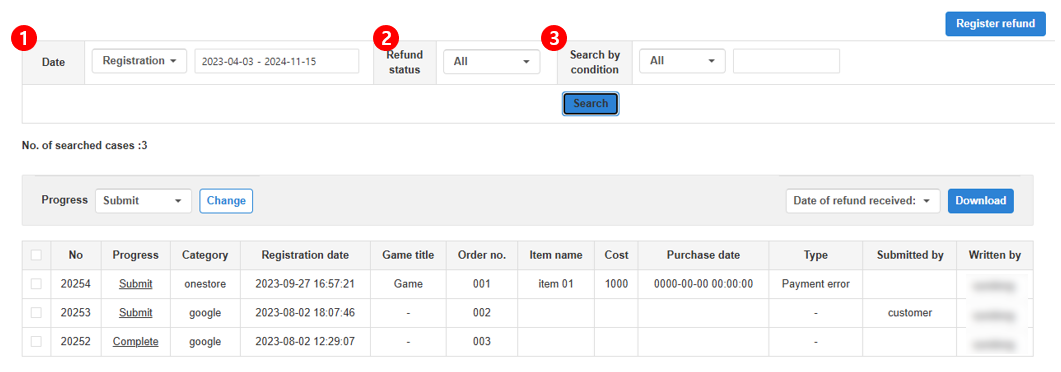
- Date : Select registration date or purchase date to search by date range.
- Refund Status : Filter by selecting Received, Requested, or Completed.
- Search by condition : Select a field (Order Number, Game title, Item Name, Applicant name, or Author Name) and enter a search term.
Refund Details
Click a refund entry in the list to open the detail screen. Edit the information or enter additional details. 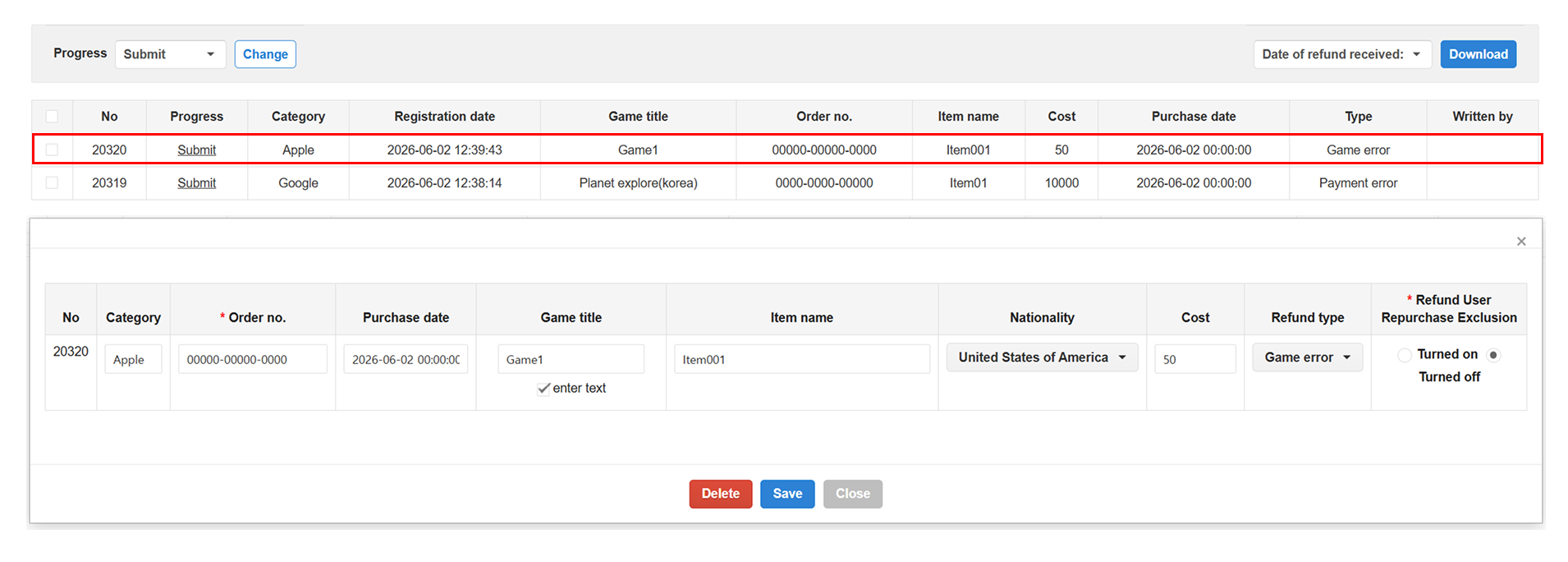
| Field | Input Method | Allowed Values · Format |
|---|---|---|
| Store | Select | Google Apple Steam Huawei Amazon Galaxy Store PG Cash |
| Order Number | Direct Input | Order number per store |
| Purchase Date | Direct Input | YYYY-MM-DD HH:MM:SS |
| Game Name | Select or Direct Input | — |
| Item Name | Direct Input | — |
| Country | Select | Korea China Taiwan Hong Kong USA Japan Other |
| Amount | Direct Input | Numeric input (no need to specify currency unit) |
| Refund Type | Select | Payment Error Unused Minor Game Error Lost Phone Unsupported Service Ended Claim Exception Refund test |
| Exclude from Re-billing | Select | Enabled Disabled — When enabled, the user is excluded from re-billing. |
Change Processing Status
Change the processing status of a refund entry for history management.

- Check the refund entries to update in the list. (Multiple selections allowed)
- Select the desired status from the Processing Status dropdown and click Change.
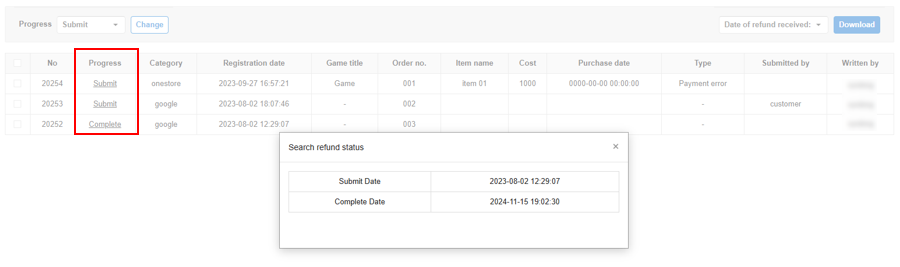
Click on the processing status to view the change history.
Download Refund Cases

Download search results as an Excel file.
- Apply search filters to retrieve the desired list of refund entries.
- Click the Download button to save the entire search result as an Excel (.xlsx) file.
Register Refund Cases
Register refund entries by store.
Excel upload (bulk registration) is currently supported for One Store only.
General Registration Steps
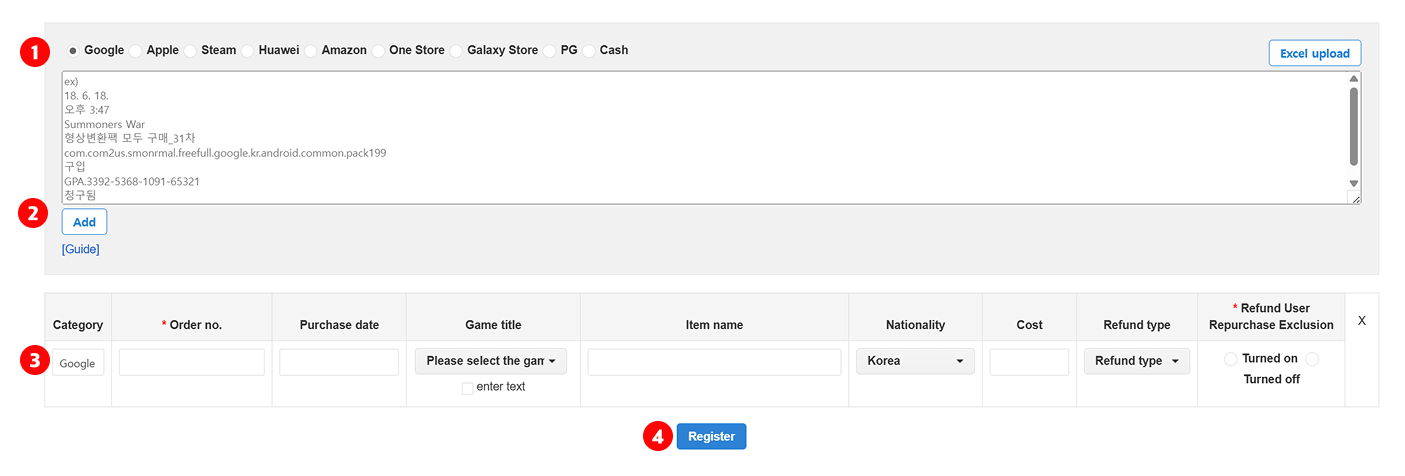
- Select a store. (Google, Apple, Steam, Huawei, Amazon, One Store, Galaxy Store, PG, Cash)
- Click the Add button.
- Verify the store-specific classification value and enter the refund information. Make sure to check the Refund User Repayment Exclusion setting.
- If there is additional information, click the Enter Additional Info button and fill in the details.
- Click the Register button to save.
Google Play Store Registration
Paste the refund information from the Google Console directly into the input field. The entry will only be accepted if it matches the format below.
💠Single Entry Format 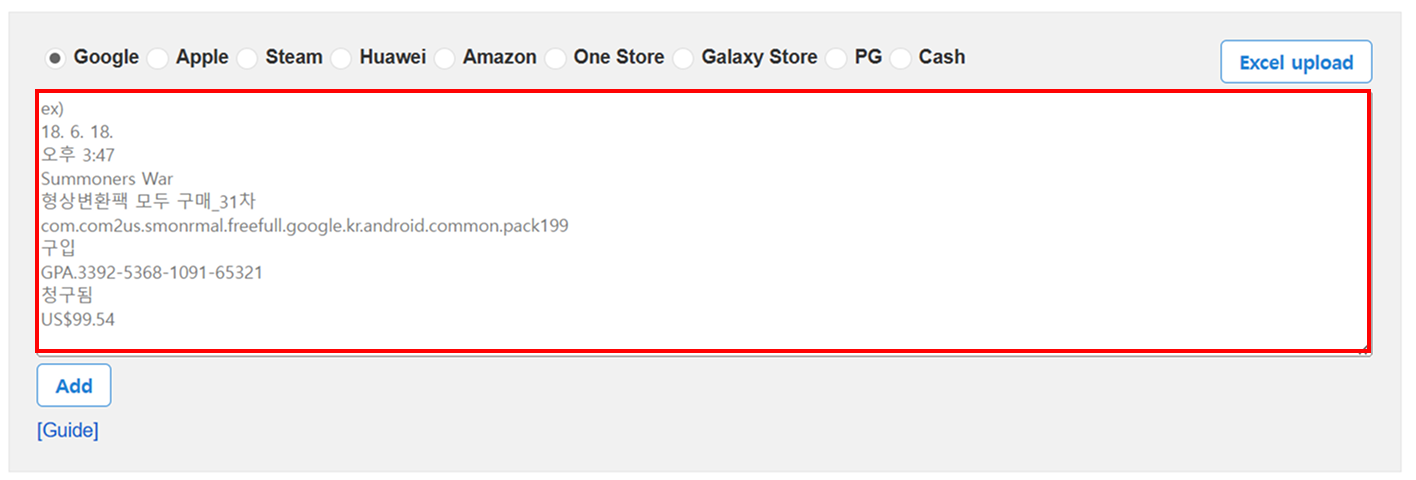
The entry must match the example format exactly. For details, refer to the writing guide at the bottom of the input field.
💠Multiple Entries
Separate each entry block with a blank line. Up to 20 entries can be registered at once.