Additional Settings
This feature lets you manage the country combinations, terms combinations, terms types, and terms content required to configure terms.
Console Path
Console path: Provisioning > Terms (Template Type) > Additional Settings
Before You Start
- If the terms type you want to register in [Provisioning > Terms (Template Type) > Terms Management] is not in the list, add it first in the Manage Terms Type (T) tab.
- If the country you want to register in [Provisioning > Terms (Template Type) > Terms Management] is not in the list, add it first in the Country Combination tab.
- Check Terms Combination (M) and Terms Content (S) after terms have been registered in [Provisioning > Terms (Template Type) > Terms Management].
Overview
Additional Settings consists of the following four tabs.
| Tab | Feature |
|---|---|
| Country Combination | Manage the terms exposure scope by grouping multiple countries into a single combination. |
| Terms Combination (M) | Check the country-specific terms list by project and edit the terms consent screen type. |
| Manage Terms Type (T) | Manage categories used to classify terms content. |
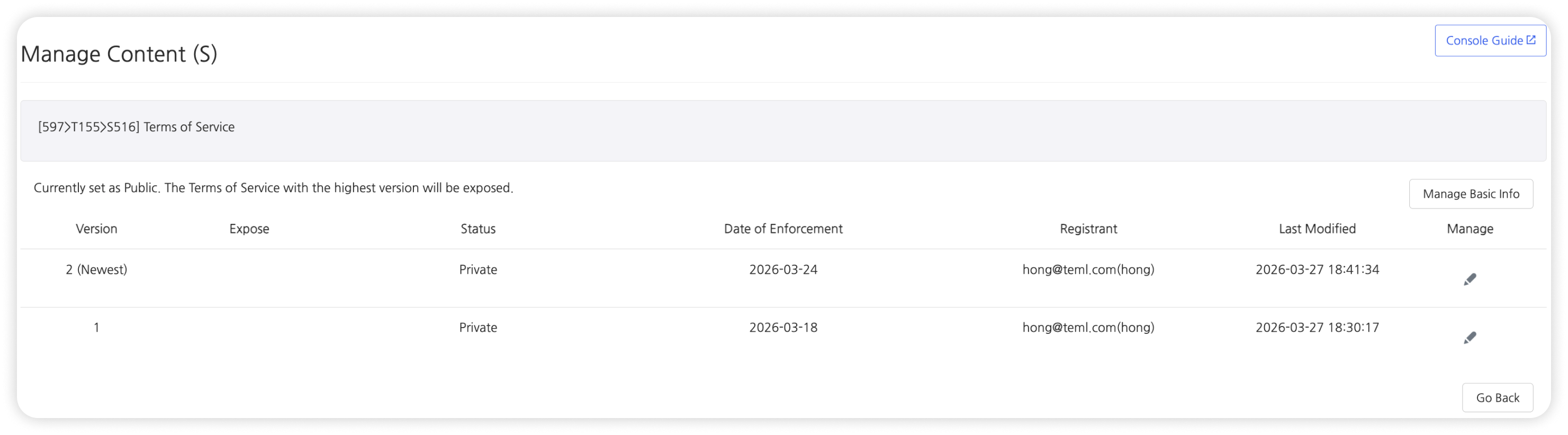
| Manage Terms Content (S) | Check registered terms content by project and terms type. |
Country Combination
Overview
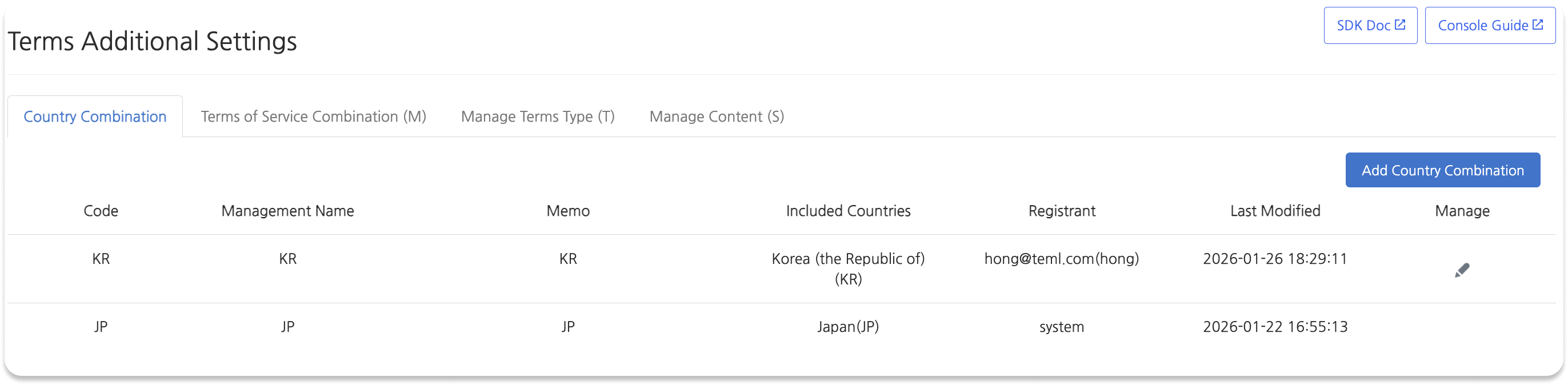
Manage the terms exposure scope by grouping multiple countries into a single combination.
List Items
| Item | Description |
|---|---|
| Code | A value used to identify the country combination. If the combination consists of a single country, that country's ISO code (for example, KR) is automatically set. |
| Management Name | An internal name used to identify the combination in the console. |
| Memo | Additional information for management purposes. |
| Included Countries | The country names and country codes included in the combination. |
Country Combination Registration Process
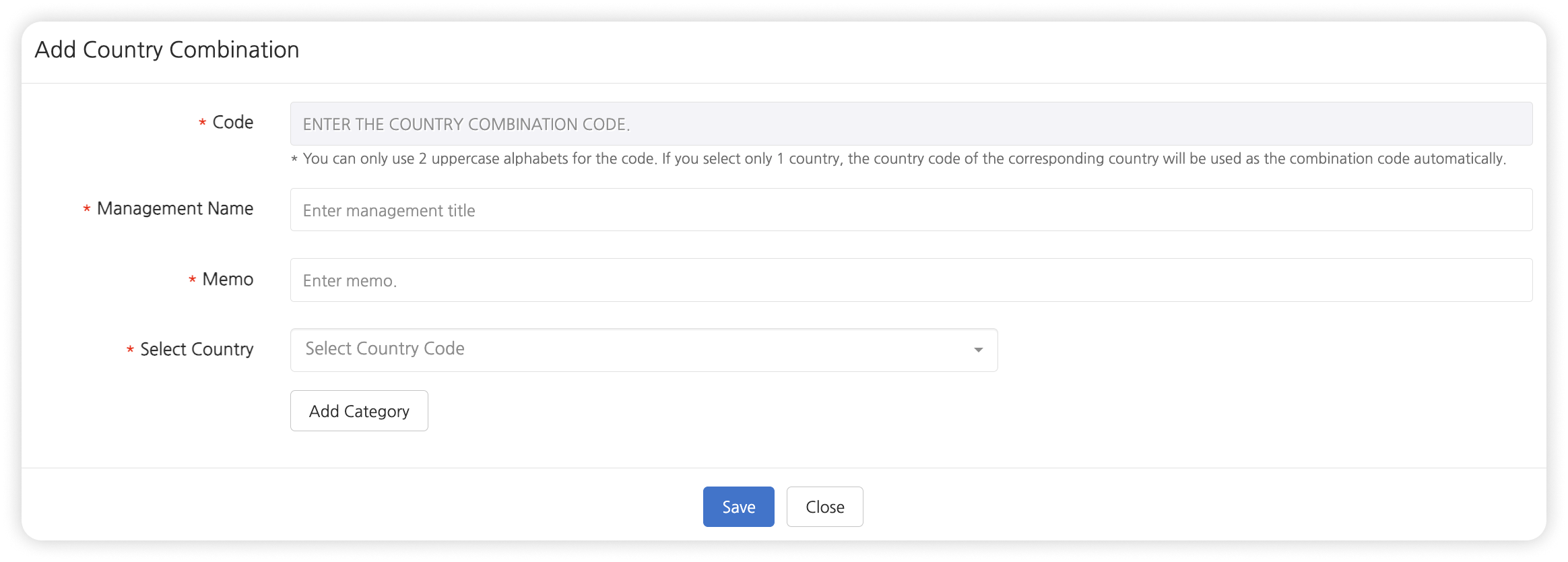
- Go to [Provisioning > Terms (Template Type) > Additional Settings > Country Combination].
- Click [Add Country Combination].
- Enter the required items and click [Save].
Registration Items
| Item | Required | Description | Notes |
|---|---|---|---|
| Code | Required | A value used to identify the country combination. | Automatically generated and cannot be edited when a single country is selected. If two or more countries are selected, enter two uppercase English letters manually. |
| Management Name | Required | An internal name used to identify the combination. | - |
| Memo | Optional | Additional information for management purposes. | - |
| Country Selection | Required | Select one or more countries to include in the combination. | A single country cannot be added to multiple combinations. |
Notes
- Countries displayed in [Provisioning > Terms (Template Type) > Terms Management] are automatically added as country combinations when terms are registered.
- A single country cannot be added to multiple combinations.
Terms Combination (M)
Overview
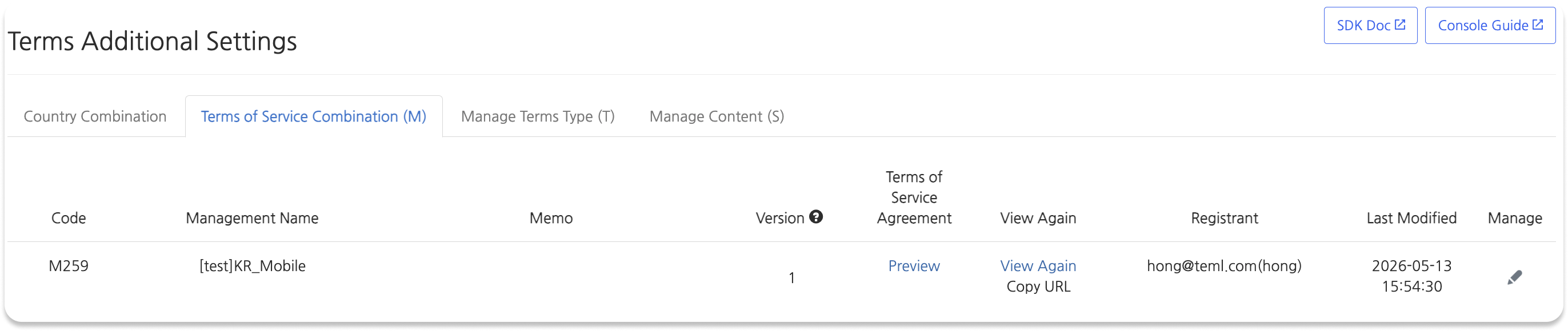
Check the country-specific terms list by project and edit the terms consent screen type.
List Items
| Item | Description |
|---|---|
| Code | A value used to identify the terms combination. |
| Management Name | An internal name for the terms combination. When terms are registered in Terms Management, it is displayed in the format "[Project Name]CountryCode_Device Type" (for example, [Test]KO_Mobile). |
| Version | A value used to determine whether users must consent again. The version increases when terms that require user consent are deployed. |
| Terms Consent | Preview the terms consent screen for deployed terms. If terms have not been deployed, no preview is provided. |
| View Again | Check the View Again screen and URL for deployed terms. |
Edit Terms Consent Screen Process
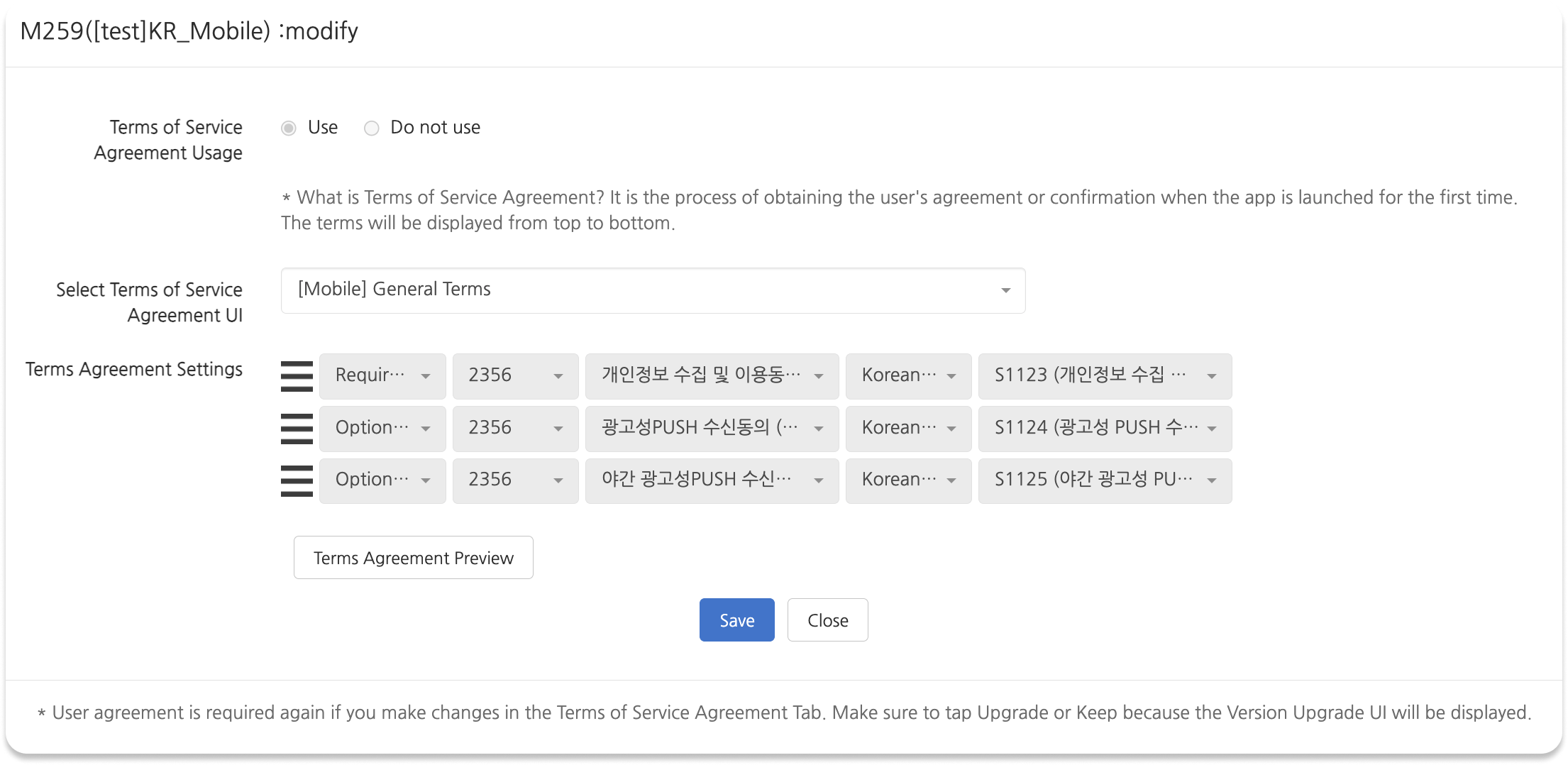
- Go to [Provisioning > Terms (Template Type) > Additional Settings > Terms Combination (M)].
- Click the edit button in the row for the terms combination you want to edit.
- In the [Select Terms Consent UI] dropdown, select the UI type you want.
- Click [Save].
Notes
- The terms address is provided as a web URL, so link to it for use on the web.
- Web address format:
http://terms.withhive.com/terms/policy/view/[CombinationCode]
Terms Consent UI Types
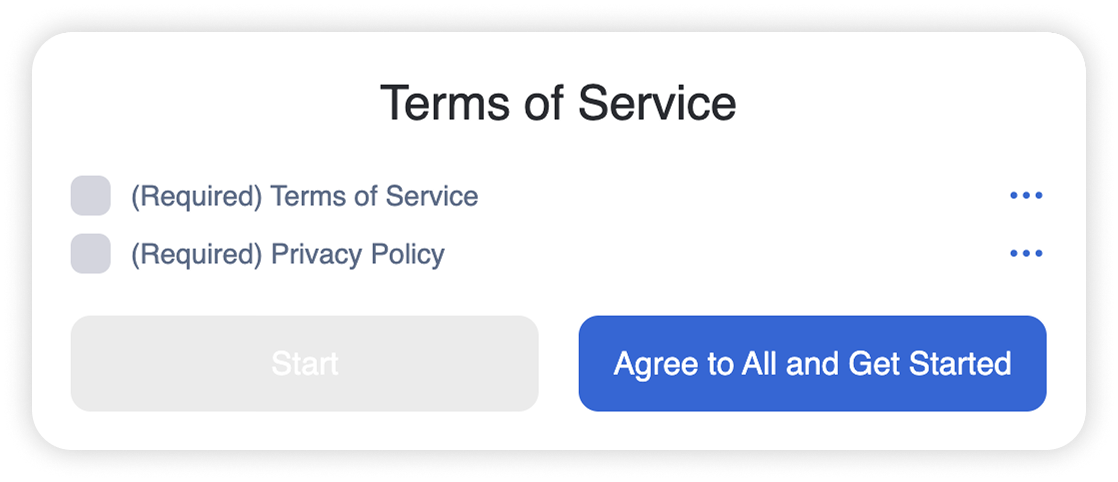
General Terms
- Users can use the service after agreeing to the required terms.
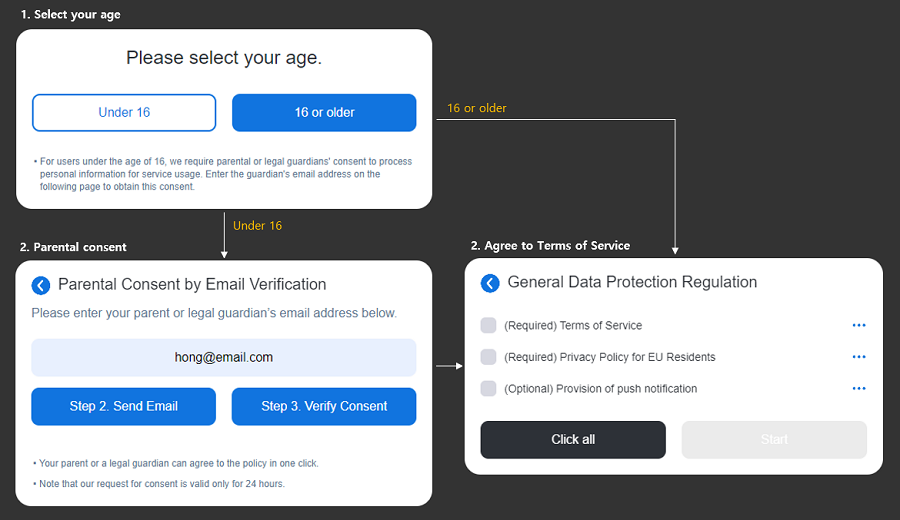
GDPR Terms
- Used to obtain terms consent from users in EU countries in accordance with the General Data Protection Regulation (GDPR).
Legal Representative Consent Terms
- Used when obtaining terms consent from minors. If the user is under the configured reference age, the consent process is completed through the legal representative's email.
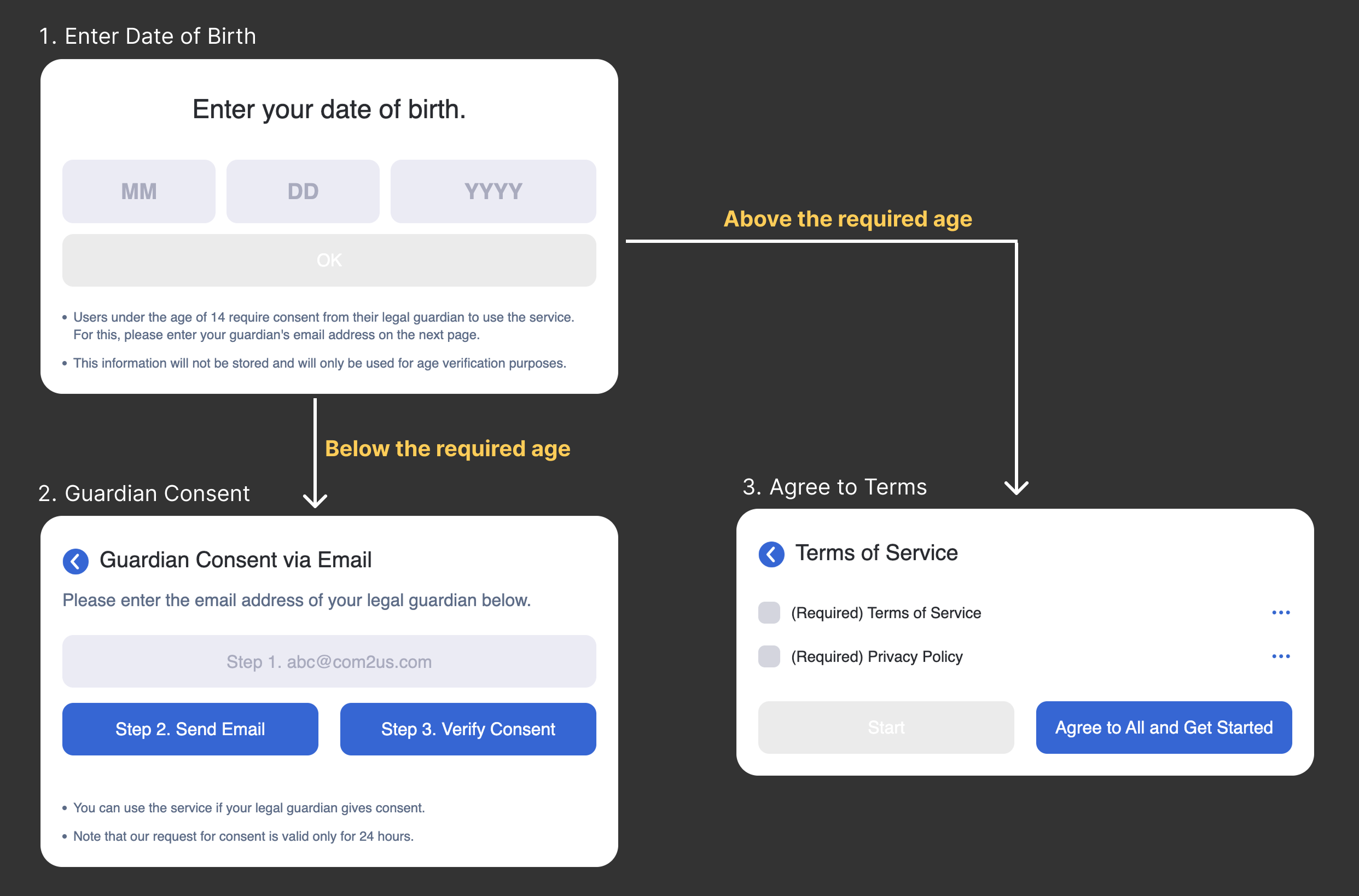
COPPA Terms
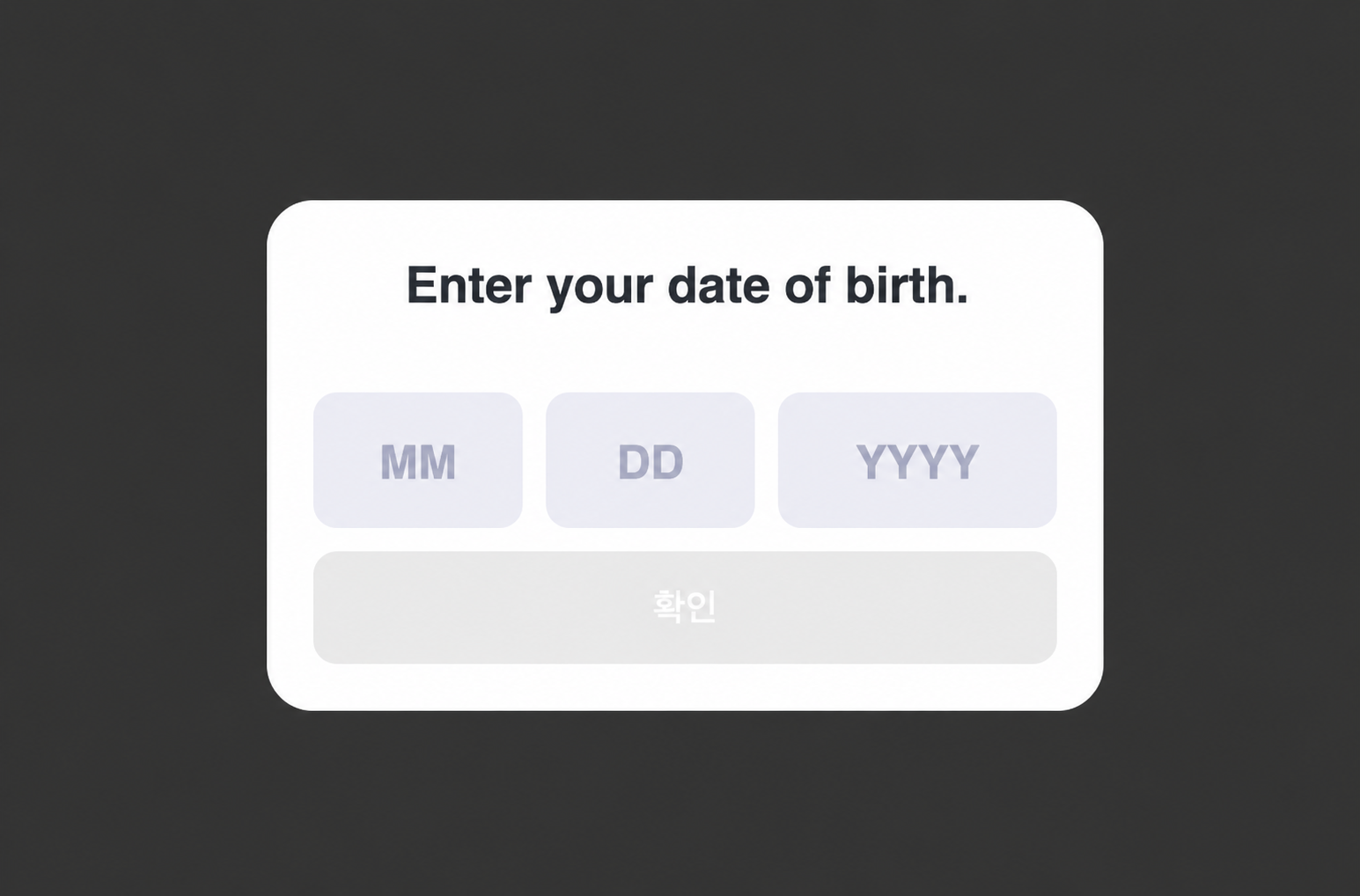
- In accordance with the U.S. Children's Online Privacy Protection Act (COPPA), the user enters their date of birth, and service use is restricted if the user is under 13 years old.
Manage Terms Type (T)
Overview
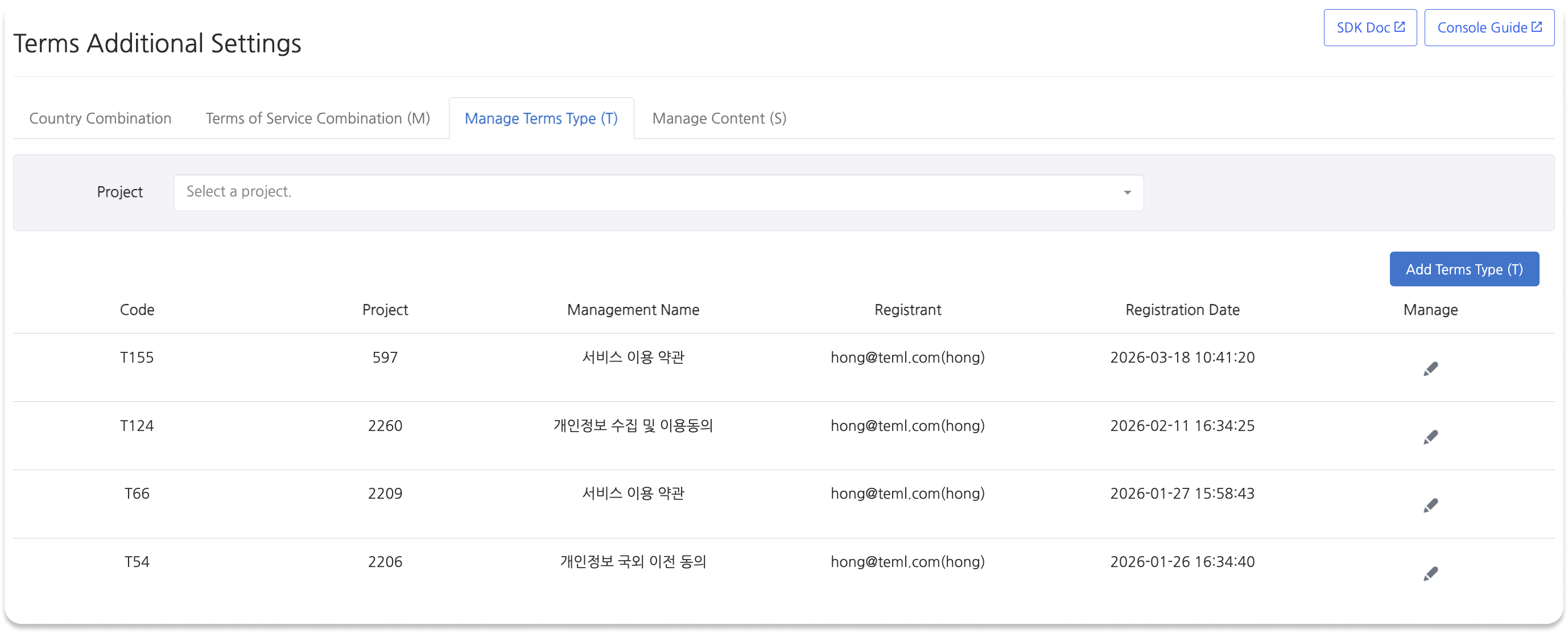
Categories used to classify terms content. They are managed by project and searched by project index.
List Items
| Item | Description |
|---|---|
| Code | A value used to identify the terms type. |
| Project | The project index to which the terms type is applied. |
| Management Name | An internal name used to identify the terms type in the console. |
Terms Type Registration Process
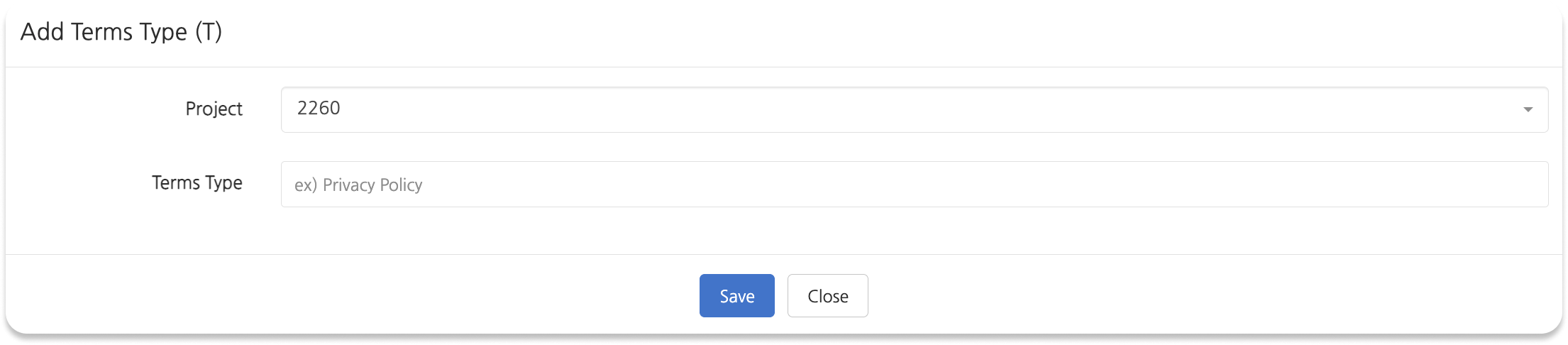
- Go to [Provisioning > Terms (Template Type) > Additional Settings > Manage Terms Type (T)].
- Click [Add Terms Type (T)].
- Enter the required items and click [Save].
Registration Items
| Item | Required | Description |
|---|---|---|
| Project | Required | Select the project (index) to which the terms type applies. |
| Terms Type | Required | Enter a name used to identify the terms type. |
Manage Terms Content (S)
Overview
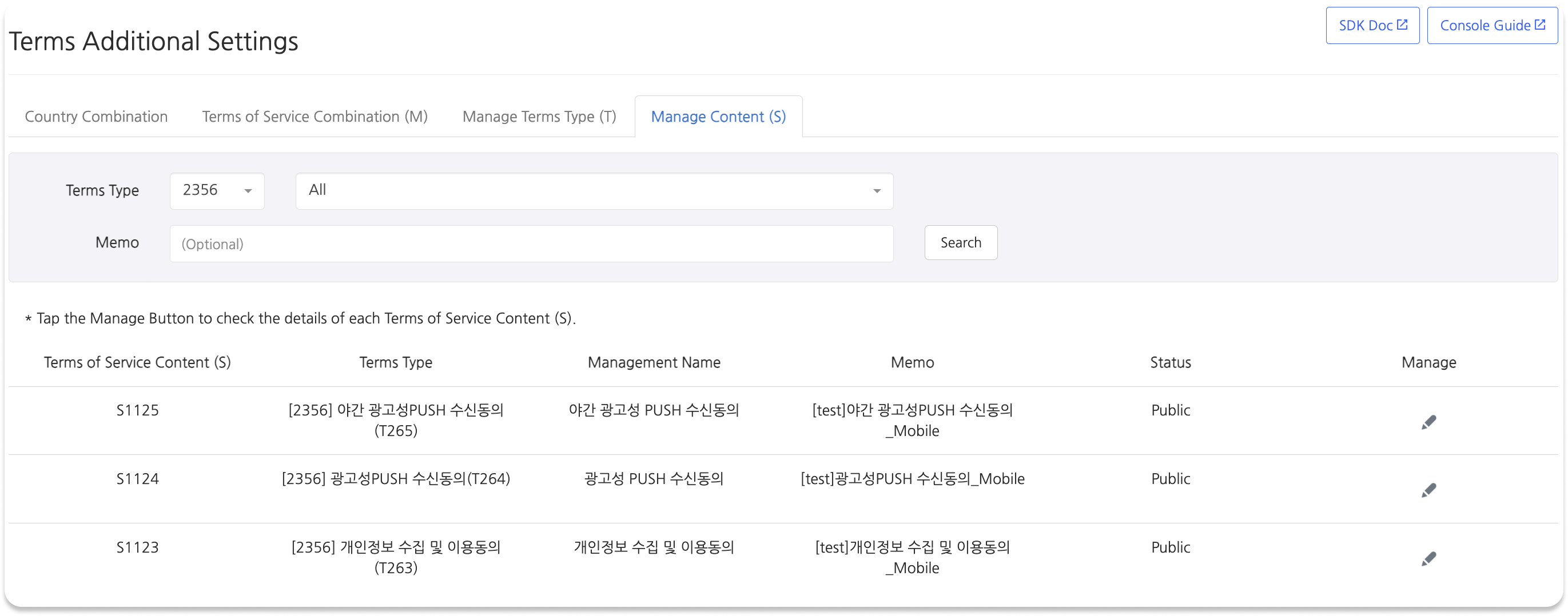
Select a project (index) and terms type to check registered terms content.
Search Process
- Go to [Provisioning > Terms (Template Type) > Additional Settings > Manage Terms Content (S)].
- In the [Terms Type] dropdown, select the project and terms type to search.
- Click [Search].
- Select terms from the list to check previous version content together.