Unreal
本指南說明在 Hive SDK Unreal Engine 4 和 5 中使用 Notification 功能所需的設定。
Android
本節說明 Android 所需的設定。
選擇推送服務
- 在 Unreal Editor 選單中點擊 Edit > Project Settings。Project Settings 視窗將會顯示。
-
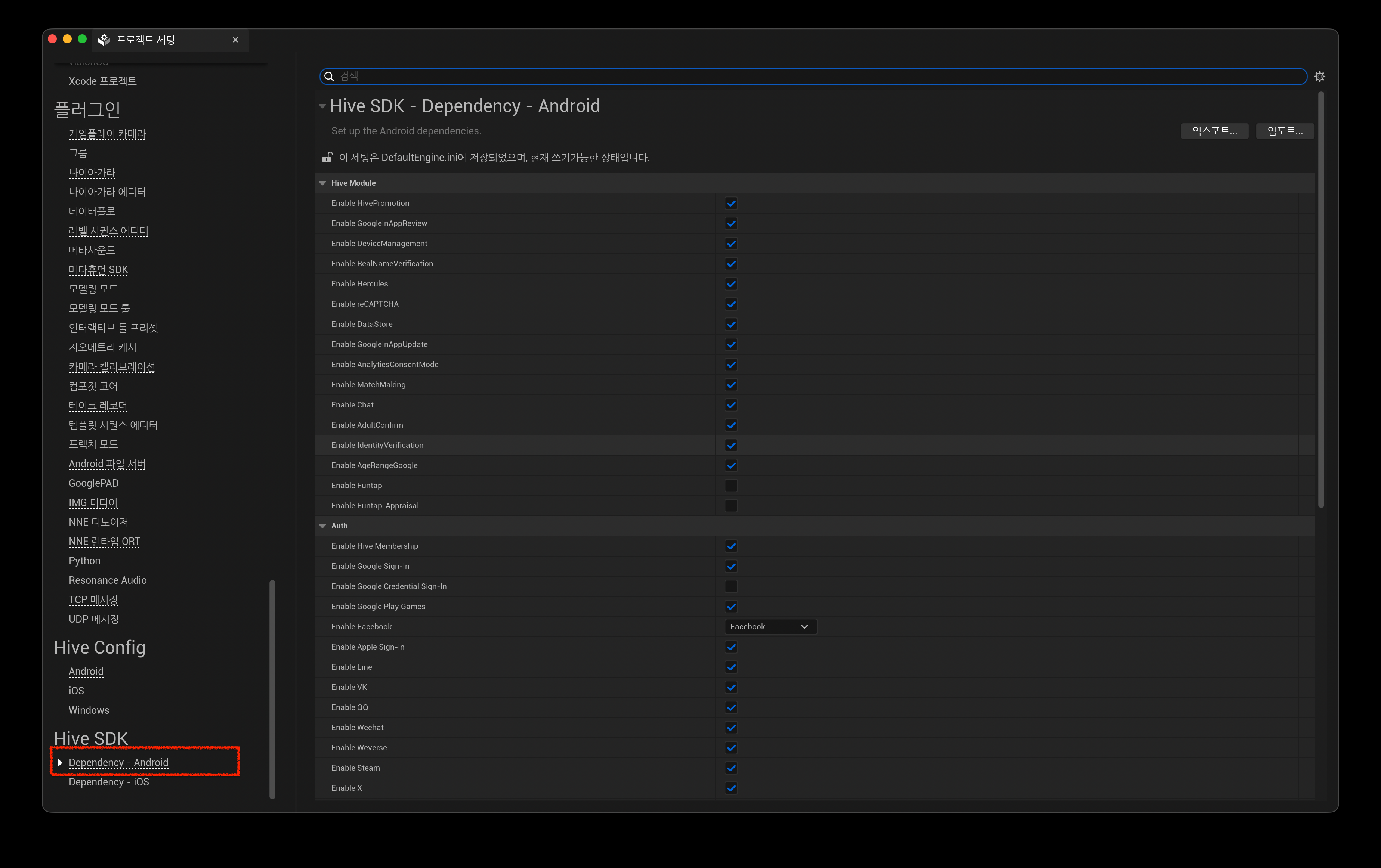
在 Project Settings 視窗左側面板中,點擊 Hive SDK 下的 Dependency - Android。
-
在右側的 Hive SDK Dependency - Android 畫面中,從 Push 區域的 Push Type 選擇要使用的推送服務。例如,若要使用 Firebase Cloud Messaging,請選擇 Google FCM。
Hive Console 設定:Remote Push
若要使用 Remote Push,請從 Firebase Console 或 Apple Developer Portal 取得推送憑證,並註冊到 Hive Console。
iOS
本節說明 iOS 所需的設定。
選擇推送服務
Unreal iOS 預設包含 Apple Push Notification service。
若要使用 Remote Push,應用程式簽章中必須包含 aps-environment 項目。
請在 entitlements 檔案中包含 aps-environment 項目。關於建立和套用 entitlements 檔案的方法,請參閱設定 entitlements (iOS)。
在 Unreal Editor 的 Project Settings > Platforms > iOS 中,勾選 Online 下的 Enable Remote Notifications Support。建置時會自動套用 aps-environment 項目。
應用程式未執行時處理 Push Deep Link
在 Hive SDK v4 26.4.1 或更高版本中,當應用程式未執行時透過推送通知啟動應用程式,SDK 外掛程式會自動處理 Deep Link。無需修改 Unreal Engine 或新增遊戲程式碼。
從舊版 Hive SDK 更新時
依照舊指南套用的 Unreal Engine 程式碼修改(IOSAppDelegate.h、IOSAppDelegate.cpp)和應用程式內委派訂閱程式碼已不再使用。
請參閱套用 HIVEAppDelegate,並刪除之前整合的程式碼。
Hive Console 設定:Remote Push
若要使用 Remote Push,請從 Firebase Console 或 Apple Developer Portal 取得推送憑證,並註冊到 Hive Console。