iOS Native - SPM
iOS Native 安装指南(SPM)
本文档说明如何将 Hercules 添加到**使用 Swift Package Manager(SPM)的 iOS 项目**中。
1. 添加 Hercules 包
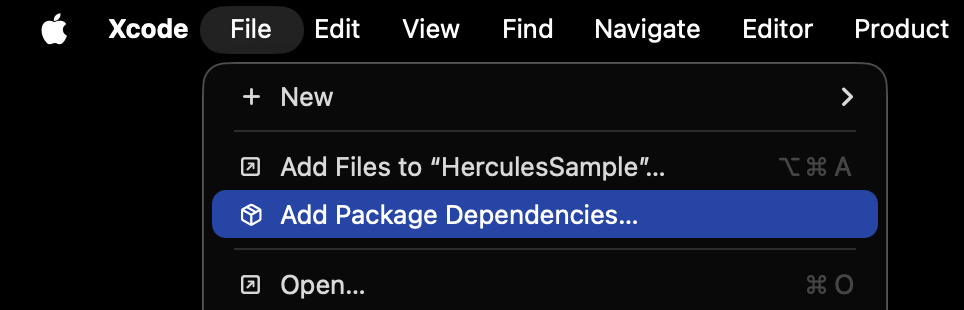
在 Xcode 中打开要使用 Hercules 的项目,然后进入以下菜单。
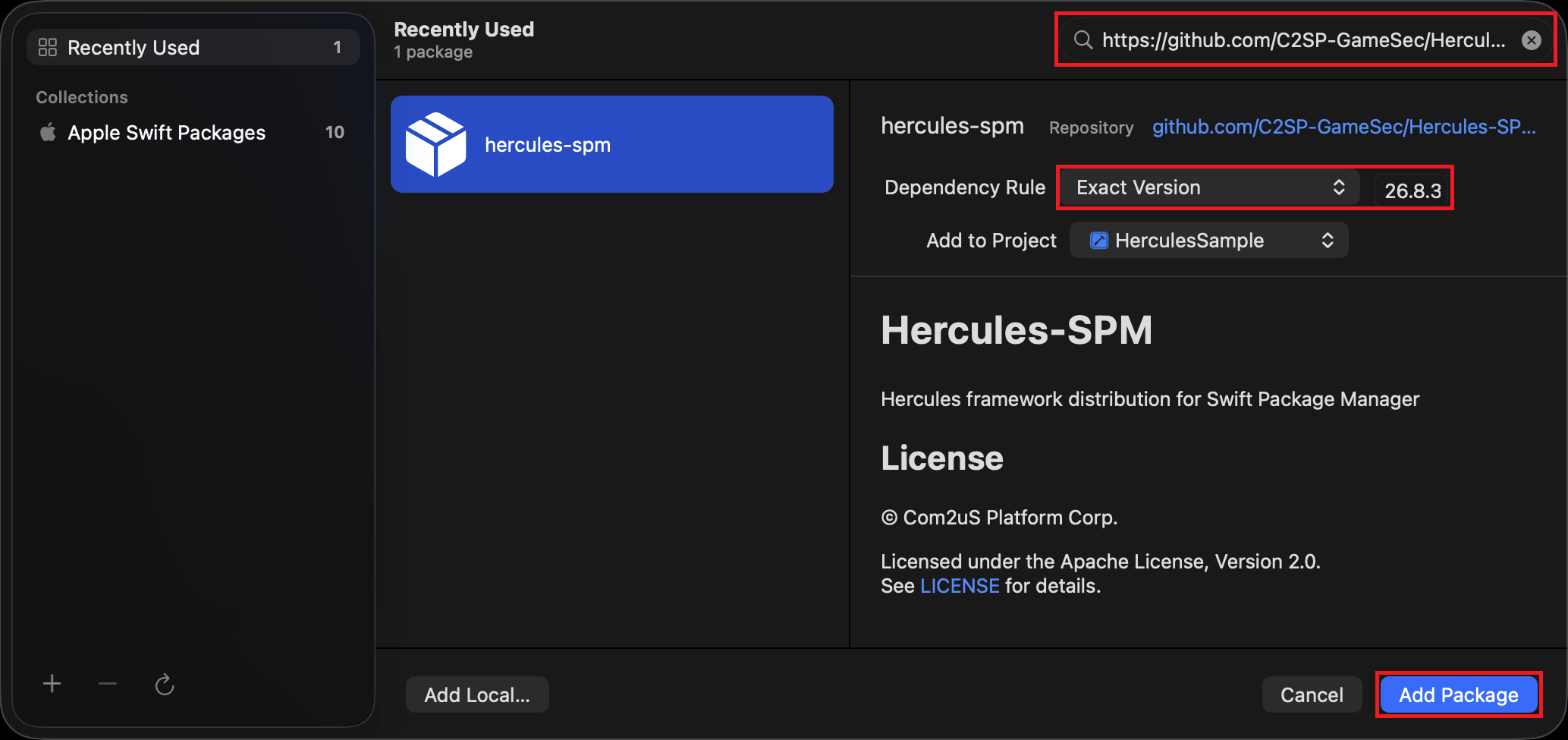
在右上角的 Search or Enter Package URL 中输入以下仓库地址。
找到包后,选择要安装的版本。
本指南使用 26.8.31 版本。
| 字段 | 值 |
|---|---|
| Dependency Rule | Exact Version |
| Version | 26.8.31 |
确认配置后,选择 Add Package。
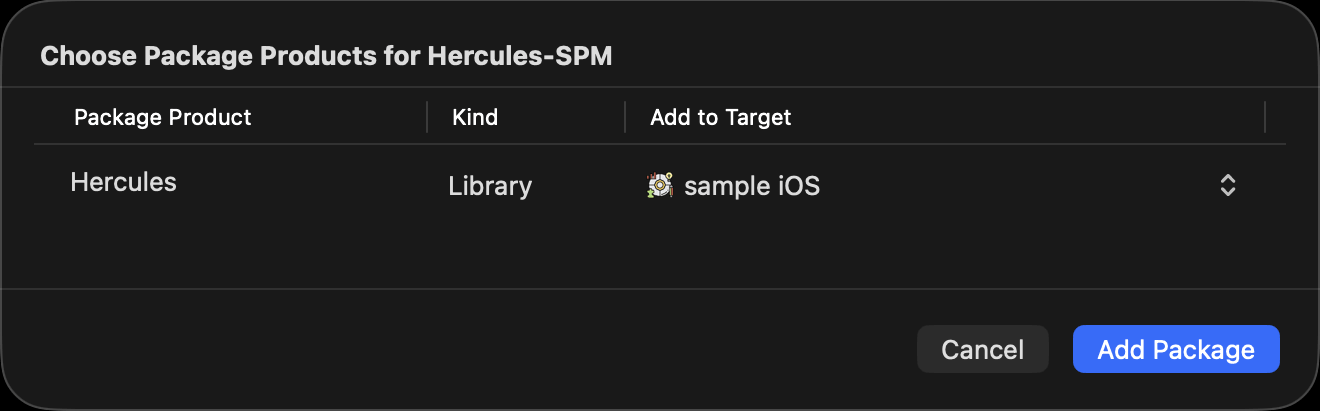
在接下来的弹出窗口中,选择要添加包的 Target。 此处只能选择一个 Target;要添加到多个 Target,可在下一步中添加到其余 Target。
2. 确认 Target 已链接 Hercules
确认 Hercules 已添加到所需的 Target;如果尚未添加,请手动添加。
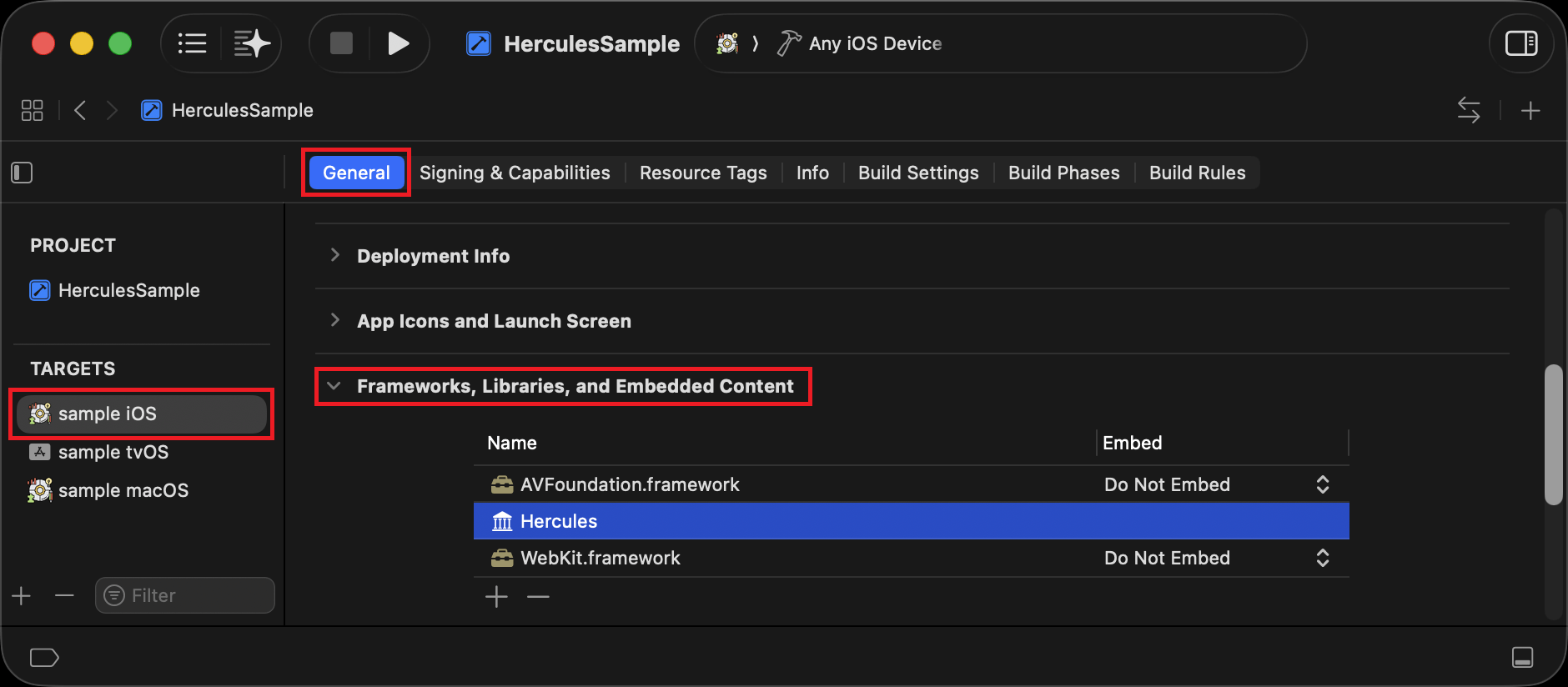
以后要从特定 Target 移除 Hercules,请从此列表中移除。
3. 使用 API
在将使用 Hercules 的源代码中包含 Hercules.h 头文件。
示例:
#import <Hercules/Hercules.h>
...
unsigned int version = HerculesGetVersion();
NSLog(@"Hercules version: %u", version);
初始化会在 Hive SDK 初始化时自动执行。
无需单独调用 InitializeHercules。
4. 更改版本
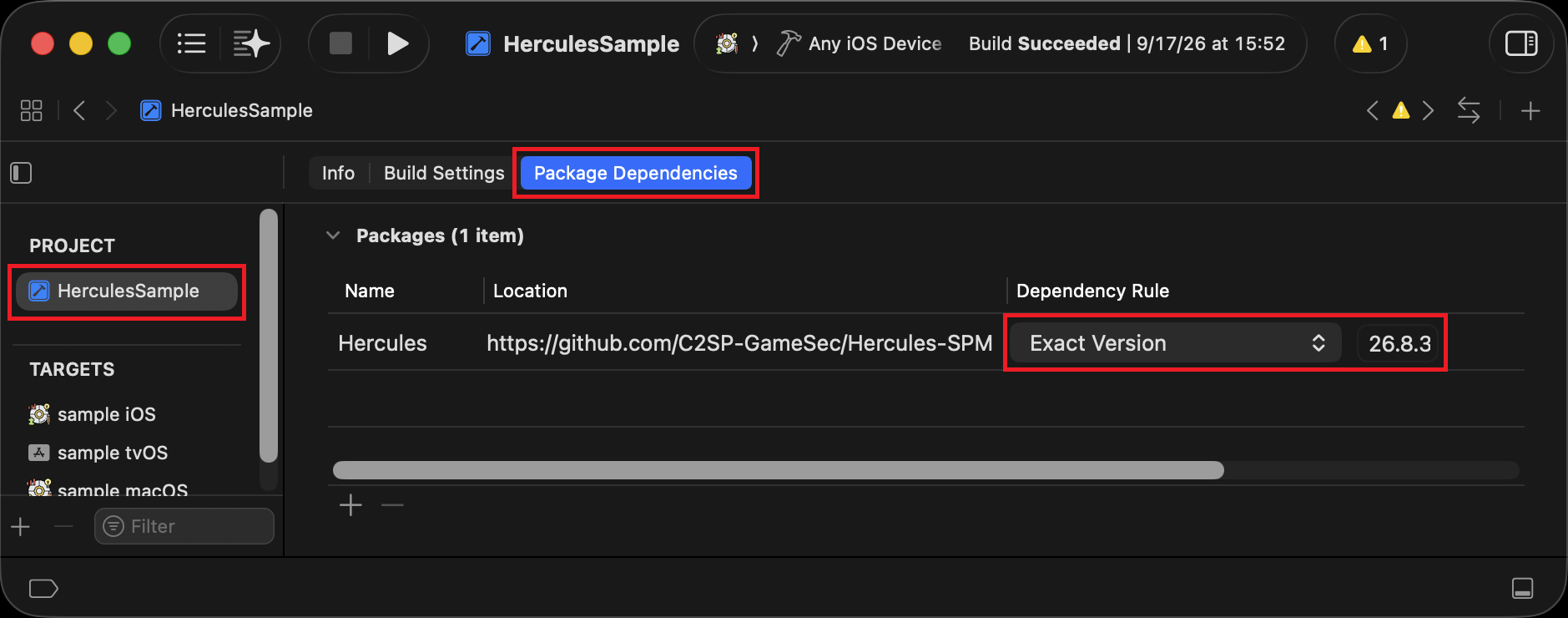
要更改 Hercules 版本,请在 Xcode 中打开项目的 Package Dependencies 配置。
将 Dependency Rule 设为 Exact Version,并更改为所需的 Hercules 版本。
5. 移除 Hercules
要从整个项目移除 Hercules,请打开 Package Dependencies 配置。
在列表中选择 Hercules 并移除,同时移除 API 相关代码。
如果 Target 的 Frameworks, Libraries, and Embedded Content 中仍有 Hercules,也请一并移除。