Unity
Hercules Unity Package 安装指南
Hercules 可通过 Unity Package Manager(UPM)安装。
请选择以下两种方法之一,添加注册表和 Hercules 包。
方法 1. 直接编辑 manifest.json 文件进行安装
打开 Unity 项目中的以下文件。
将以下内容添加到 manifest.json 的根级别,或与现有配置合并。
{
  "scopedRegistries": [
    {
      "name": "Com2uS Platform Security Repo",
      "url": "https://aas-auth.withhive.com/upm",
      "scopes": [
        "com.com2us.security"
      ]
    }
  ],
  "dependencies": {
    "com.com2us.security.hercules": "26.9.8",
    ...
  }
}
Warning
如果已有 scopedRegistries 或 dependencies 条目,请勿删除或覆盖,请将上述内容添加到现有列表中。
保存配置后,打开 Unity 项目,Hercules 包便会自动安装。
更改版本
修改 dependencies 中指定的版本,即可将 Hercules 更新为所需版本。
移除
从 dependencies 中删除以下条目,即可移除 Hercules 包。
如果不再使用 Hercules,也可以移除之前添加到 scopedRegistries 中的 Com2uS Platform Security Repo。
有关编辑 manifest.json 的详细信息,请参阅 Unity 官方文档。
方法 2. 在 Unity Editor 中安装
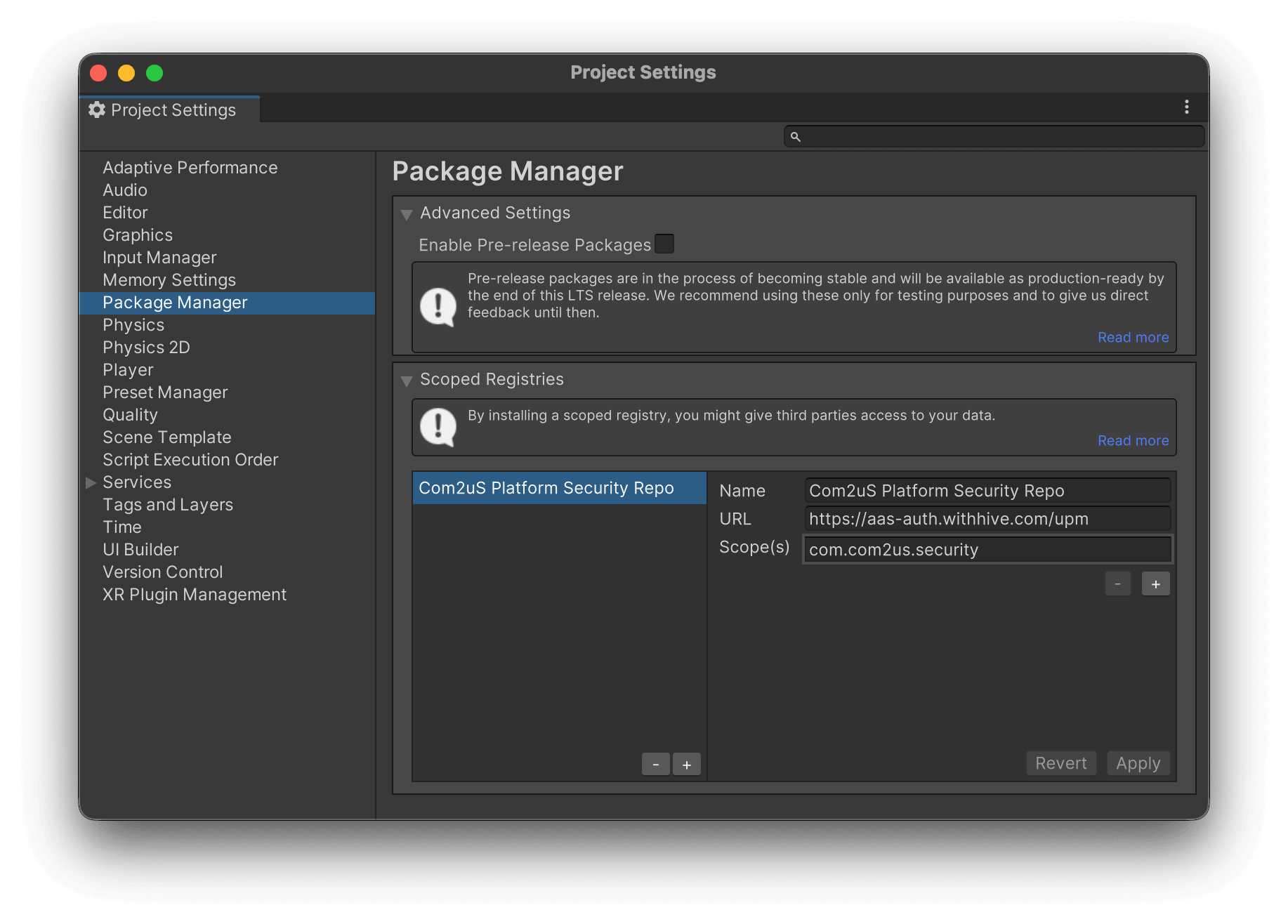
1. 添加 Scoped Registry
打开 Unity 项目,然后进入以下菜单。
在 Scoped Registries 中添加以下注册表。
| 字段 | 值 |
|---|---|
| Name | Com2uS Platform Security Repo |
| URL | https://aas-auth.withhive.com/upm |
| Scope(s) | com.com2us.security |
2. 添加 Hercules 包
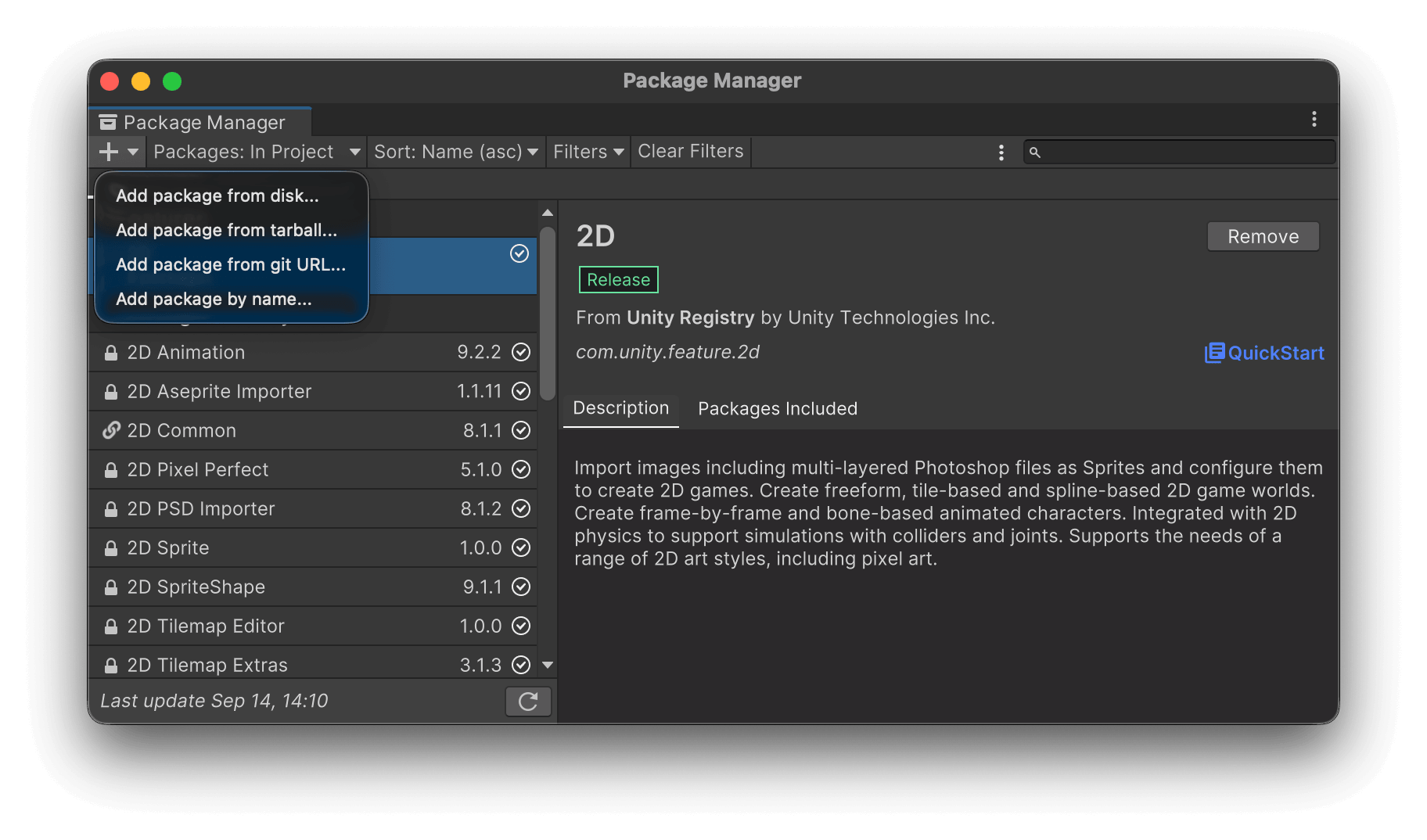
打开以下菜单。
点击 Package Manager 左上角的 + 按钮,然后选择 Add package by name...。
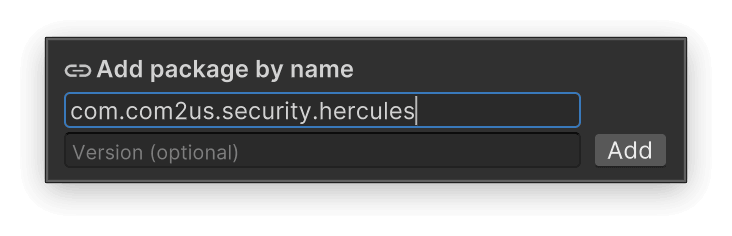
输入以下信息。
| 字段 | 值 |
|---|---|
| Name | com.com2us.security.hercules |
| Version | 要安装的 Hercules 版本(可选) |
如果未填写 Version,系统会选择最新版本。
安装完成后,即可在 Package Manager 中查看 Hercules 包。
更改版本与移除
安装后,可在 Unity Package Manager 中更改 Hercules 版本或移除包。
如果已移除 Hercules,且不再使用该注册表,也请从以下位置移除之前添加的 Scoped Registry。
直接修改 Hercules 包并使用
要直接修改已安装的 Hercules 包并使用,请将包转换为 Embedded package。
在 Unity Editor 的 Project 窗口中,右键点击已安装的 Hercules 包,然后选择 Show in Explorer(Windows)或 Reveal in Finder(macOS)。
将打开的 Hercules 包文件夹复制到项目的 Packages 文件夹,并移除文件夹名称末尾的 @<fingerprint> 部分。
例如,如果已安装的包位于以下位置:
请调整为以下结构。
复制的包会被识别为 Unity 项目中包含的 Embedded package,之后即可直接修改并使用 Packages/com.com2us.security.hercules 文件夹中的文件。
有关 Embedded package 的详细信息,请参阅 Unity 官方文档。