Unreal
本指南说明在 Hive SDK Unreal Engine 4 和 5 中使用 Notification 功能所需的设置。
Android
本节说明 Android 所需的设置。
选择推送服务
- 在 Unreal Editor 菜单中点击 Edit > Project Settings。Project Settings 窗口将会显示。
-
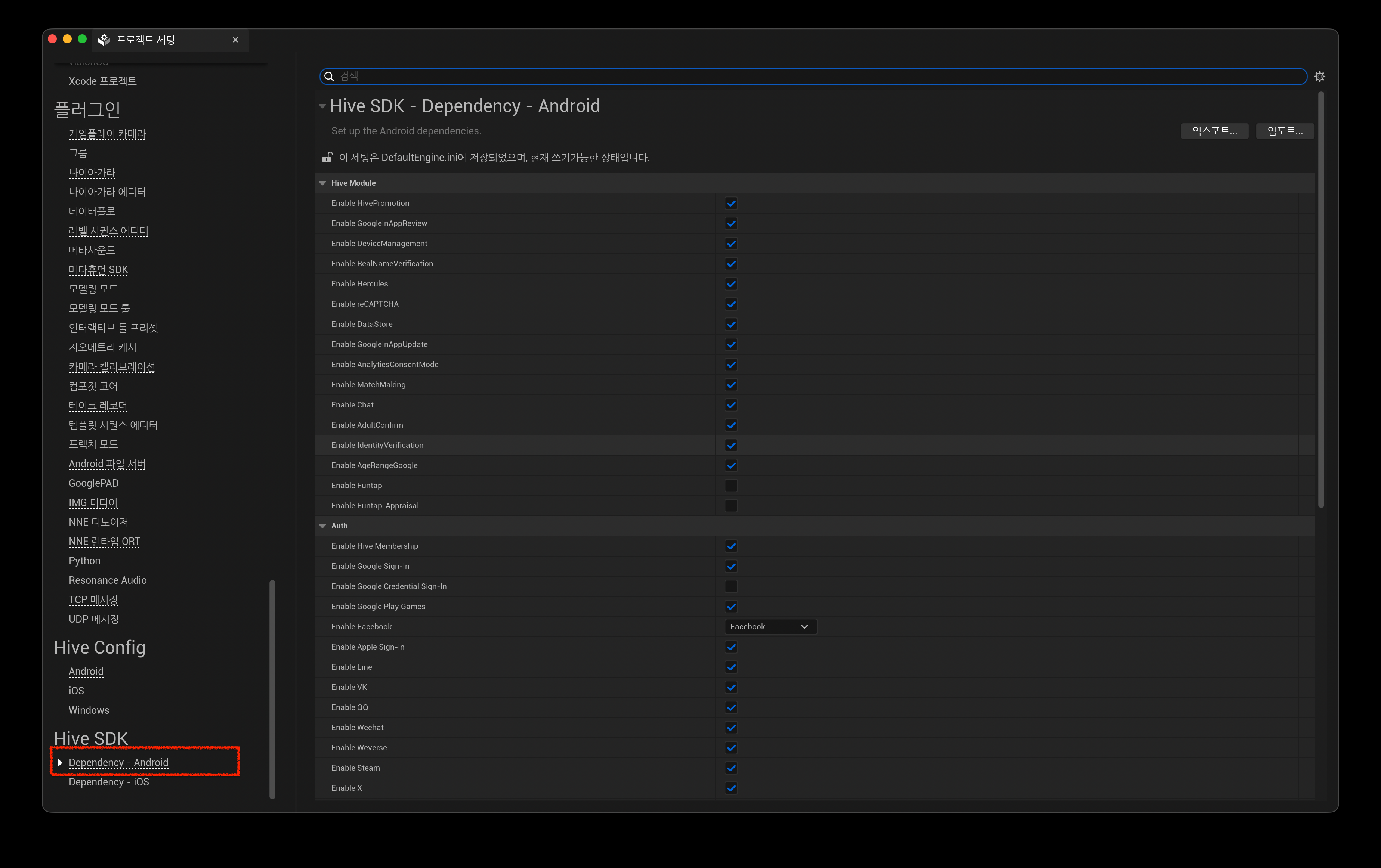
在 Project Settings 窗口左侧面板中,点击 Hive SDK 下的 Dependency - Android。
-
在右侧的 Hive SDK Dependency - Android 画面中,从 Push 区域的 Push Type 选择要使用的推送服务。例如,若要使用 Firebase Cloud Messaging,请选择 Google FCM。
Hive Console 设置:Remote Push
若要使用 Remote Push,请从 Firebase Console 或 Apple Developer Portal 获取推送证书,并注册到 Hive Console。
iOS
本节说明 iOS 所需的设置。
选择推送服务
Unreal iOS 默认包含 Apple Push Notification service。
若要使用 Remote Push,应用签名中必须包含 aps-environment 项。
请在 entitlements 文件中包含 aps-environment 项。有关创建和应用 entitlements 文件的方法,请参阅设置 entitlements (iOS)。
在 Unreal Editor 的 Project Settings > Platforms > iOS 中,勾选 Online 下的 Enable Remote Notifications Support。构建时会自动应用 aps-environment 项。
应用未运行时处理 Push Deep Link
在 Hive SDK v4 26.4.1 或更高版本中,当应用未运行时通过推送通知启动应用,SDK 插件会自动处理 Deep Link。无需修改 Unreal Engine 或添加游戏代码。
从旧版 Hive SDK 更新时
按照旧指南应用的 Unreal Engine 代码修改(IOSAppDelegate.h、IOSAppDelegate.cpp)和应用内委托订阅代码已不再使用。
请参阅应用 HIVEAppDelegate,并删除之前集成的代码。
Hive Console 设置:Remote Push
若要使用 Remote Push,请从 Firebase Console 或 Apple Developer Portal 获取推送证书,并注册到 Hive Console。