Build with Code
'Build with Code' guides you through implementing login with guest accounts and username accounts using the Hive Axyl SDK and the Hive Console. By following this process, you learn the basic concepts you need to implement other Hive Axyl features.
Hive Axyl SDK and Hive Console
To use Hive Axyl features such as login, payment, and push, you must use the Hive Axyl SDK and the Hive Console together. You use the Hive Axyl SDK to implement app client features, and the Hive Console manages app information and feature usage settings.
-
Hive Axyl SDK
- Implement Hive Axyl features for the app client, such as login, payment, and push
-
Hive Console
- Register app information
- Configure the use of Hive Axyl features such as login, payment, and push
For some products, such as login, payment, and push, the app server must call the Hive Axyl Server API to communicate directly with the Hive Axyl server. The Hive Axyl Server API is a Server-to-Server RESTful API.
Use the Hive Axyl SDK and the Hive Console together in the following order.
- Create a project and an App ID in the Hive Console
- In the Hive Console, enter the data required to use Hive Axyl features such as login, payment, and push
- The data you enter differs for each app, depending on which features the app uses and how
- Call the Hive Axyl SDK to implement features such as authentication, payment, and push
Login
Hive Axyl supports login methods that apps can use, such as guest, username, Google, and Apple. 'Build with Code' covers how to implement guest and username login.
-
Guest login
- A login method for temporary or anonymous users that works without signing up or linking an external account
- A login method that can be linked to an external authentication provider account, such as Google or Apple, when needed
-
Username login
- A login method that uses the ID, username, and password that the user sets
- A method in which the app runs its own sign-up and login system without linking an external authentication provider
Implementation order
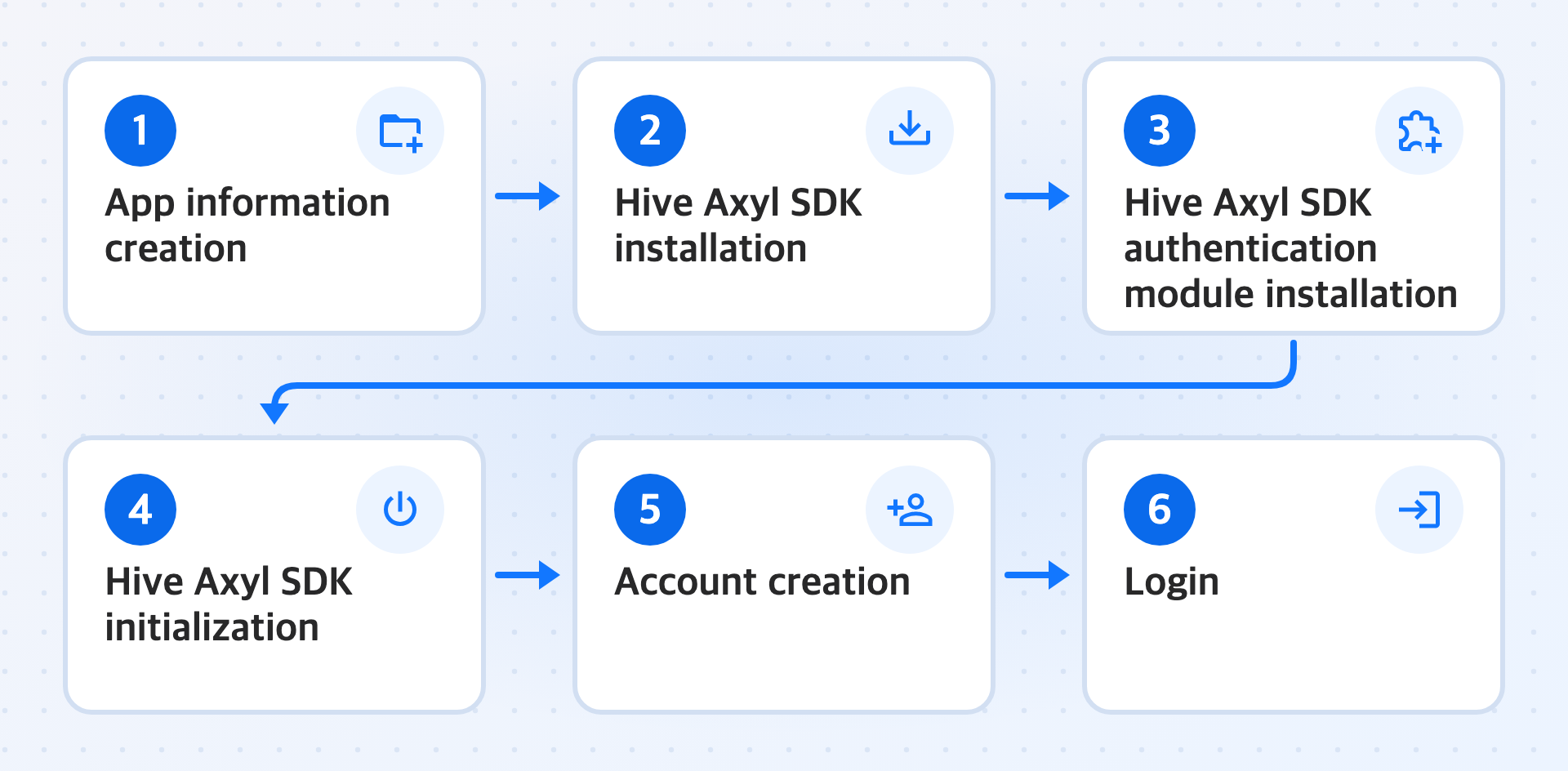
Implement guest login and username login in the following order.
-
Create a project and an App ID in the Hive Console.
-
Install the Hive Axyl SDK.
-
Install the Hive Axyl SDK authentication module
Install the Hive Axyl SDK authentication module required to implement login.
-
Initialize the Hive Axyl SDK.
-
Create a guest account or a username account.
-
Log in with the account you created.
Learn more
Next steps
To create app information in the Hive Console, see Create app information.