Mailbox
'Mailbox' is a feature that delivers messages and attached items as mail in the app and manages the mail body read status, the attached item check status, and the expiration, recall, and deletion statuses together. Use the mailbox to grant app rewards by mail or to automate sending operational mail.
Roles of Hive Axyl and the app
-
Features Hive Axyl provides
Hive Axyl provides the following features for implementing a mailbox.
- Sending, deleting, and recalling mail
- Getting mail information
- Managing mail status, such as marking mail as read
-
Tasks the app must implement
The main tasks the app must implement itself, separately from Hive Axyl, are as follows.
- Implementing the mailbox UI
- Reflecting mail status in the mailbox UI
- Checking, downloading, using up, and recalling attached items, and verifying claims
- Handling customer inquiries, establishing a mailbox operating policy, and responding to customers according to the mailbox operating policy
Usage: Hive Console or Hive Axyl SDK
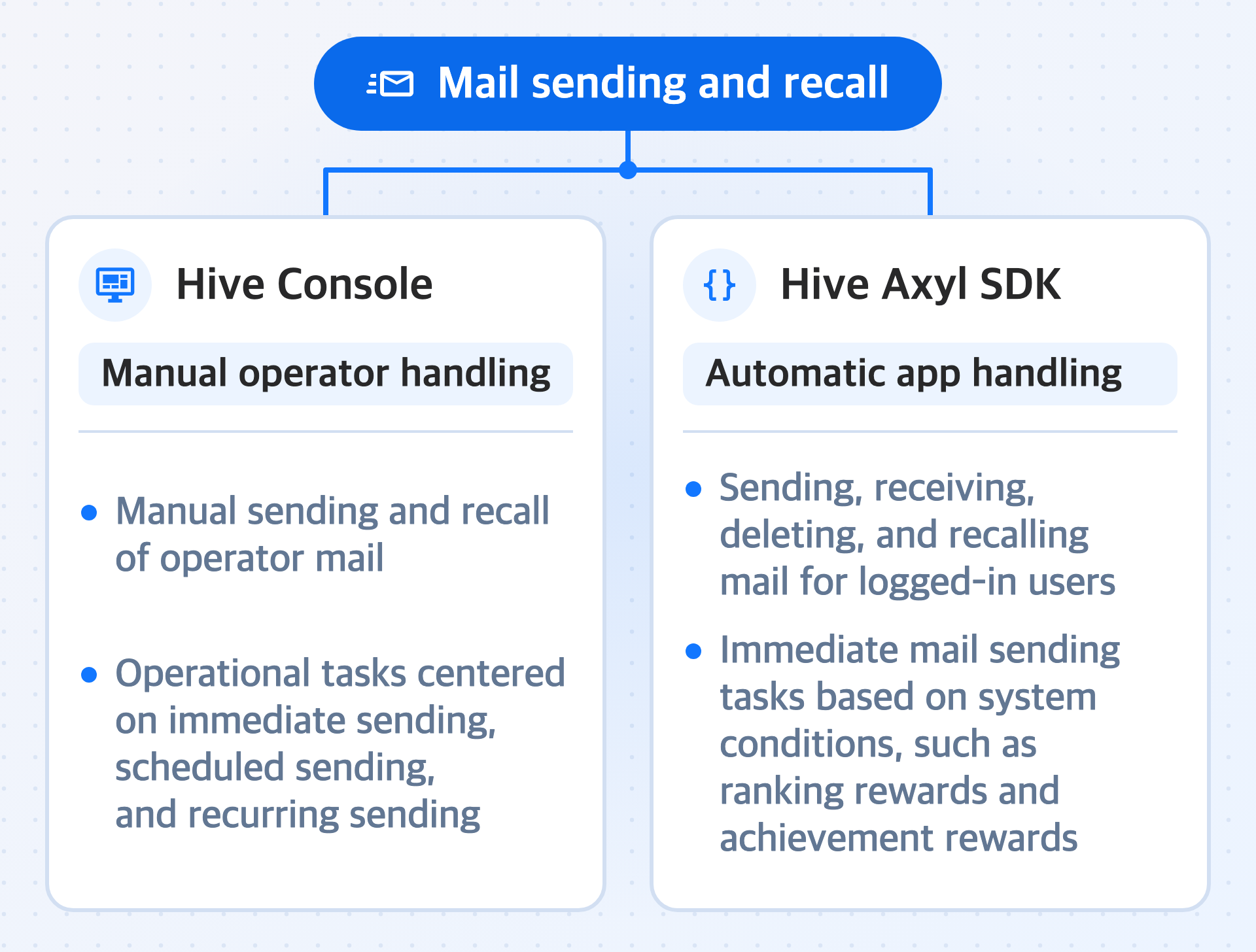
Mail sending and recall are handled in two ways: with the Hive Console and with the Hive Axyl SDK. In the console, the operator handles them manually; with the SDK, the app handles them automatically.
-
Hive Console
- Manual sending and recall of operator mail
- Operational tasks centered on immediate sending, scheduled sending, and recurring sending
-
Hive Axyl SDK
- Sending, receiving, deleting, and recalling mail for logged-in users
- Immediate mail sending tasks based on system conditions, such as ranking rewards and achievement rewards
Sender types: operator mail and user mail
Mail is divided into operator mail and user mail depending on the sender type.
-
Operator mail
- Mail sent by operators
- Supports immediate sending, scheduled sending, and recurring sending
- Sent from the Hive Console to handle operational issues and run limited-time rewards
-
User mail
- Mail sent and received between users
- Sending history lookup only in the Hive Console; mail recall and sending cancellation not provided
Features
-
Send mail
Mail sending creates and sends mail with the message, attached items, expiration date, and recipients set together. A return-to-sender feature is not provided, and you specify the expiration time when you send mail.
-
Mark mail as read
Marking mail as read updates the body read status and the attached item claim status after the mail details are checked. For mail with attached items, opening the mail does not automatically change the attached item claim status. The app must determine that the attached items were checked or downloaded and then reflect that result in the status.
-
Recall mail
Mail recall forcibly removes mail that has already been sent from the recipient's mailbox. Mail that has already been marked as read or whose attached item claim status has been reflected is not recalled. After recall, the app must update both the received mail and sent mail statuses. Recalled mail is also automatically and permanently deleted (HARD DELETE) after 90 days, even if you do not call the delete method separately.
-
Mail expiration and retention
Mail expiration manages mail whose
ExpiresAttime has passed as expired. Both operator mail and user mail use theExpiresAt(UTC) time specified at sending as the expiration basis. Expired mail is automatically and permanently deleted (HARD DELETE) after 90 days, even without a separate deletion request. -
Mail deletion lifecycle
Mail deletion first switches the mail to a soft delete (SOFT DELETE) state so that it no longer appears in the mailbox or console UI. Mail in the soft delete state is kept according to the 90-day retention policy and then permanently deleted (HARD DELETE). To hide the mail itself after the attached items are claimed, we recommend calling the delete method separately.
-
Attached items
The attached item feature that the Hive Axyl SDK provides marks the claim status of attached items delivered with mail. The app must implement all actual saving, storing, claiming, and downloading of attached items, as well as their recall. Therefore, for mail with attached items, handle checking the body and reflecting the attached item claim status separately.