iOS Native - SPM
iOS Native Installation Guide (SPM)
This document explains how to add Hercules to an iOS project that uses Swift Package Manager (SPM).
1. Add the Hercules Package
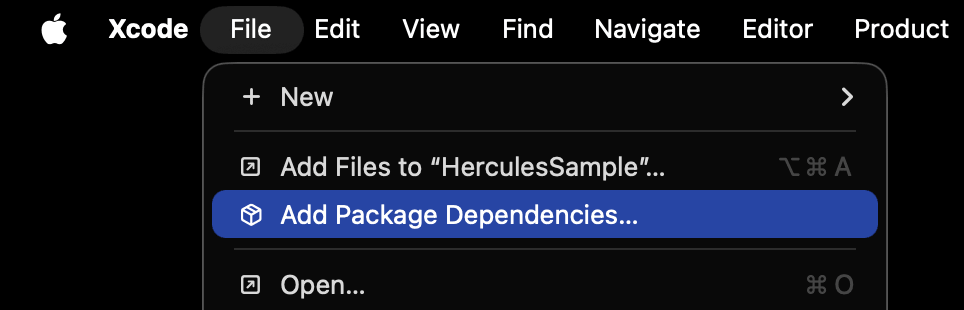
Open the project that will use Hercules in Xcode, then go to the following menu.
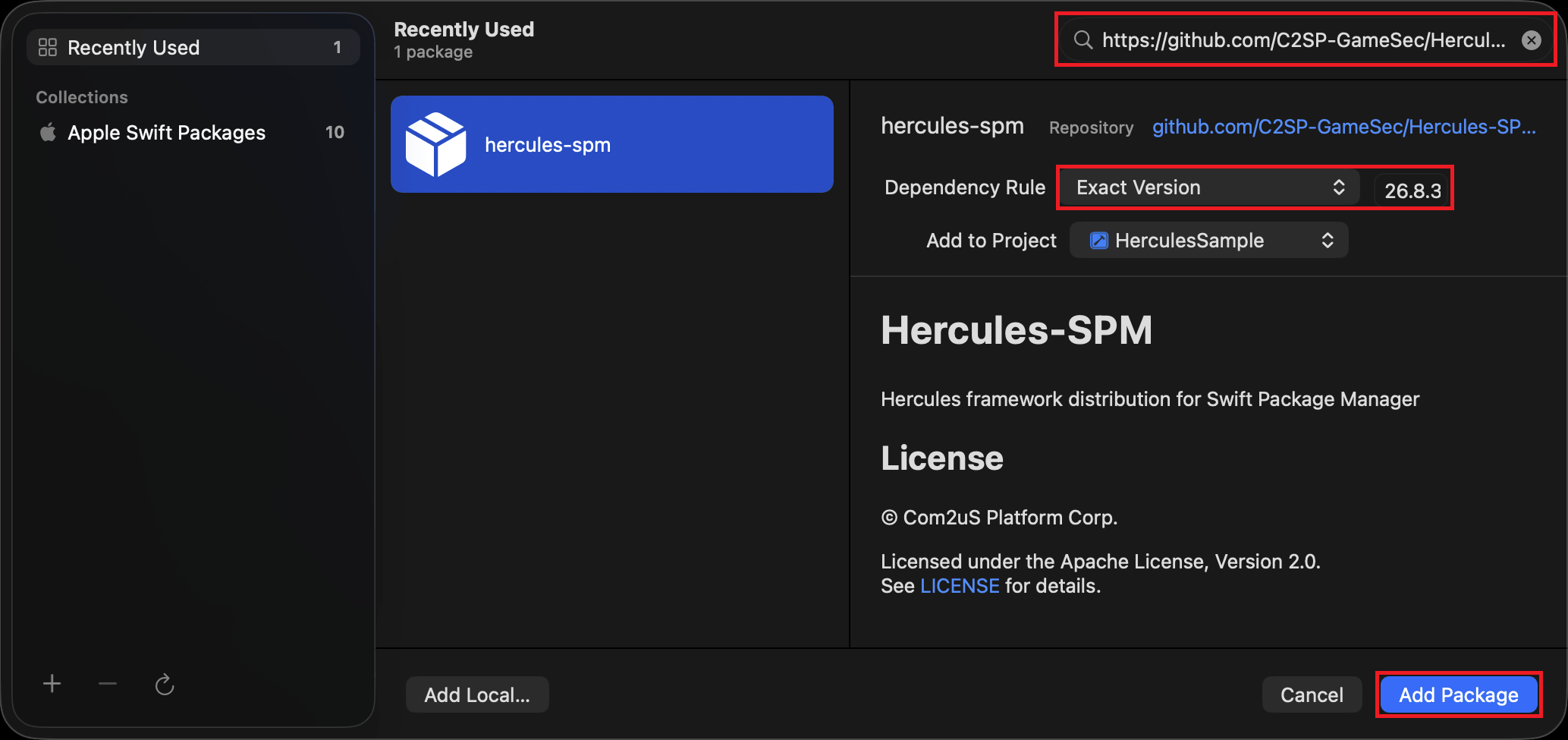
Enter the following repository URL in Search or Enter Package URL in the upper-right corner.
Once the package is found, select the version to install.
This guide uses version 26.8.31.
| Field | Value |
|---|---|
| Dependency Rule | Exact Version |
| Version | 26.8.31 |
Review the settings, then select Add Package.
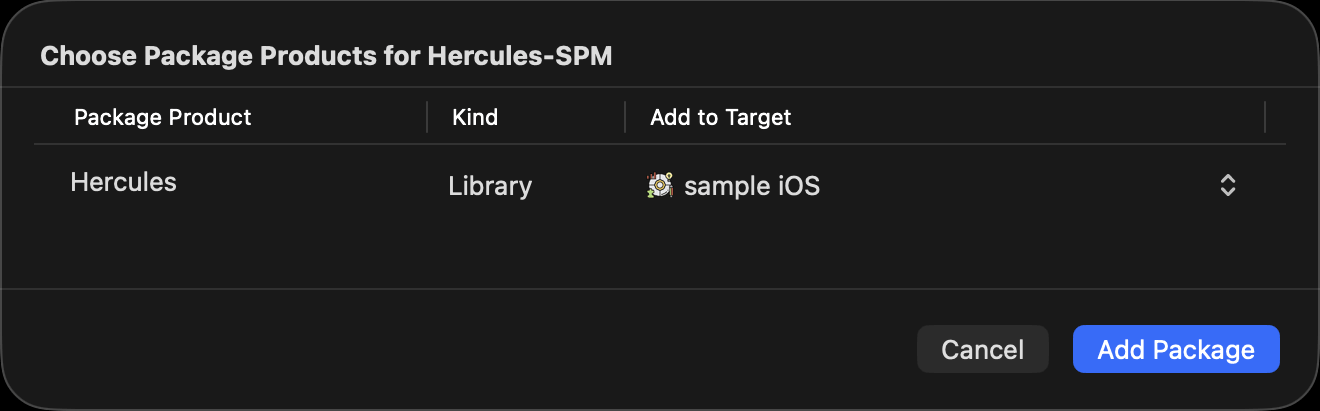
In the next pop-up, select the target to which you want to add the package. Only one target can be selected here. To add the package to multiple targets, add it to the other targets in the next step.
2. Check That Hercules Is Linked to the Target
Check that Hercules has been added to the desired target. If it is missing, add it manually.
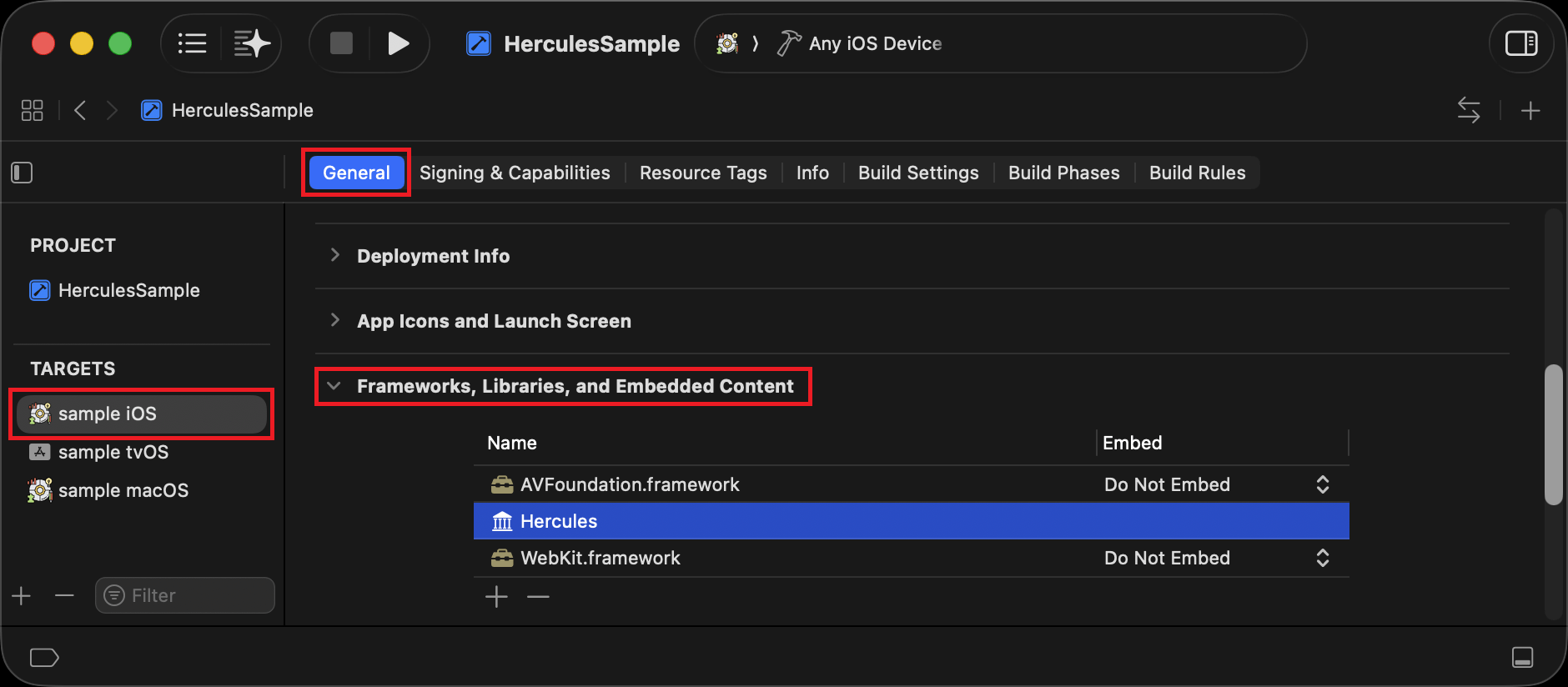
To remove Hercules from a specific target later, remove it from this list.
3. Use the API
Include the Hercules.h header in the source files that will use Hercules.
Example:
#import <Hercules/Hercules.h>
...
unsigned int version = HerculesGetVersion();
NSLog(@"Hercules version: %u", version);
Initialization is performed automatically when the Hive SDK is initialized.
You do not need to call InitializeHercules separately.
4. Change the Version
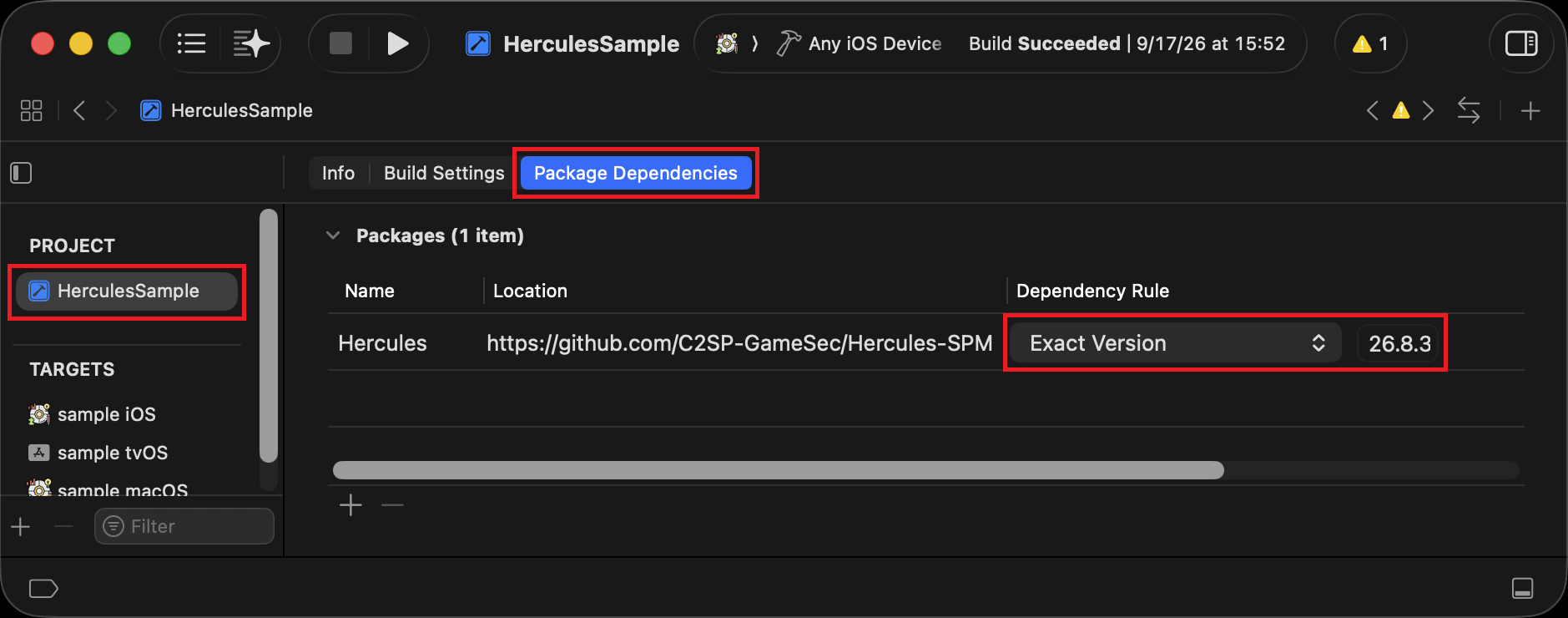
To change the Hercules version, open the project's Package Dependencies settings in Xcode.
Set Dependency Rule to Exact Version and change the version to the desired Hercules version.
5. Remove Hercules
To remove Hercules from the entire project, open the Package Dependencies settings.
Select Hercules in the list and remove it. Also remove any API-related code.
If Hercules is still listed under the target's Frameworks, Libraries, and Embedded Content, remove it there as well.