Google Store Account Registration
Store account management is required before you can use the processing history search feature in Billing > Google Cancellation/Refund List in the console. To properly check cancellation and refund processing history, make sure the Google Store account information for the app in service is registered accurately.
Registration Target
You must register a new store account in the following cases.
- The app was created as a project after March 5, 2019, and uses a store account different from the existing company store account.
- The store account for an app in service has changed and a new account must be registered.
- The app belongs to a company applying Hive for the first time.
Register a New Store
Console Path: App Center > Google Store Account Registration
- In the console, go to App Center > Google Store Account Registration.
- Click [New Store Account].

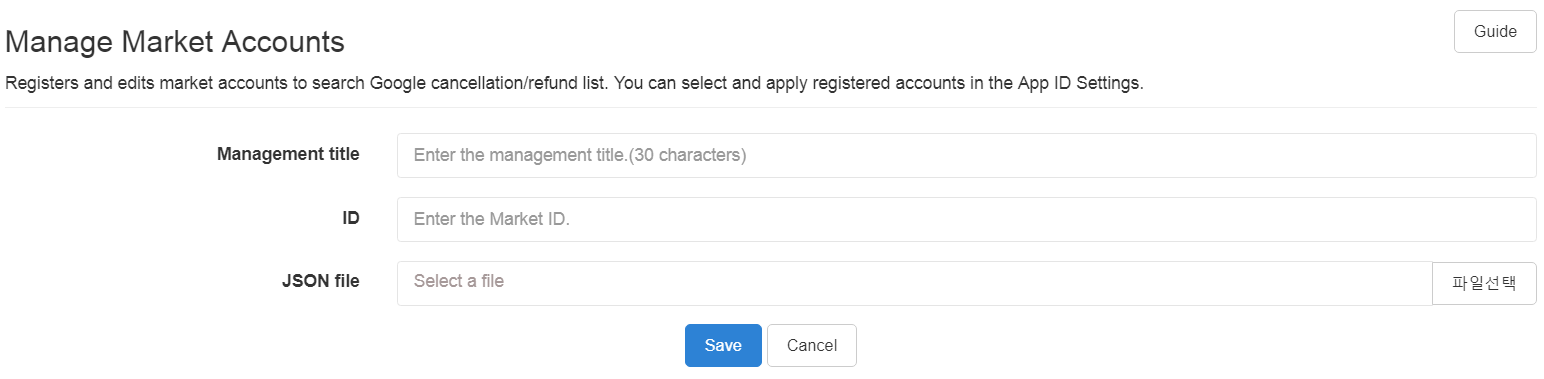
- Enter all three required fields on the registration screen.
- Review the information you entered, then click [Save].
Warning
- Store account management must be registered in advance to use the processing history search feature in Billing > Google Cancellation/Refund List.
- If you edit or delete a store account that is already connected to an App ID, the change is applied to all connected App IDs.
- If you need to connect a different store account to only a specific App ID, do not edit the existing account. Register a new store account, then connect it to the applicable App ID.