Remote configuration
Remote Configuration registers game server URLs and maps and manages servers for each App Version of the game. Only one server per App Version can be mapped. Company-level permission is required to register and manage server URLs for each game.
Register Server URL
-
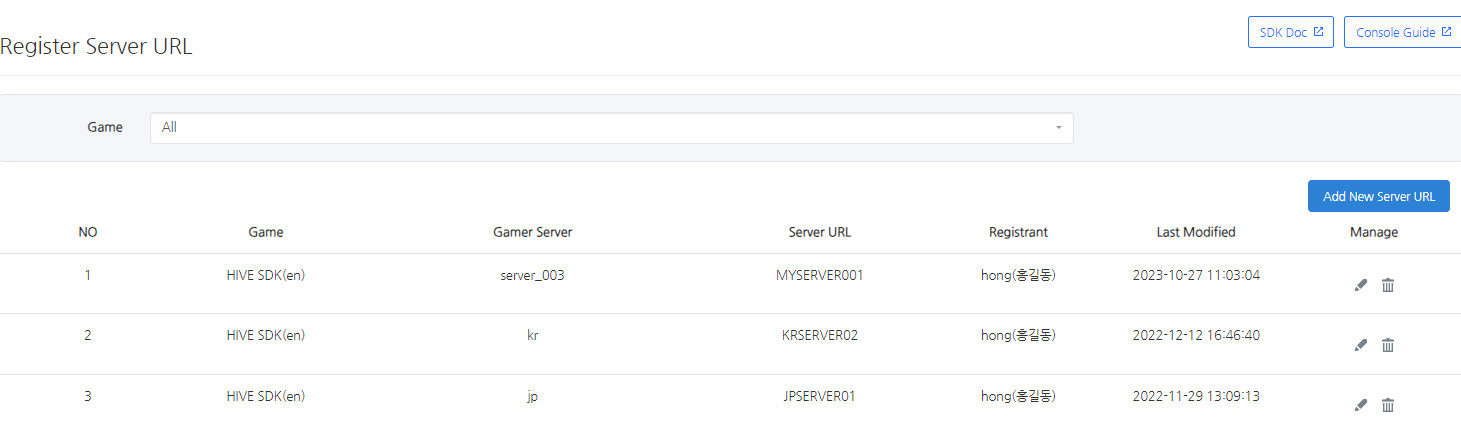
Go to Console > Provisioning > Remote Configuration > Register Server URL and select Add New Server URL.
-
Enter information about the game server and click the Save Button to move to the list. Once registered, only the server URL can be edited.
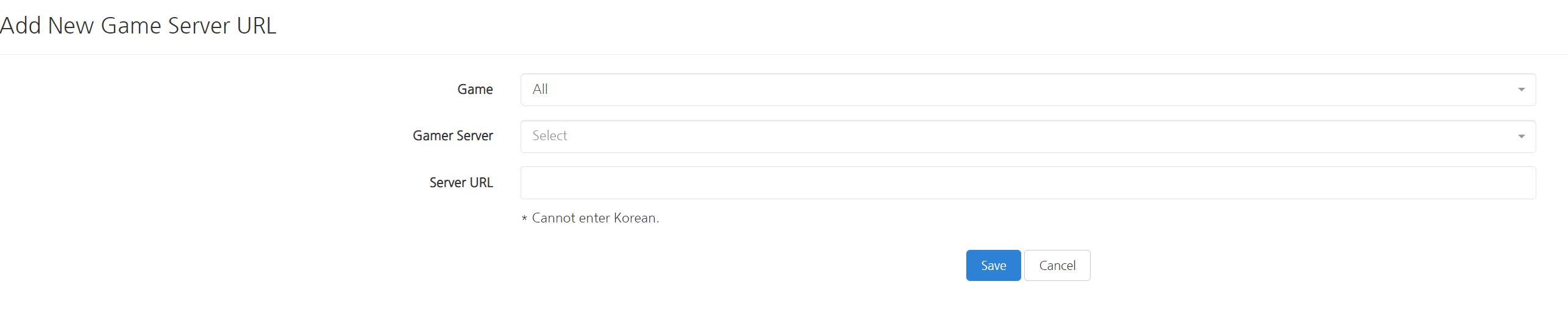
Manage Server URL
-
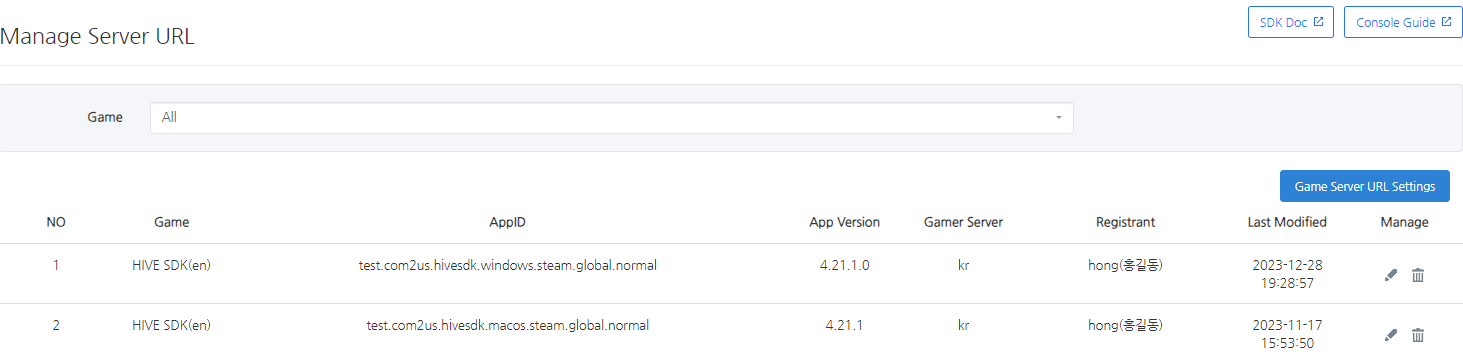
Go to Console > Provisioning > Remote Configuration > Manage Server URL and select Game Server URL Settings.
-
Enter information about the game server URL settings and click the Save Button to move to the list. Once registered, only the game server can be edited.
