Remote logging
Remote logging is a feature that lets you enable logs for a game where an issue occurred and receive debug logs remotely. Logs can be enabled only for target users registered in the Console.
In [Console > Provisioning > Remote Logging > Register Target User], enter a DID or PlayerID to set the target user and send a push notification. When the user taps the push notification, the game runs, logs are enabled, and Hive logs and game logs are collected for the collection period entered in the Console. Hive logs are collected based on the values configured in the SDK by default, and game logs are collected based on the values configured in the game.
(SDK v4.11.4 or later is required.)
Usage Flow

Registering Target Users
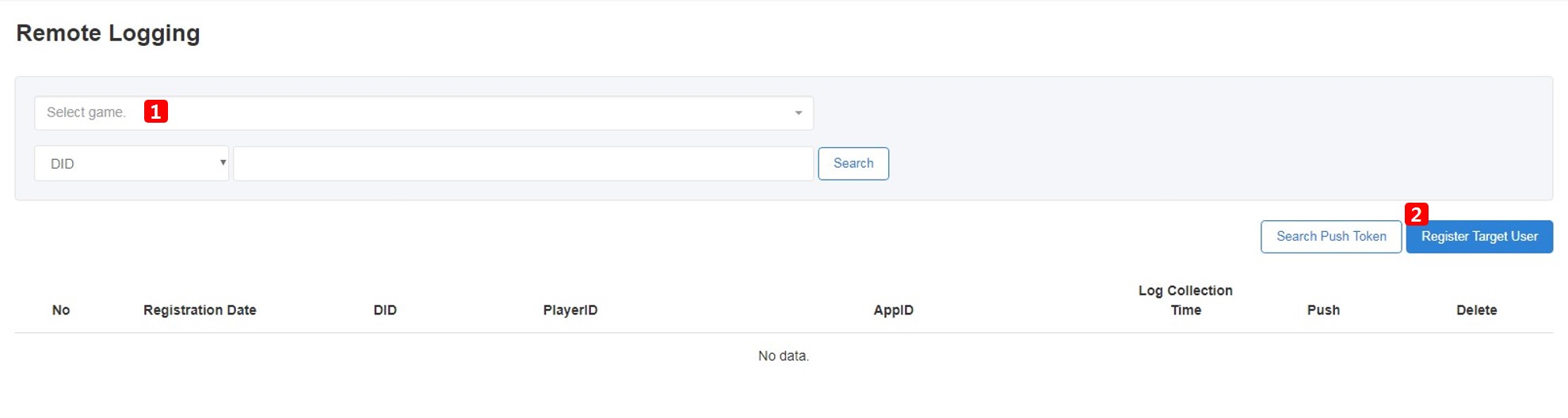
- Select Game: To enable logs, you must register a target user. In [Console > Provisioning > Remote Logging > Register Target User], select a game first. Only games for which you have permission appear in the game list.
- Register Target User: After selecting a game, click [Register Target User].
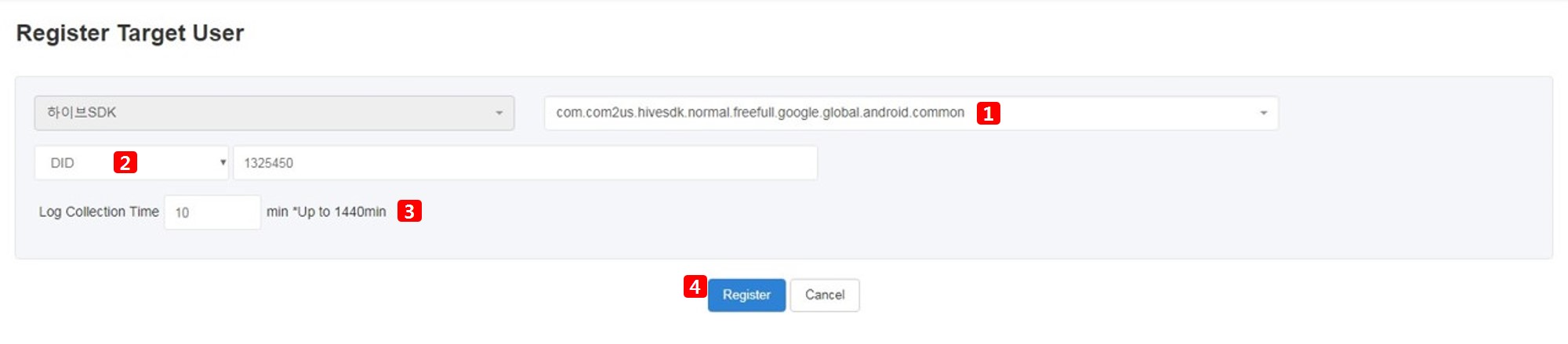
- Select the AppID of the selected game.
- Enter the DID or PlayerID of the target user whose logs you want to collect.
- Enter the log collection period. Logs can be collected for up to 1,440 minutes (24 hours).
- After completing the fields, click [Register].
- The configured details are registered. Click [Send] to send the push notification.
- If the push notification does not arrive, you can check the token to verify whether it can be received properly. For instructions, see the Notification token list (http://developers.withhive.com/operation/notification/push-v4/token/).

Activating Logs
- When the push message arrives, tap it to run the game. If the game is not installed, it will not run.

- After tapping the push notification, when the guide popup appears as the game runs, click [OK]. Logs are collected and stored during the collection period set in the Console. Click [Cancel] to skip log collection.

Checking Logs
Collected logs are stored in Google Cloud managed by Analytics. Games that want to use remote logging must be issued separate Google Cloud access permissions. For more details, see Requesting BigQuery Access for Analytics.