China Real-Name Authentication User Management
Console Path
➡️ Console Path: Authentication > China Service > Chinese Real Name Authentication User Search
Overview
View, register, edit, and delete real-name authentication information for projects licensed to operate in China.
Viewing Real-Name Authentication Information
- Select a project.
- Select one of the following search criteria:
PlayerID,ID Number, orMobile Phone Number. - Enter a search term and click Search.
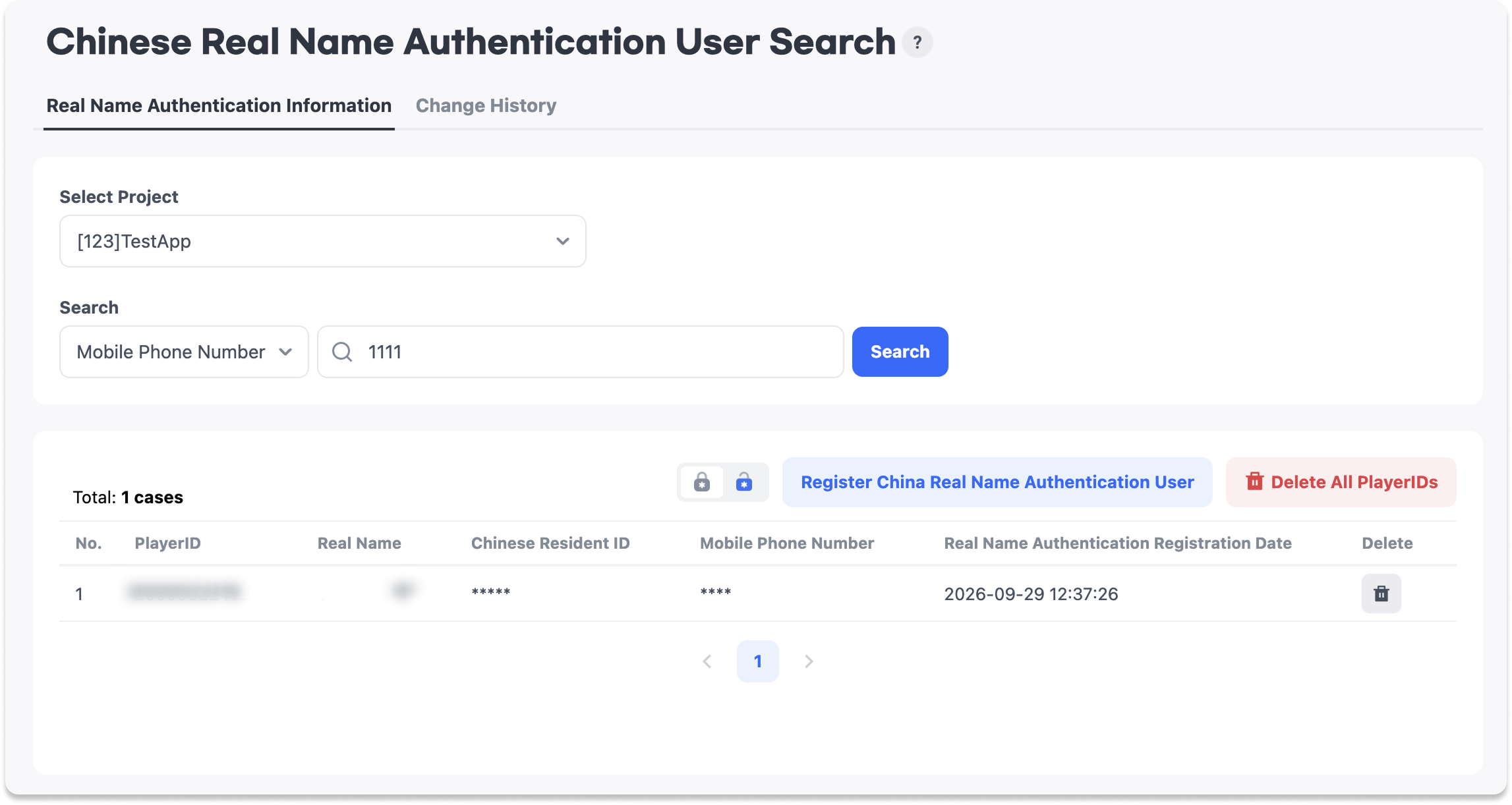
The search results display the number, PlayerID, real name, ID number, mobile phone number, and real-name authentication registration date.
Registering Real-Name Authentication Information
- Select a
Project. - Enter the
PlayerID,Real Name,ID Number, andMobile Phone Number. - Click
Save.
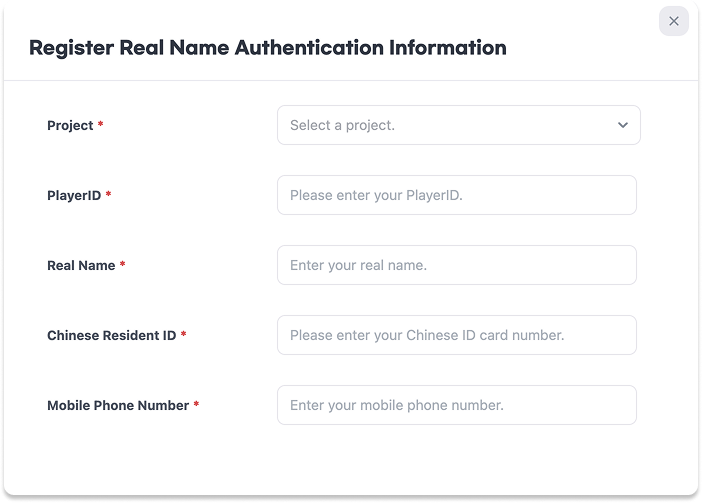
| Field | Required | Description |
|---|---|---|
| Project | Yes | The project for which to register real-name authentication information. |
| PlayerID | Yes | The PlayerID of the user to link to the real-name authentication information. |
| Real Name | Yes | The user's real name. |
| ID Number | Yes | The user's ID number. |
| Mobile Phone Number | Yes | The user's mobile phone number. |
Editing Real-Name Authentication Information
- Select the entry you want to edit from the search results.
- On the
Edit Real-Name Authentication Informationscreen, edit theReal Name,ID Number, orMobile Phone Number. - Click
Save.
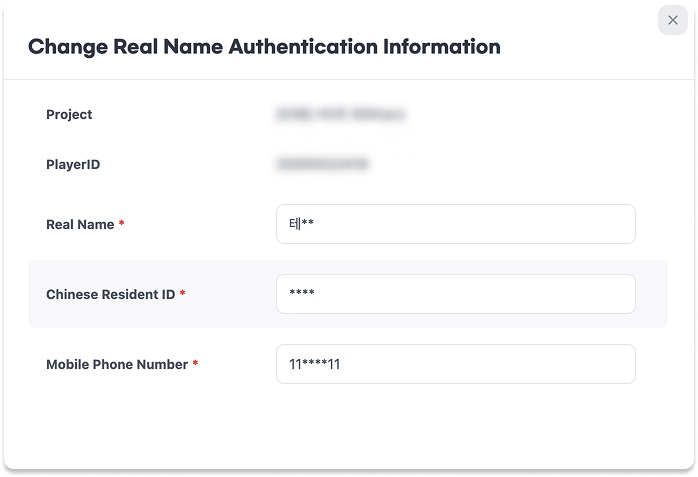
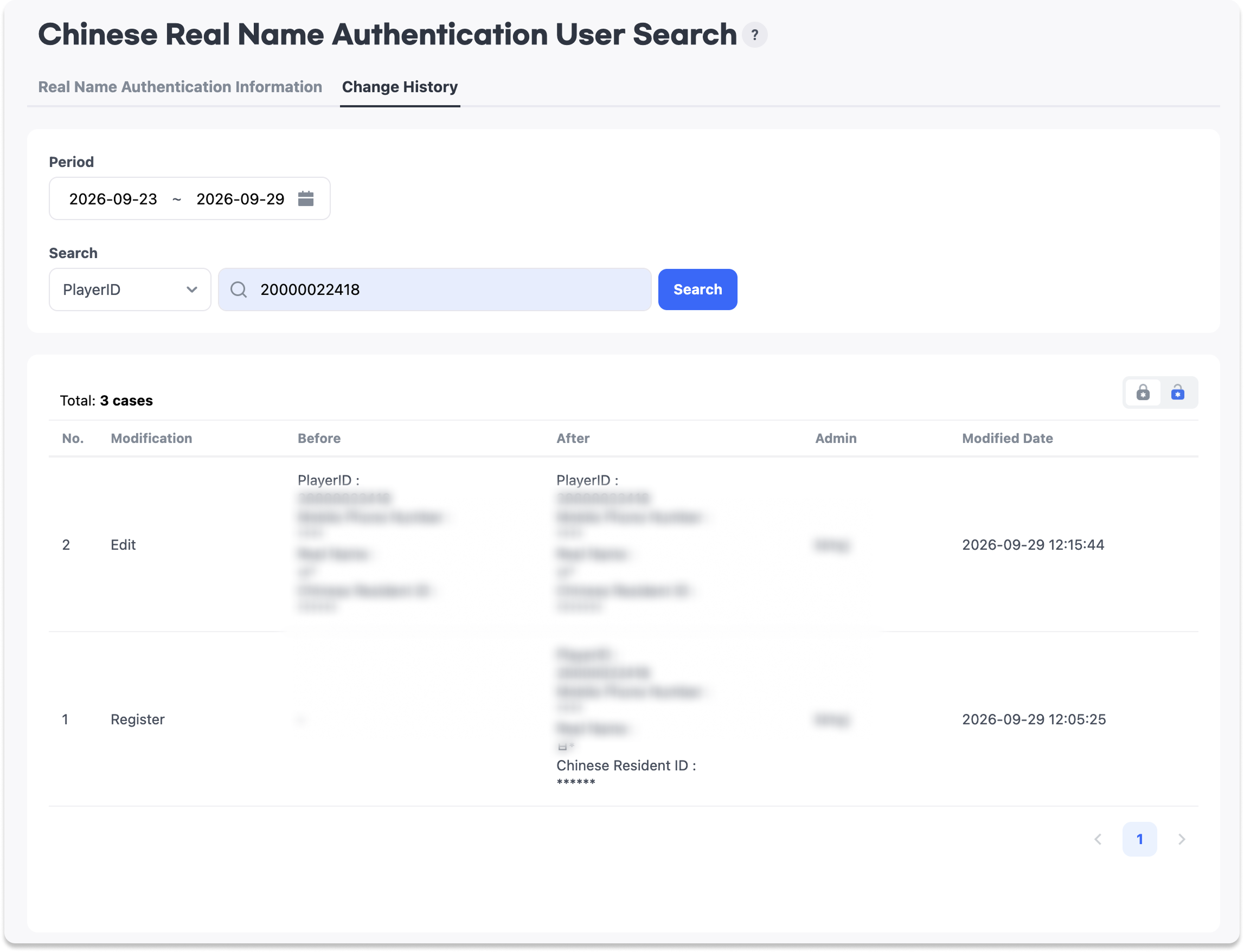
The edit screen displays the project and PlayerID. You can edit the real name, ID number, and mobile phone number.
Deleting Real-Name Authentication Information
Deleting an Individual Entry
- Click
Deletefor the entry you want to remove from the search results.
Deleting All Entries for a PlayerID
- Search for the real-name authentication information associated with the PlayerID you want to delete.
- Click
Delete All for PlayerID. - Click
Deletein the confirmation dialog.
Deleted real-name authentication information can no longer be retrieved.
Notes
Delete All for PlayerIDdeletes all real-name authentication information for the PlayerID in the search results.