Personal information processing permissions
Personal information processing manager
Permission managers (Owners and Admins) also serve as Personal Information Processing Managers. They can designate Console users as personal data handlers or revoke that status, and access the Personal Information Processing management page.
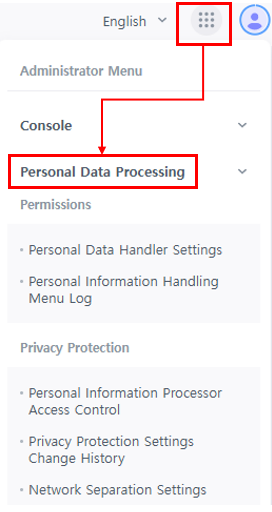
Permissions
Personal Data Handler Settings
They can grant or revoke personal data handling permissions so users can access pages protected by privacy settings.

[1] Search by name or ID to manage personal data handling permissions.
[2] Check the box to grant or revoke permissions for the selected user and save.
[3] View the date when the user was set as a personal data handler.
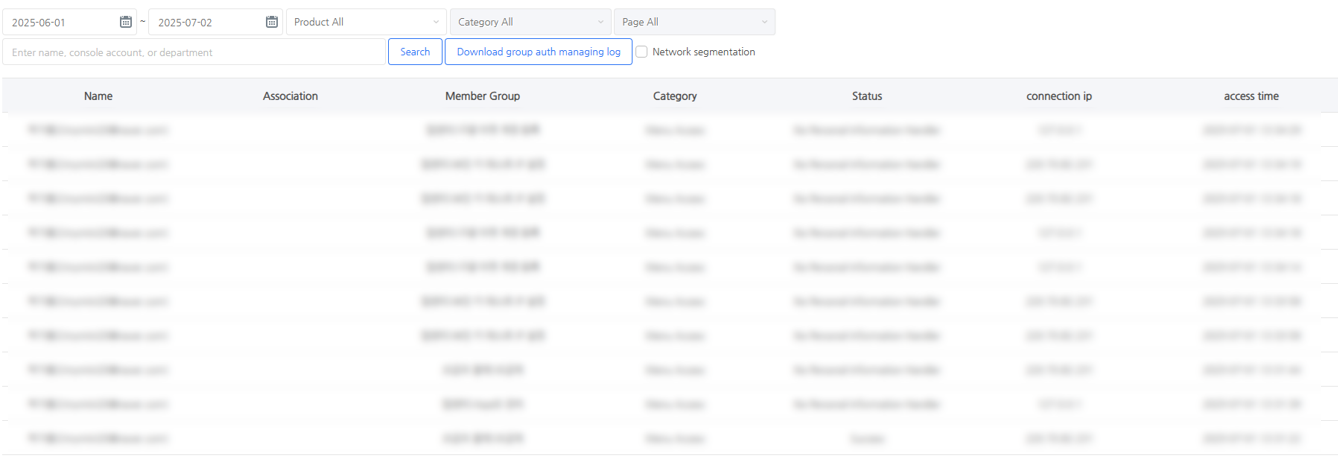
Personal Data Processing History
View the history of personal data being viewed, modified, deleted, or downloaded on privacy-protected pages, as well as access history for all Billing pages.
Privacy Protection
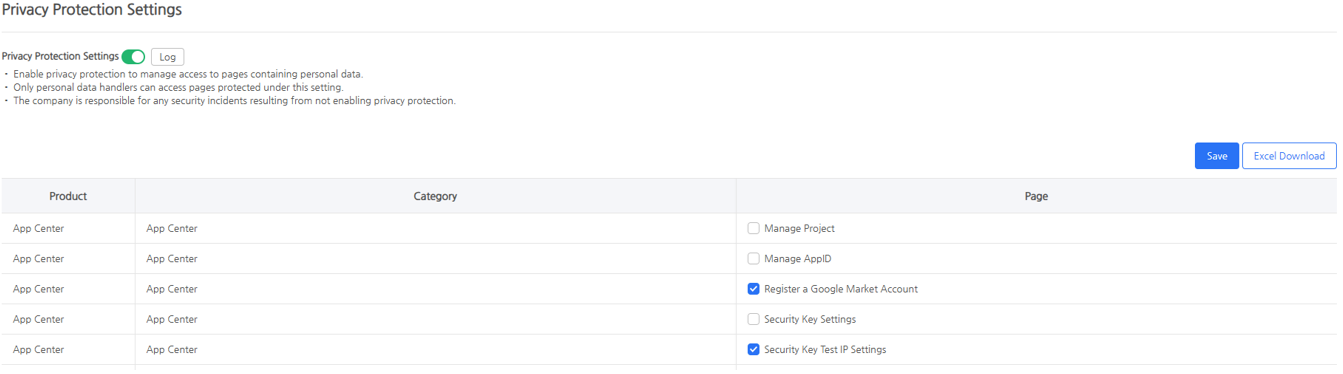
Privacy Protection Settings
Choose whether to enable privacy protection for the company. Define product page access restrictions for personal data handlers.
Privacy Protection Settings Change History
View the change history of privacy protection settings for product pages.
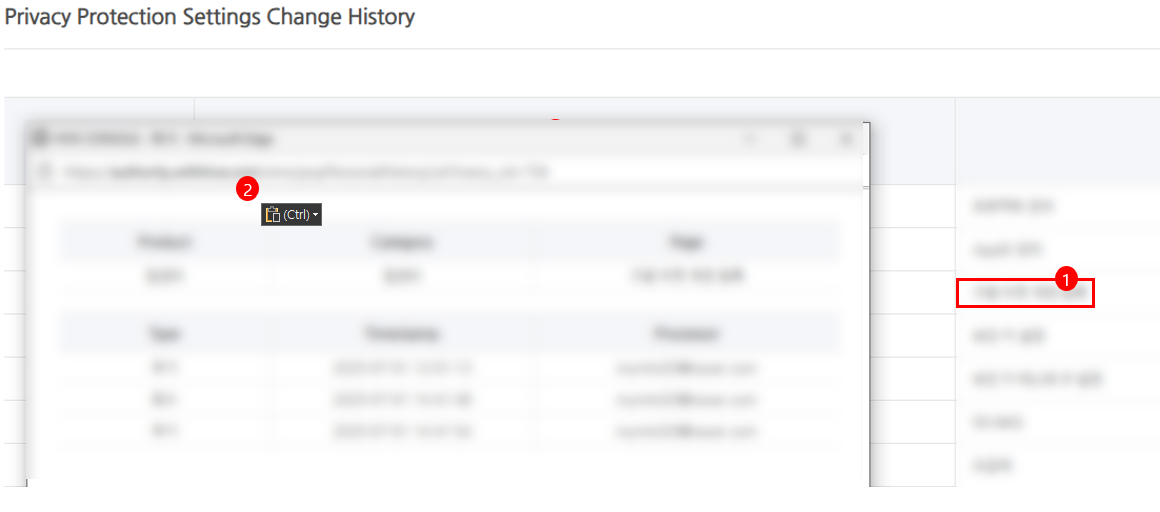
[1] Click the target page to see its change history.
[2] The pop-up will show when the setting was changed and by whom.
Network Separation Settings
Control access by separating internal business and external internet networks.
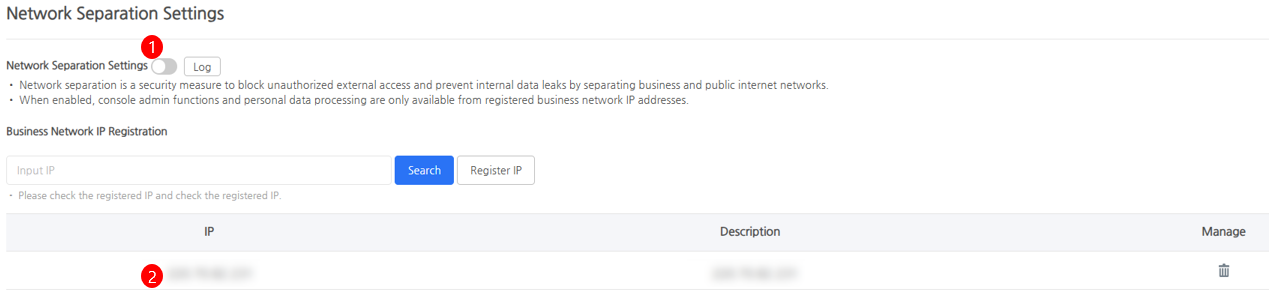
[1] To enable network separation, you must first register business network IPs. Once enabled, only users from registered business IPs can use console admin features and modify, delete, or download personal data.
[2] This is the list of registered business IPs. Make sure the IP you enter matches an actual business network IP before registering.