TCB settings
'TCB Settings' is a feature that registers and edits the Tencent CloudBase integration credentials for each project. Select a project to look up the API ID and API Key, and save them when the values change.
Console path: TCB Connector > 'TCB Settings'
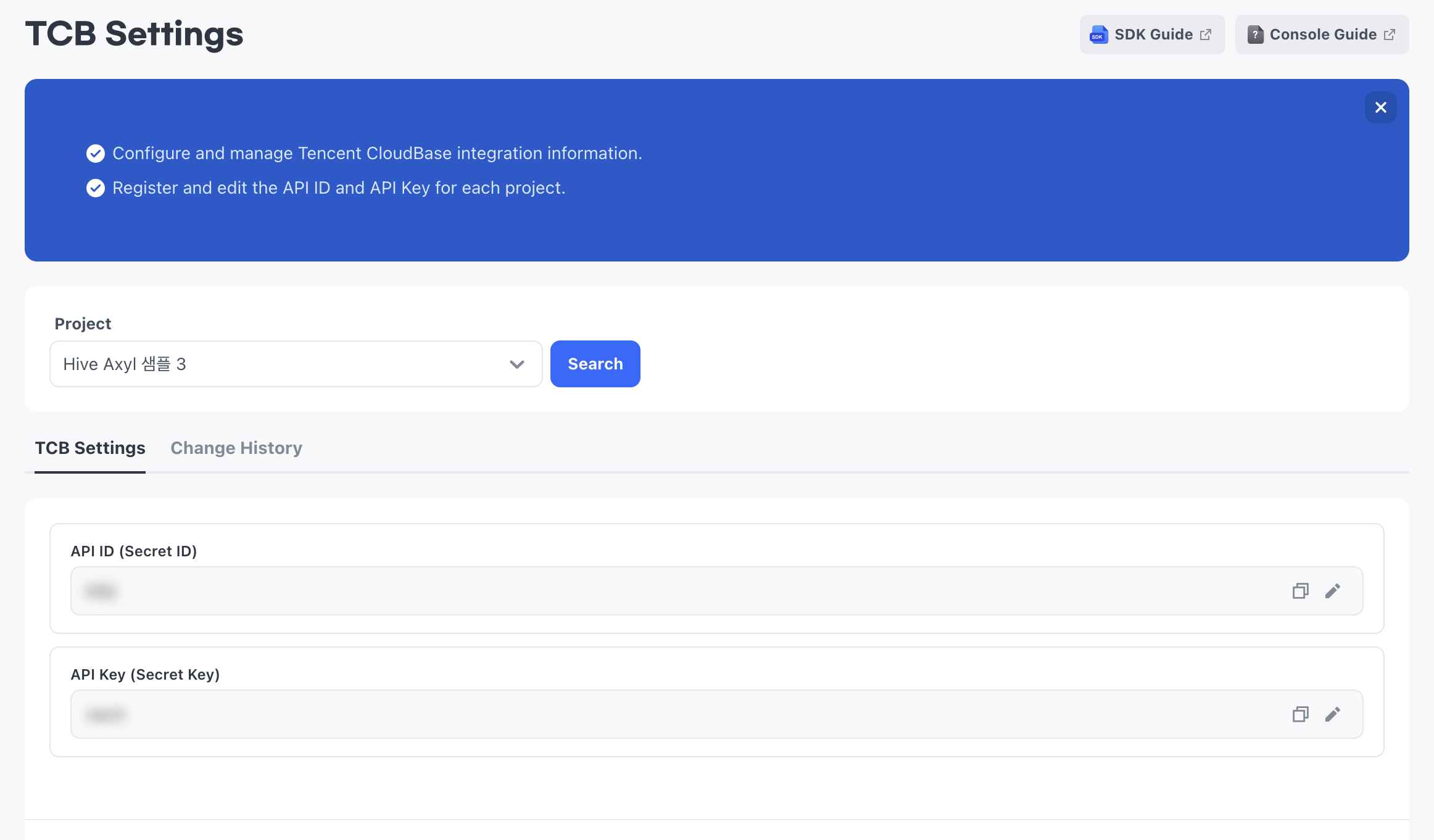
If you have menu access permission, you can view the 'TCB Settings' information. To save the API ID and API Key or to unmask them, you need edit permission.
TCB integration credentials
Select a Project to look up the TCB integration credentials registered for that project. You can also save the API ID and API Key as empty values.
API ID
The API ID is the Tencent CloudBase Secret ID. Register or edit the value in the API ID field.
- You can enter up to 128 characters.
- The API ID is not masked.
API Key
The API Key is the Tencent CloudBase Secret Key. Register or edit the value in the API Key field.
- You can enter up to 256 characters.
- The API Key is fully masked by default.
How to set up
- Select a Project.
- Click Search.
- Enter or edit the API ID or API Key.
- Click Save.
If you change the API ID or API Key value, the Save button is enabled. If you do not change the values, the Save button is disabled.