iOS
This page guides how to setup the Billing feature in the Hive SDK iOS.
Hive Console configuration
To use Billing, you must first complete the Configuration for Billing Providers in the Hive Console, including registering key values and integrating markets.
Add the framework
Add the framework for in-app Billing functionality to the Podfile in your project directory.
pod 'HiveIAPV4', $HIVE_SDK_VERSION # Framework for in-app purchase, refund, and re-purchase
pod 'HiveIAPV4Hive', $HIVE_SDK_VERSION # Framework for Hive Store payments
After saving the Podfile with the above framework added, run the following command to install the framework in your project.
Note
If you installed the Billing (Hive_IAPV4) feature through SPM, additionally install the framework package for repayment by refunded users (Hive_IAPV4Repayment) by following the steps below. 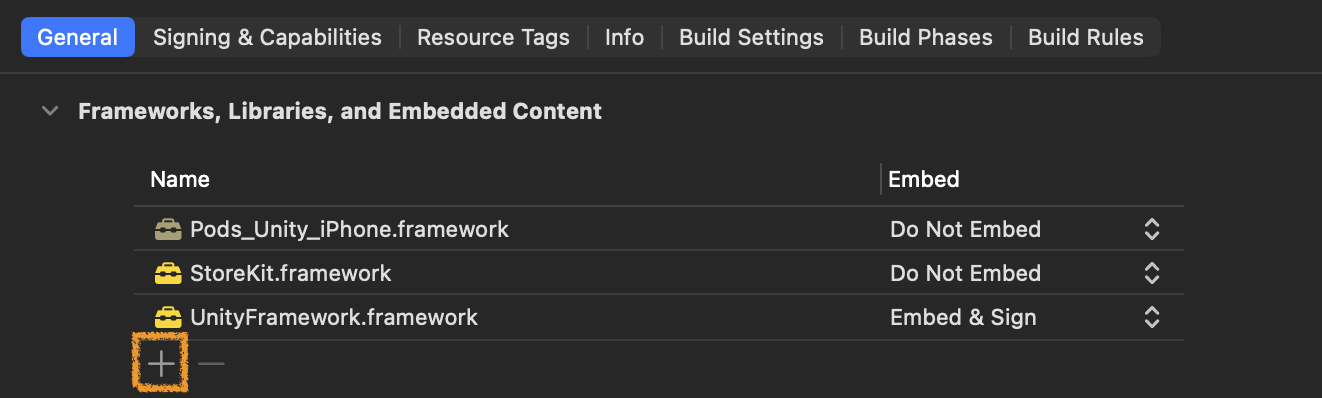
- Click the General tab of the appropriate target (UnityFramework for Unity Engine, or the main app target otherwise).
- Click the + button in the Frameworks, Libraries, and Embedded Content section.
- Select Hive_IAPV4Repayment, then click the Add button.