Unreal
This guide explains how to configure Promotion features in the SDK for Unreal Engine.
Adding the feature
- In the Unreal Editor menu, click Edit > Project Settings. The Project Settings window appears.
-
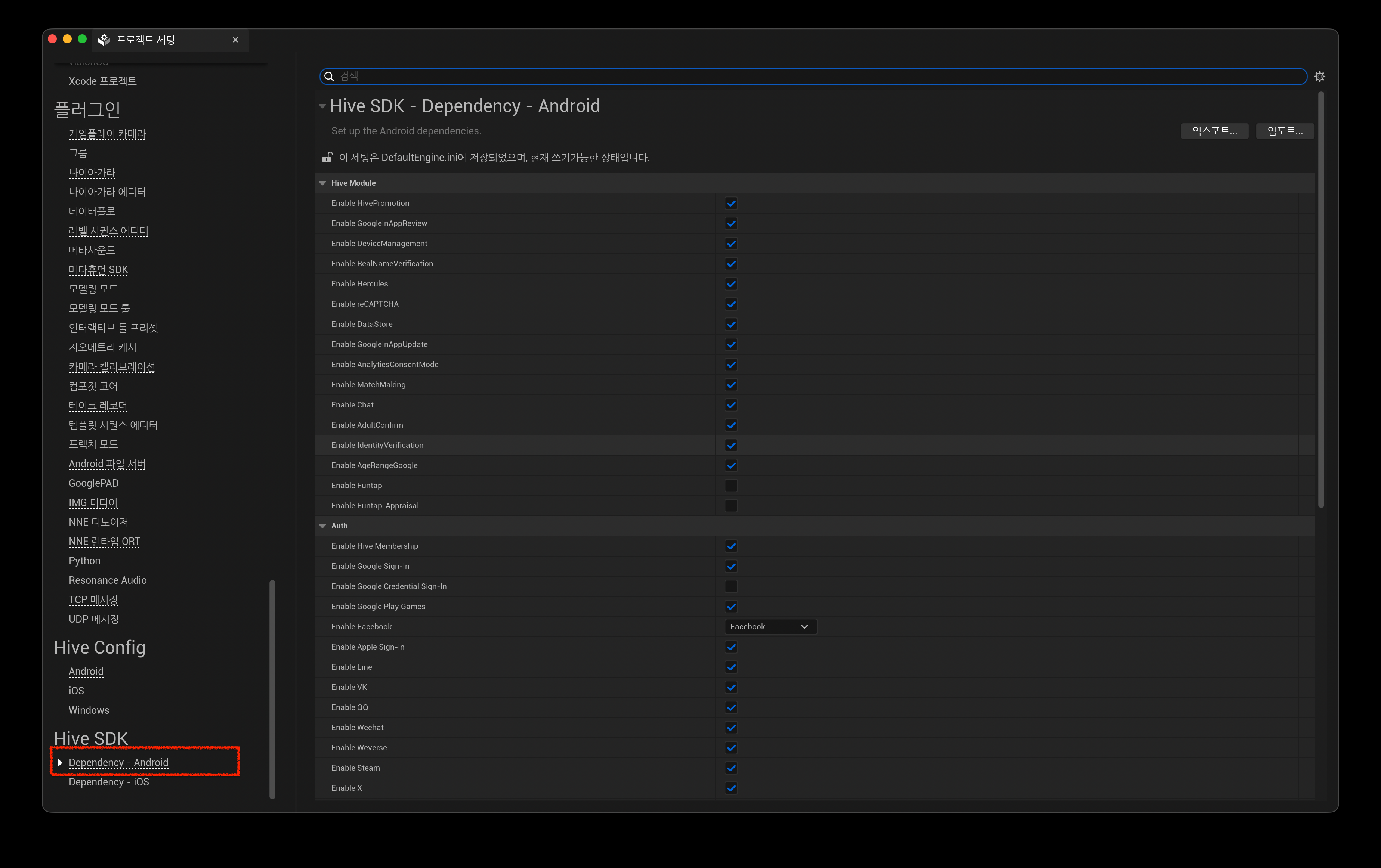
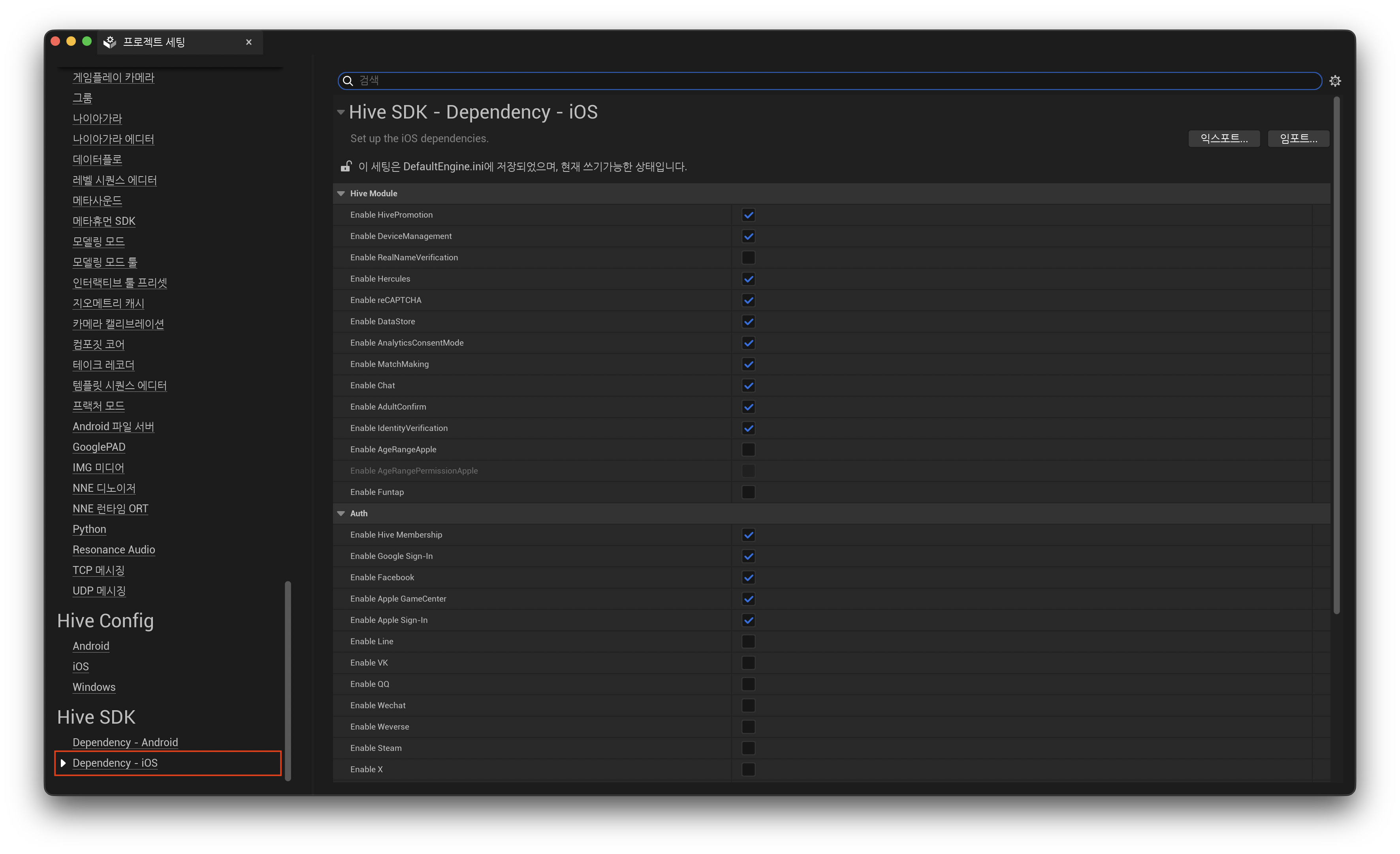
In the left panel of the Project Settings window, click Dependency - Android / Dependency - iOS under SDK.
-
In Hive Module, select Enable HivePromotion. To use Google In-App Review in the Unreal Android environment, you must select Enable HivePromotion.
Setting up Universal Link
Universal Link supports the initial installation and launch of the app through invitation pages, as well as inviter rewards.
Note
For additional console settings required to generate inviter links based on Universal Link, see the Promotion operation guide on the developer site.
For Universal Link to work on iOS, the Associated Domains entry in the app entitlements must include the domain information (applinks:) used by the service.
Note
In Hive SDK v4 26.4.1 or later, the Hive SDK plugin automatically handles Deep Link when the app is launched from a terminated state through a universal link. No code work is required other than the Associated Domains setting below.
In Unreal Engine 5, you can apply entitlements through the PremadeIOSEntitlements setting without modifying the engine. For how to create and apply an entitlements file, see Setting entitlements (iOS).
Add the domains used by your game to the com.apple.developer.associated-domains array in the entitlements file.
<key>com.apple.developer.associated-domains</key>
<array>
    <!-- The domains below are examples used in the SDK sample app. Add the domains used by your game. -->
    <string>applinks:hiveota.withhive.com</string>
    <string>applinks:dev-promotion.qpyou.cn</string>
    <string>applinks:promotion.qpyou.cn</string>
    <string>applinks:sandbox-promotion.qpyou.cn</string>
    <string>applinks:test-promotion.qpyou.cn</string>
    <string>applinks:direct-link.withhive.com</string>
    <string>applinks:sandbox-direct-link.withhive.com</string>
    <string>applinks:test-direct-link.withhive.com</string>
</array>
You can verify that the domains are applied to the built app with the command below.
Add the com.apple.developer.associated-domains entry and the domains used by your game to the entitlement generation section of IOSExport.cs. For the location to modify, see Setting entitlements (iOS).
// Add
Text.AppendLine( "\t<key>com.apple.developer.associated-domains</key>");
Text.AppendLine( "\t<array>");
// The domains below are examples used in the SDK sample app. Add the domains used by your game.
Text.AppendLine("\t\t<string>applinks:hiveota.withhive.com</string>");
Text.AppendLine("\t\t<string>applinks:dev-promotion.qpyou.cn</string>");
Text.AppendLine("\t\t<string>applinks:promotion.qpyou.cn</string>");
Text.AppendLine("\t\t<string>applinks:sandbox-promotion.qpyou.cn</string>");
Text.AppendLine("\t\t<string>applinks:test-promotion.qpyou.cn</string>");
Text.AppendLine("\t\t<string>applinks:direct-link.withhive.com</string>");
Text.AppendLine("\t\t<string>applinks:sandbox-direct-link.withhive.com</string>");
Text.AppendLine("\t\t<string>applinks:test-direct-link.withhive.com</string>");
Text.AppendLine( "\t</array>");
// Add End