MMP integration
Overview
Integration is a function that checks the list of third-party tools that can be integrated with analytics, such as MMP(Mobile Measurement Partner), and checks the status of event data collection.
Through the integration, you can perform analysis based on MMP event data in Analytics without having to go to the MMP console.
What can you do?
Business/Marketing Manager
- By linking MMP, you can analyze the number of installations and conversion rates for each advertising channel right within Analytics.
- By combining the MMP event and in-game events, the entire journey from user acquisition to first payment can be analyzed as a single funnel.
- By comparing user retention by channel, you can find the channel that brings in the highest quality users.
Data Analyst
- MMP and game event data can be integrated and analyzed in Analytics, enabling in-depth analysis without switching tools.
- Retention analysis that sets the inflow channel as a dimension allows you to precisely compare user quality by channel.
- By using the MMP event as a segment condition, you can select and analyze only users coming from a specific channel.
Developer
- Once event data is collected after MMP linking, you can immediately check the status of the received events by clicking the Data Preview button on the linking card.
- You can directly verify that the MMP event attribute is mapped correctly in the event details screen.
Get started quickly
If you are linking MMP for the first time, follow the steps below to check the linkage status and utilize the event.
- Click the Data > Integration menu on the left sidebar.
- Check the MMP platform card to be linked.
- Airbridge: You must check the token information in the Airbridge dashboard and register and set it in the Hive console (Console Guide - Marketing Attribution Line - Airbridge Settings).
- AppsFlyer · Adjust: Receives data through postback method. Additional settings for integration (Hive SDK - Analytics - AppsFlyer integration, Hive SDK - Analytics - Adjust integration) is required.
- When linking is complete, the platform card moves from the unlinked area to the linked area. To check the collected data, click the Data Preview button on the linked card.
- Analyze Create > using MMP event in chart / funnel / retention .
Note
For details on the linkage method for each platform, refer to All features.
All Features
Key concepts
| concept | Description |
|---|---|
| MMP | Mobile Measurement Partner. Platform for measuring mobile app installation and user behavior |
| Attribution | Process of identifying the source of user acquisition (advertising channel, campaign, etc.) |
| Postback | When a specific event occurs, data is transmitted from MMP to the specified URL |
| MMP event | MMP Installation, reinstallation, and in-app event data collected through the platform |
Supported linked platforms
Airbridge
Airbridge is a MMP platform that provides install attribution and deep link management for mobile apps.
If you check the token information on the Airbridge dashboard and register and set it up in the Hive console, you can use the collected Airbridge events in the analytics function. For information on how to link, please refer to Console Guide - Marketing Attribution Line - Airbridge Settings.
AppsFlyer
AppsFlyer is a MMP platform widely used in the global market, providing mobile marketing data analysis.
Since data is received using the postback method, a separate postback setting is required to receive event data from Analytics. For developer integration guide, please refer to Hive SDK - Analytics - AppsFlyer integration.
Adjust
Adjust is a MMP platform that provides mobile app measurement, fraud prevention, and audience segmentation.
Since data is received using the postback method, a separate postback setting is required to receive event data from Analytics. For developer integration guide, please refer to Hive SDK - Analytics - Adjust integration.
MMP event
The MMP event is collected in Analytics under an event name prefixed with the MMP product name ({MMP productName}_{eventName}). The table below is the list of automatically tracked events, and events sent directly are collected using the same rule.
| MMP | MMP eventName | Event name |
|---|---|---|
| Airbridge | Sign-in | airbridge_Sign-in |
Sign-out | airbridge_Sign-out | |
Initiate Checkout | airbridge_Initiate Checkout | |
Order Complete | airbridge_Order Complete | |
Order Cancel | airbridge_Order Cancel | |
Subscribe | airbridge_Subscribe | |
Ad Impression | airbridge_Ad Impression | |
Ad Click | airbridge_Ad Click | |
Rate | airbridge_Rate | |
Share | airbridge_Share | |
Install | airbridge_Install | |
Open | airbridge_Open | |
Update | airbridge_Update | |
Purchase | airbridge_Purchase | |
| Adjust | Install | adjust_Install |
Open | adjust_Open | |
Update | adjust_Update | |
Purchase | adjust_Purchase | |
| AppsFlyer | Install | appsflyer_Install |
Open | appsflyer_Open | |
Update | appsflyer_Update | |
Purchase | appsflyer_Purchase |
Check event collection status
Once linking is complete, the platform card moves from the unlinked area to the linked area. 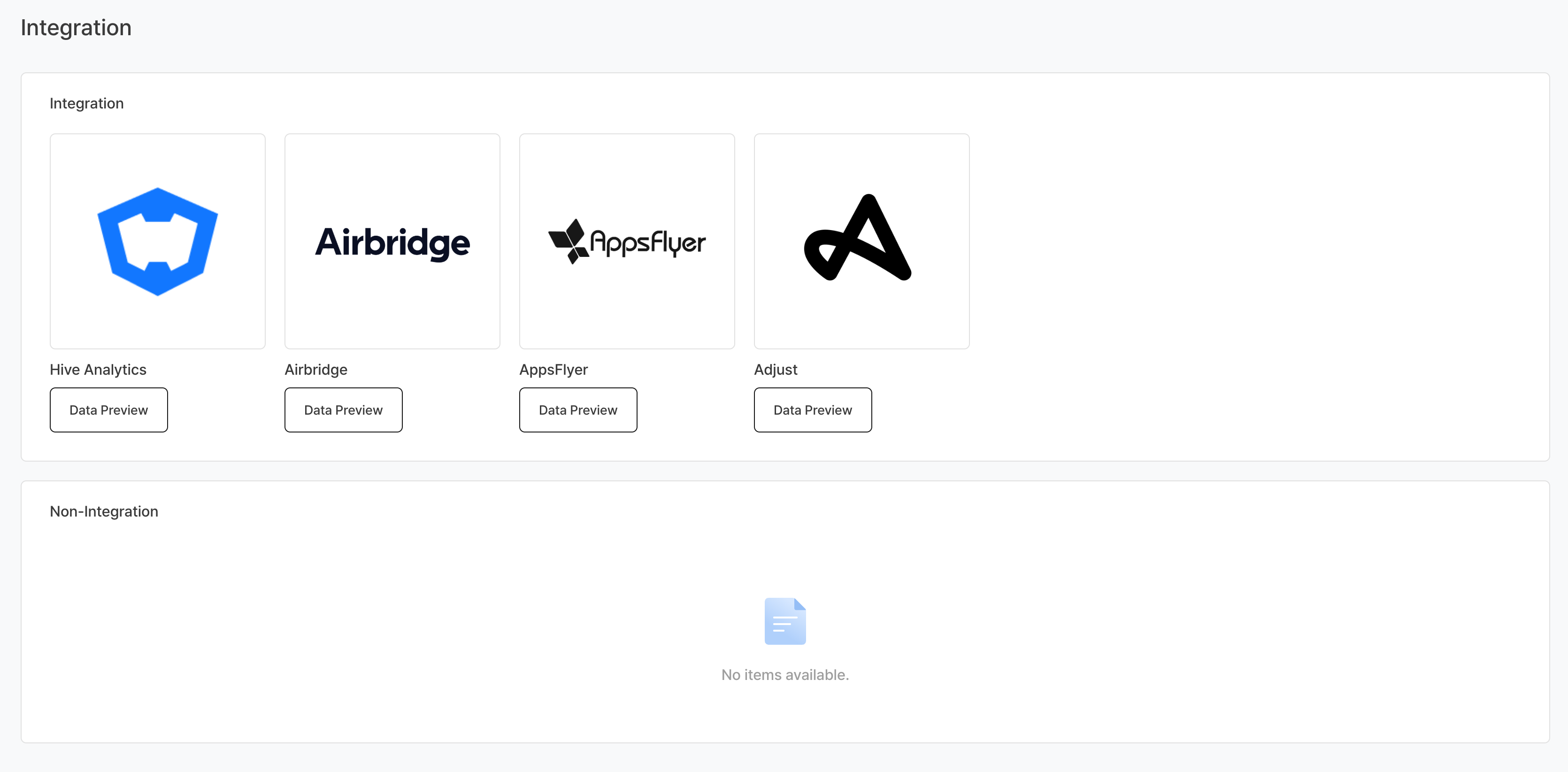
To check the collected data, click the Data Preview button on the linked card. You can check the list and status of collected MMP events on the Data > Events page. 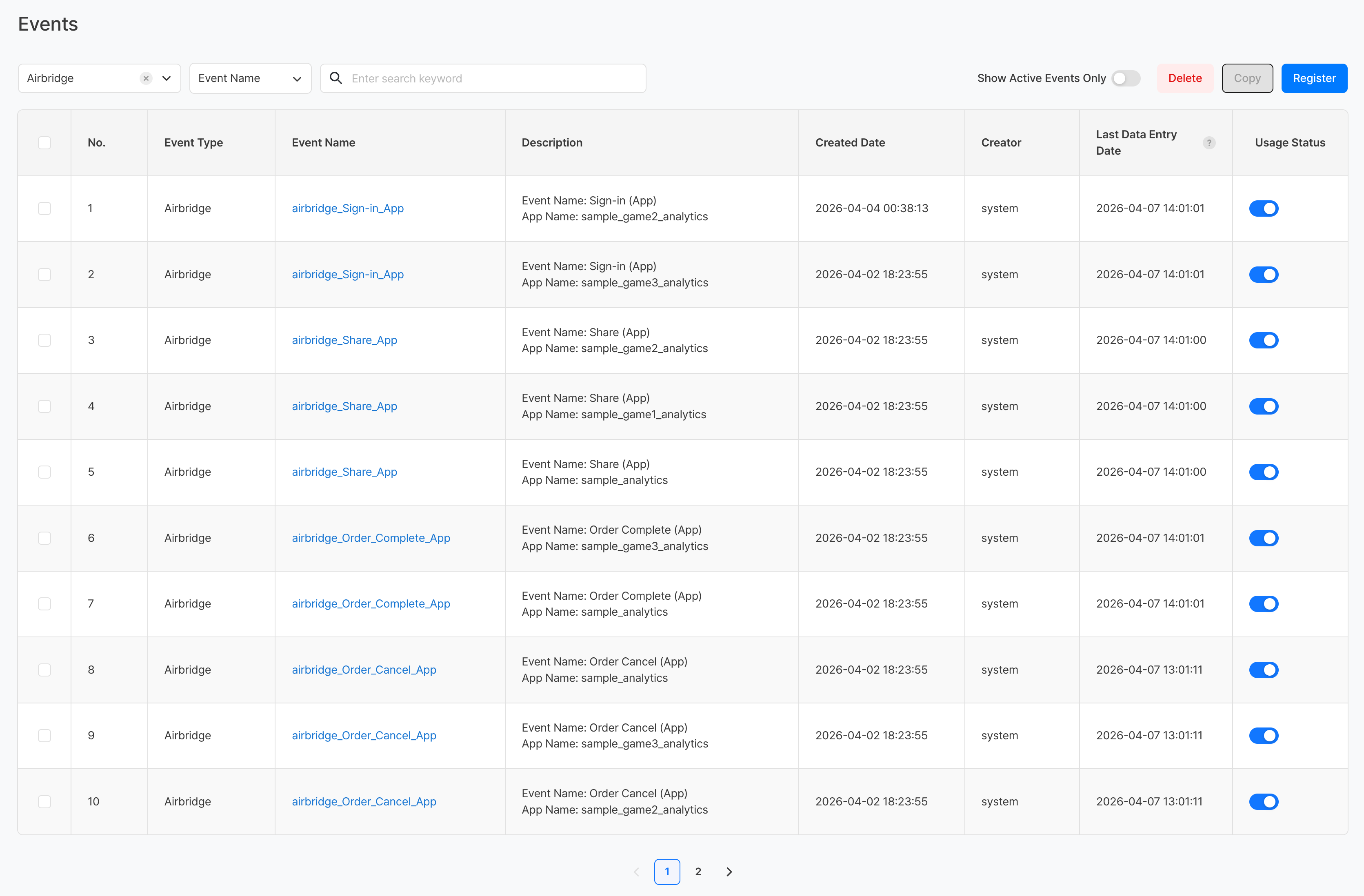
Utilizing the MMP event
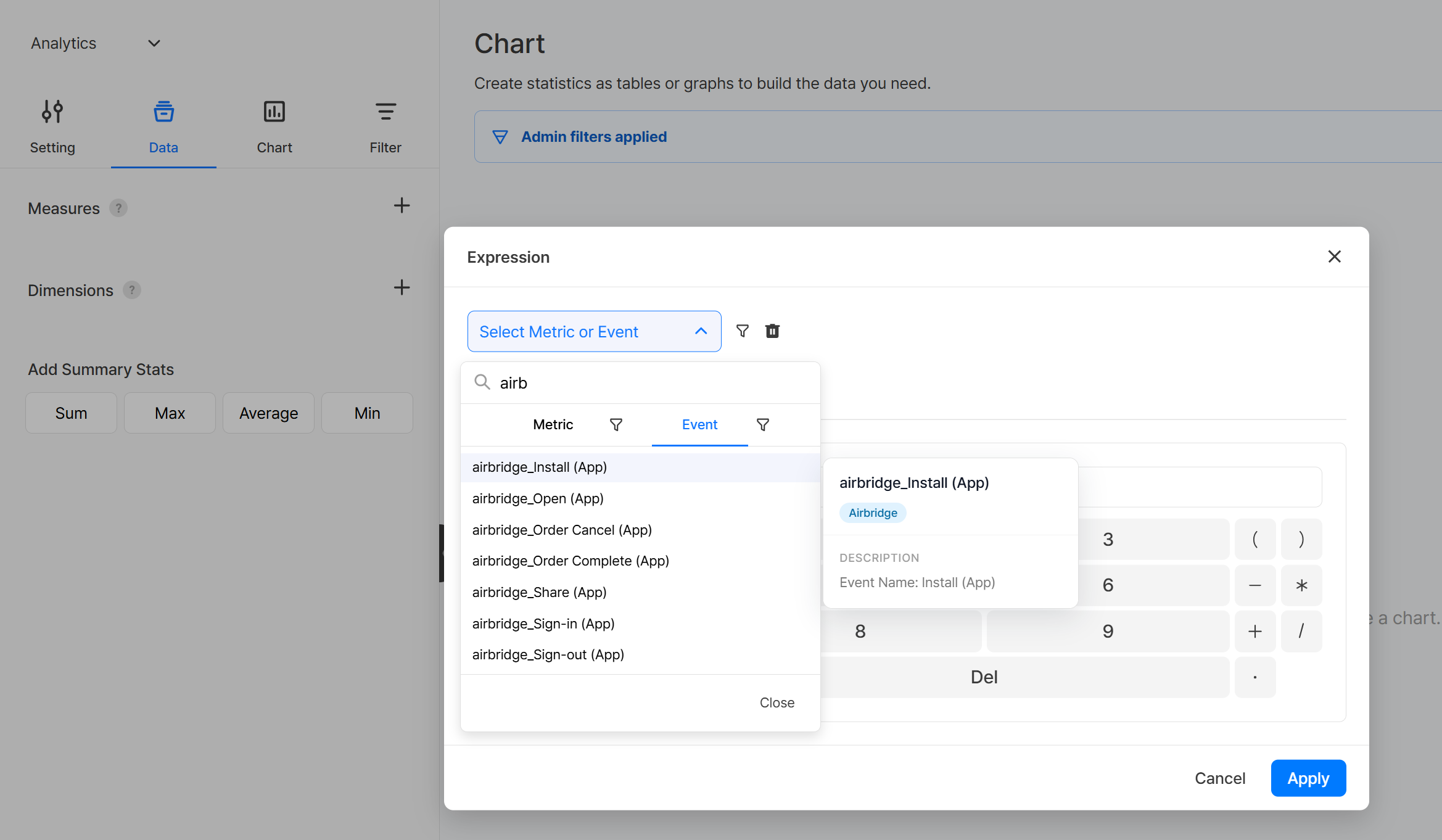
Once the integration is complete, you can utilize the MMP event data in the following functions in Analytics:
- Data > Event: MMP View and manage event list
- Create > Chart: Using MMP events as metrics
- Create > Funnel: Set the MMP event as a funnel step.
- Create > Retention: Set MMP event as reference/return event
Precautions & Tips
- For AppsFlyer·Adjust, event data is received only after postback settings are completed. Please consult with the development team in advance before linking.
- After linking, it may take time for MMP event data to be reflected in analytics (usually within a few hours).
- For information on how to set up postback for each MMP platform, please refer to the official documentation of the corresponding MMP platform.