Payment inquiry and cancellation
PortOne, Xsolla, and other integrated payment gateway companies provide a feature to view payment details in one place and allow operators to directly cancel payments if necessary.
➡️ Console Path: Billing > Payment Operations > PC Payment Inquiry and Cancellation
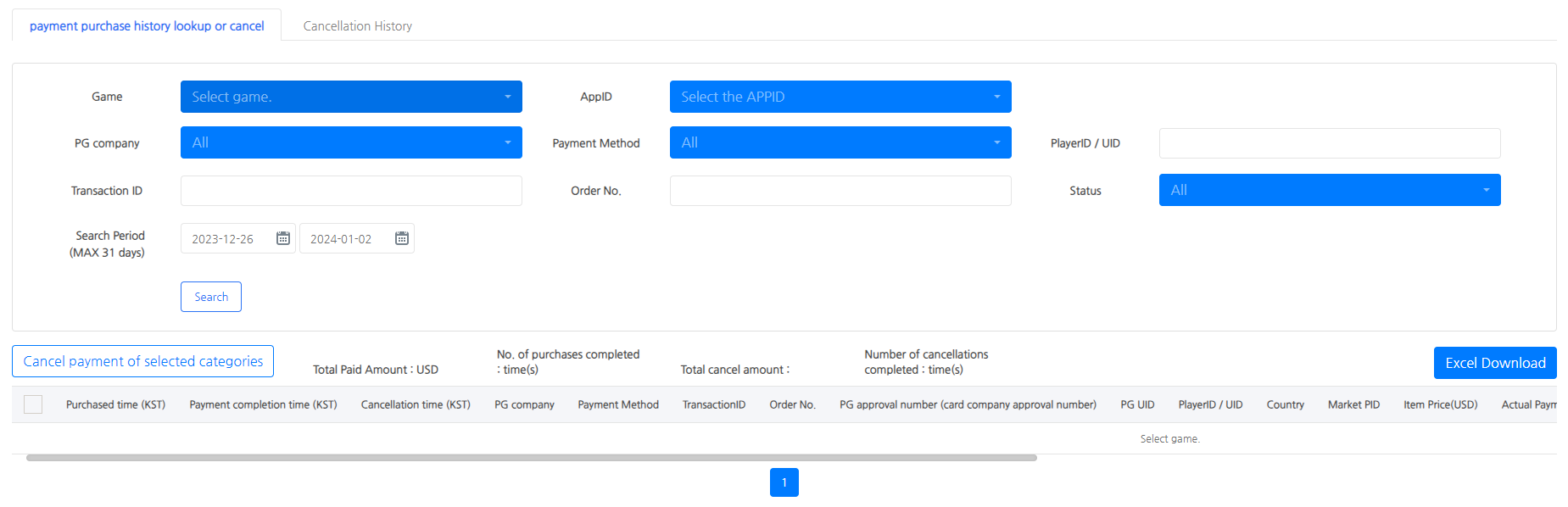
Major PG Company Cancellation Policy
- PortOne / Xsolla: You can directly cancel immediately on the detail page within this console.
- Terminal 3 (Paymentwall): This is a 'cancellation request' method, not an immediate cancellation. You must check the actual cancellation completion separately on the Terminal 3 dedicated console.
Payment Inquiry Status Value Definition
PG Payment
- Payment completed: The payment has been processed successfully
- Payment failed: Failure due to errors during payment, etc.
- Payment pending: A state where payment is not completed immediately, such as bank transfer, and is pending
- Cancellation request: In case of a request to cancel the payment
- Cancellation completed: In case the payment cancellation is completed (Terminal 3 cannot confirm cancellation completion)
- Cancellation failed: In case the cancellation request was made but failed
- Not processed: In case the user closed the payment window or pressed cancel, interrupting the process
Steam Payment
- Order received: Steam payment process started
- Payment refusal/fraud: Chargeback or suspected fraud cases
- Payment refund: Includes partial refunds and full refunds
Key Indicator Description
- Number of completed purchases: The pure number of transactions completed normally, excluding 'canceled' transactions
- Number of completed cancellations: The number of transactions that have been canceled
- Payment amount: The amount that the user actually paid
- Game_Payload_info: The value received from the app server to be used as additional metrics in analytics through the item delivery result transmission API
- IAP_Payload: Metadata defined by the developer (for analytics integration and post-verification) [Go to Developer Guide]
- Precautions when changing settings
- If you change the PG platform (e.g., Xsolla → PortOne) or delete the [Tier Code] used in PortOne settings, it is not possible to cancel the payment history made before the change in this menu.
- Compliance with cancellation workflow
- If you directly cancel a PortOne payment from an external source (PortOne's own console), the data will not be synchronized to this menu. Please proceed with the cancellation through this menu if possible.
- Note: Terminal 3 (Paymentwall) only allows cancellation requests, and completion status needs to be verified separately.