Owner and Admin permissions
Permission managers (Owners and Admins) are automatically granted access to all Console pages, all action permissions, and permission to view data from all projects. They can use all Console functions without receiving separate permissions.
| Category | Access Permission | Action Permission | Project Permission |
|---|---|---|---|
| Owner | Grant Automatically | Grant Automatically | Grant Automatically |
| Admin | Grant Automatically | Grant Automatically | Company-specific Settings |
Admin project permission settings
Admins are automatically granted access to all pages, all action permissions, and permission to view all projects. Company policy can limit them to viewing data for specific projects.
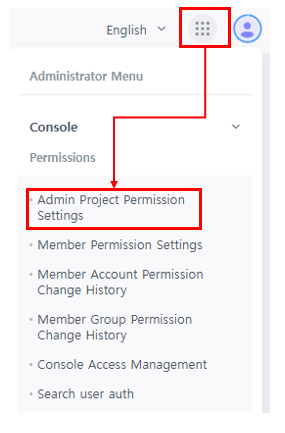
- Full Project Permission - ON
By default, access to all Console pages, all action permissions, and permission to view project data are granted automatically.
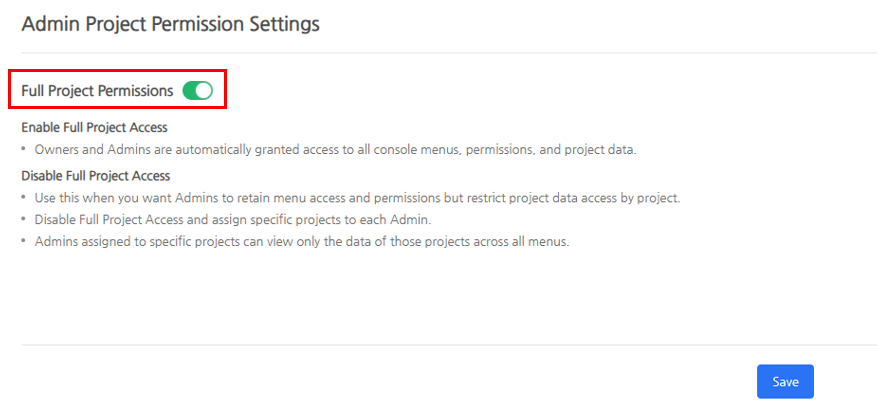
- Full Project Permission - OFF
Admins retain access to all pages and all action permissions. To have an Admin operate as an individual project manager under company policy, change "Full Project Permission" to OFF and assign the projects the Admin will manage.
Admins with assigned projects can view data only for those projects across all Console pages.
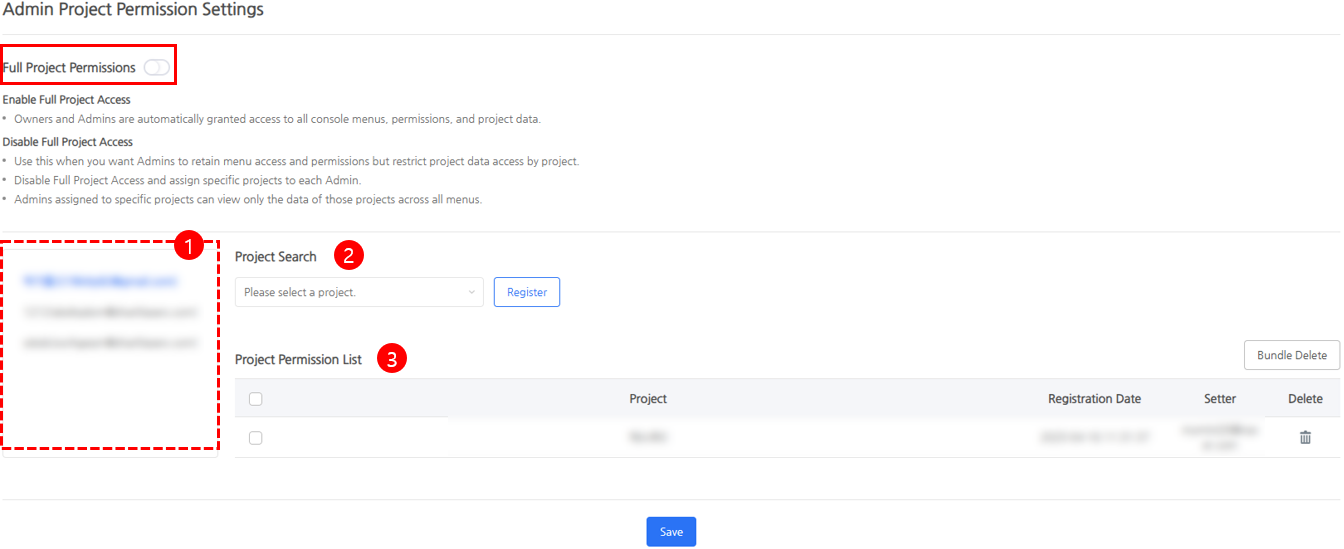
① Admin List : You can check the users designated as the company's Admins, and select Admin to set project permissions.
② Search Project: After selecting the Admin, you can search and add the project to designate for the Admin. When adding, you can check with the "Project Permission List" and you must "Save" to add the project permission.
③ Project Permission List : You can check and delete projects granted to the selected Admin.
Permission guide when changing roles
The permission manager can change the role from Member → Admin or Admin → Member depending on the role of the invited member.
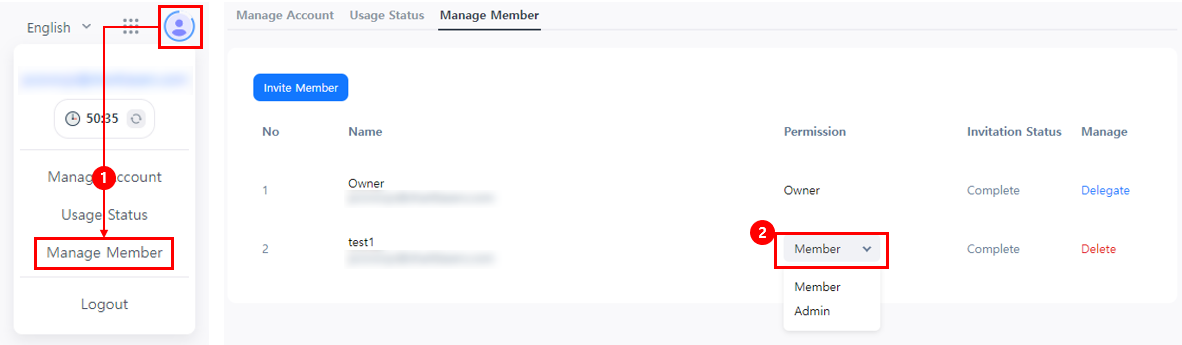
- When changing the role from Member → Admin : All permissions held by the Member role are withdrawn. Admin permissions are automatically granted according to the company's Admin project permission settings.
- When changing the role from Admin → Member: Admin permissions are withdrawn and "Member" group permissions are granted. To use the Console, the member must receive the required permissions from a permission manager.