Additional Service Settings
The additional service settings are not mandatory items that must be set during payment, but they provide useful features if used.
Setting Up Additional Services
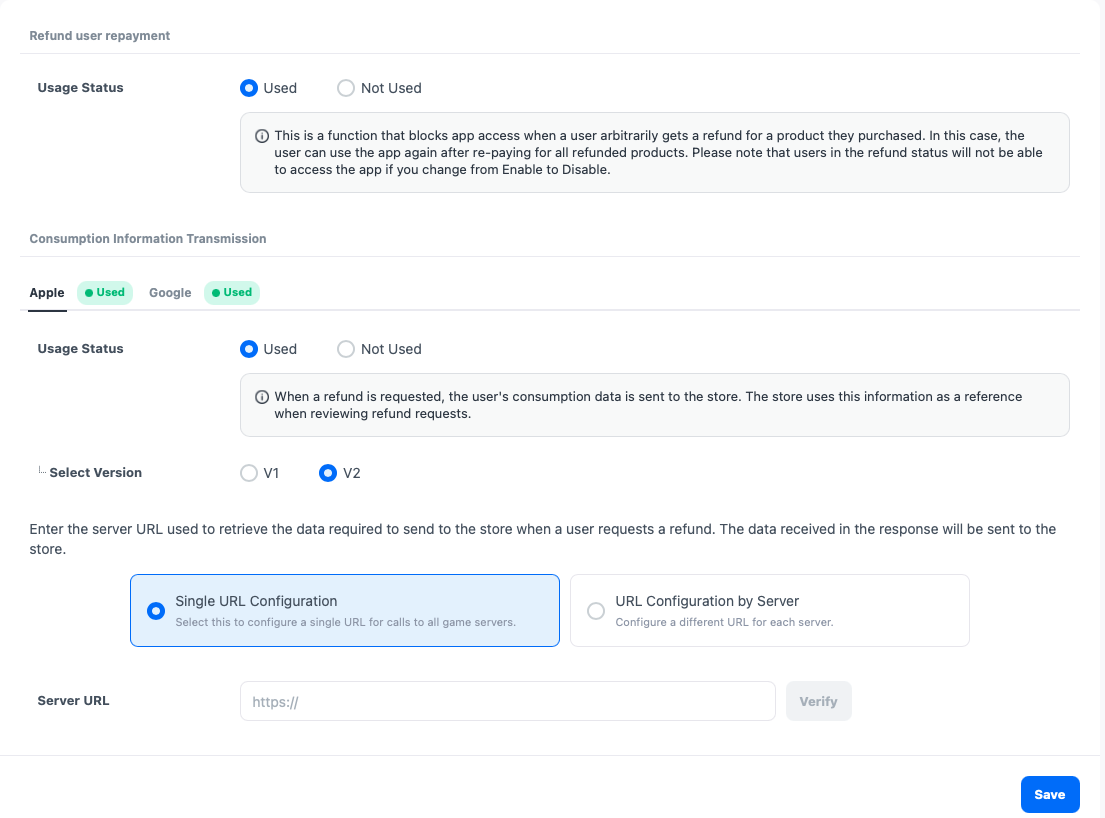
-
Select Project: Choose the project to configure and click search.
-
Refund User Re-Payment: This is a feature that blocks app access upon login when a user requests a refund for a product purchased arbitrarily through the store. For more details, please check the Refund User Re-Payment section. If you modify the content, be sure to click save.
-
Consumer Information Transmission: This is a function that transmits the user's information (refund tendencies, app usage time, etc.) to the store when a refund request is made through the in-app. Since this information is used as reference material during refund reviews by the store or in case of disputes with financial institutions, it helps prevent fraudulent use by users and improves usability. The consumer information transmission function is currently supported only by the Apple and Google stores. If you modify the content, be sure to click save.
- Apple
- Version selection: Support for V1 will be discontinued. New settings can only use V2, and existing V1 users are encouraged to switch to V2.
- Server URL setting: Please enter the game server URL that can call the necessary data to be sent to the store when the user requests a refund. For more details about the API, please refer to the API Guide.
- Single URL setting: Set a single URL for calls to all game servers.
- Server-specific URL setting: Synchronize the server information in the app center to set different URLs for each server. Before setting the URL, please register the server information in Console > App Center > Project Management > App Server tab.
- Google
- Server URL setting: Please enter the game server URL that can call the necessary data to be sent to the store when the user requests a refund. For more details about the API, please refer to the API Guide.
- Single URL setting: Set a single URL for calls to all game servers.
- Server-specific URL setting: Synchronize the server information in the app center to set different URLs for each server. Before setting the URL, please register the server information in Console > App Center > Project Management > App Server tab.
- Server URL setting: Please enter the game server URL that can call the necessary data to be sent to the store when the user requests a refund. For more details about the API, please refer to the API Guide.
- Apple
Change History
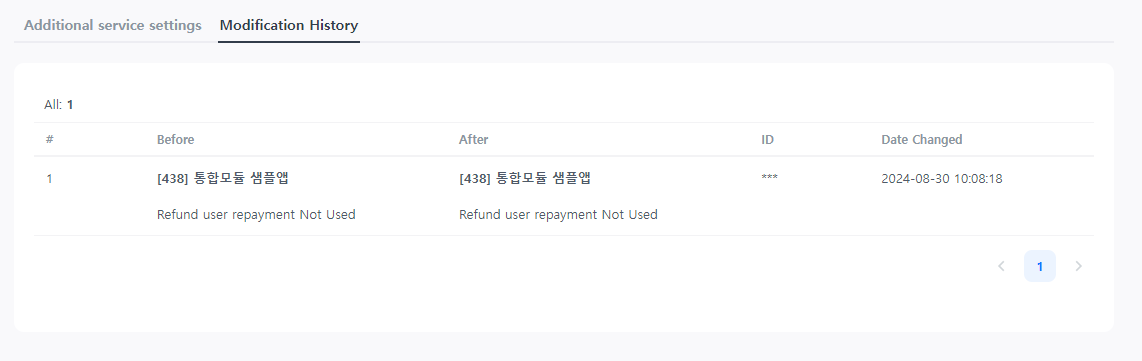
When you modify or register content in the additional service settings and click save, all content before and after the modification will be automatically recorded. You can check the change history to understand the history.