Inquiry Analysis
Review the status or performance of inquiries handled by the customer service center.
Daily Processing Status
You can check the daily inquiry handling status of assigned agents by language.
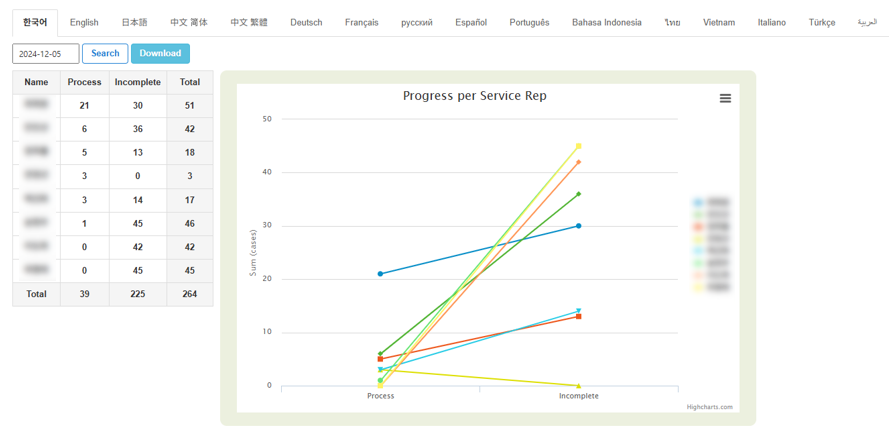
- View handled and unhandled status per agent
- Supports Excel download
Language Processing Status
You can check the volume of inquiries and their status by language.
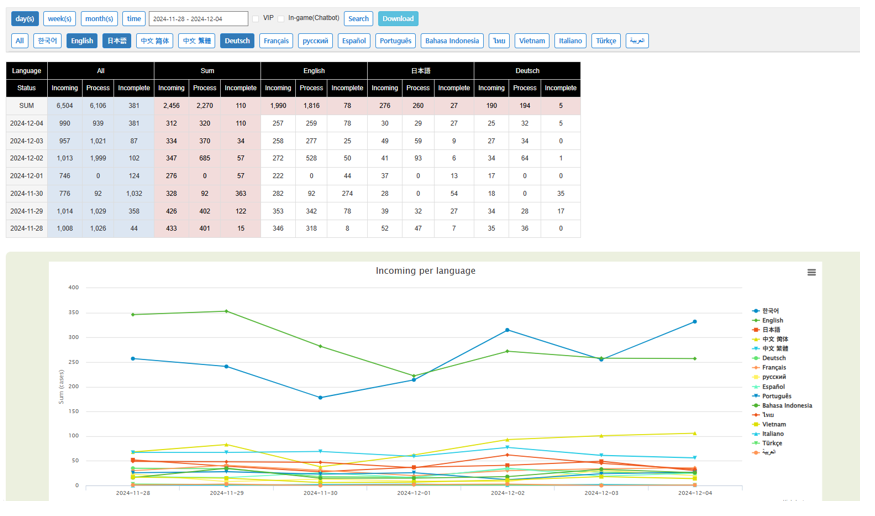
- Search by day, week, month, or hour
- Filter by VIP or in-game inquiries
- Supports Excel download
Agent Processing Status
Inquiry handling performance can be reviewed by language and agent for completed cases.
Language-based
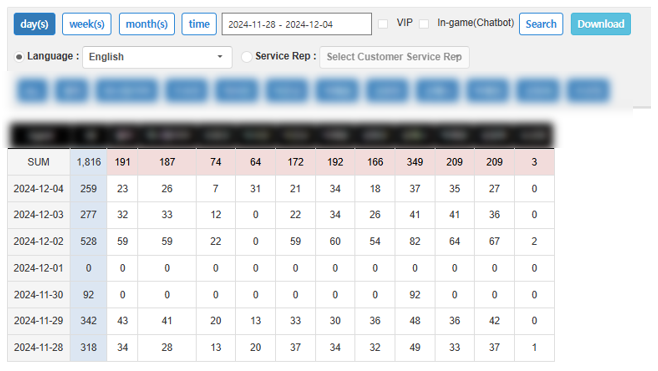
- Search by day, week, month, or hour
- Filter by VIP or in-game inquiries
- Supports Excel download
- View for all agents or individual agents.
Service Rep-based
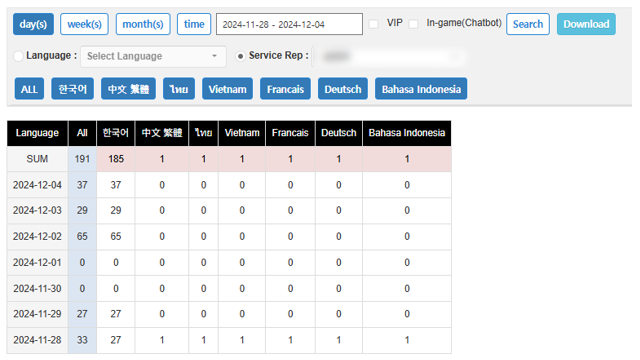
- Search by day, week, month, or hour
- Filter by VIP or in-game inquiries
- Supports Excel download
Response Time
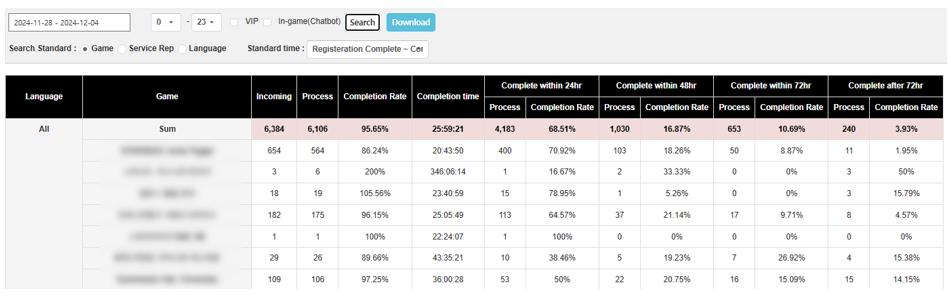
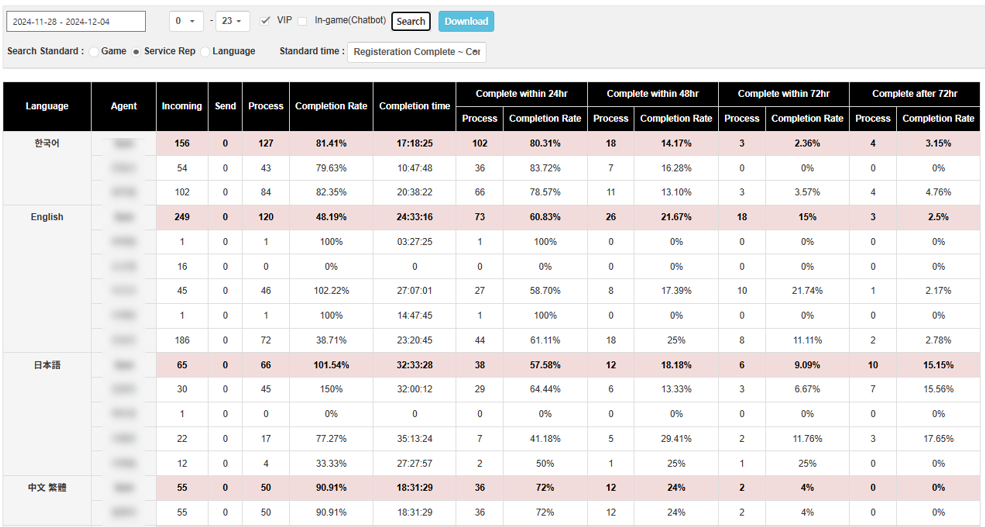
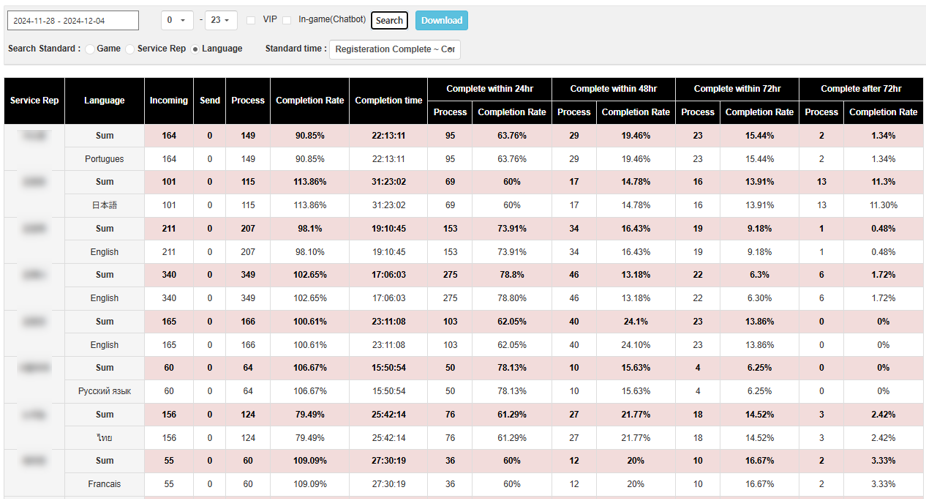
You can check the response times for inquiries handled by game, agent, and language.
- Common
- Number of inquiries incoming, send, process, completion rate, completion time.
- Completion Time-based
- Number of inquiries process, Completion Rate
- Complete within 24hr, Complete within 48hr, Complete within 72hr, Complete after 72hr
Game-based
Service Rep-based
Language-based
Inquiry Status by Category
You can check the volume of inquiries received by category based on language and game.
Category Settings Menu: Inquiry > Admin Settings > Inquiry Management Settings > (Language) > Category
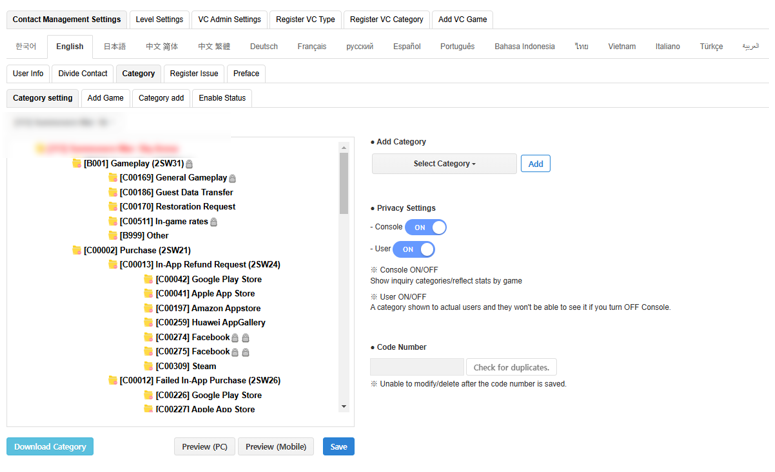
Language-based
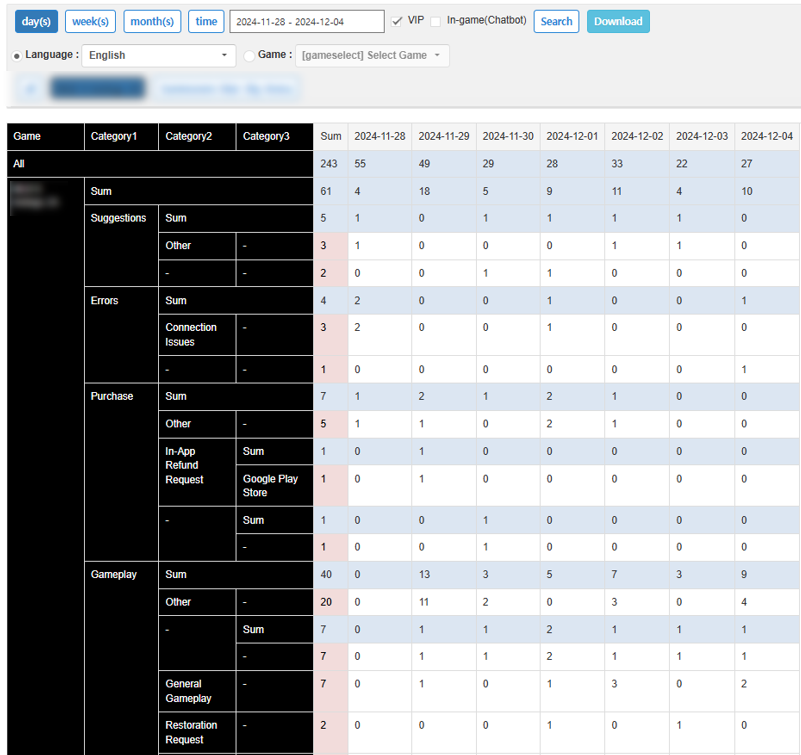
- Check the volume of inquiries received per category by language
Game-based
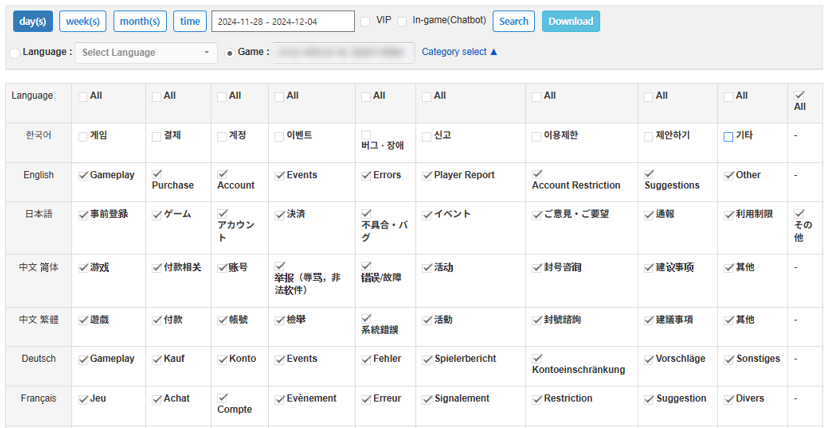
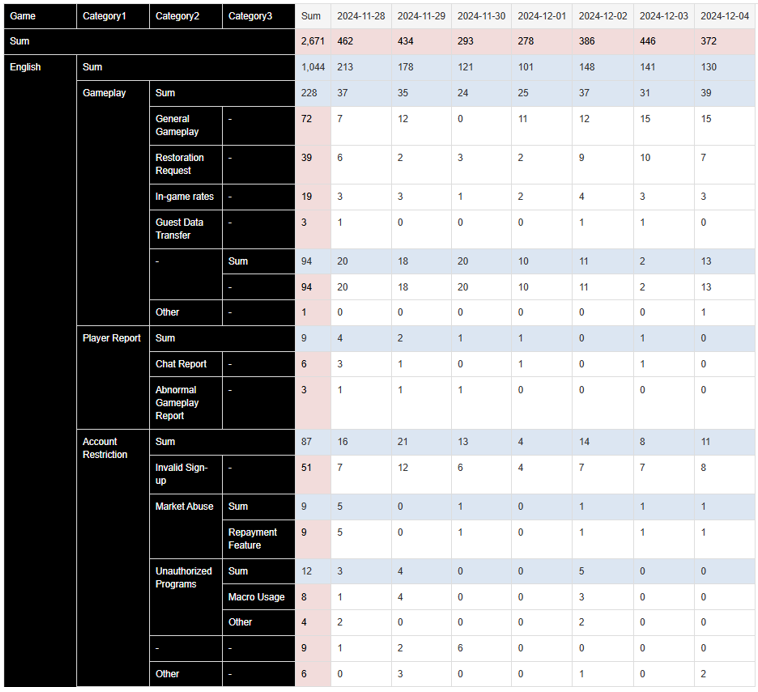
- Check the volume of inquiries received per category used in games