Service Rating
View satisfaction ratings submitted by users for inquiries with completed responses.
Ratings and reasons can be viewed by inquiry, and rating status can be reviewed by agent. Satisfaction survey visibility and selectable reasons for each rating can also be configured.
Supported inquiries
Service ratings are available only for inquiries submitted through in-app Customer Support.
Rating Search
View the ratings and reasons submitted by users for completed inquiry responses.
Set search conditions such as game, rating period, and rating to find specific evaluation records.
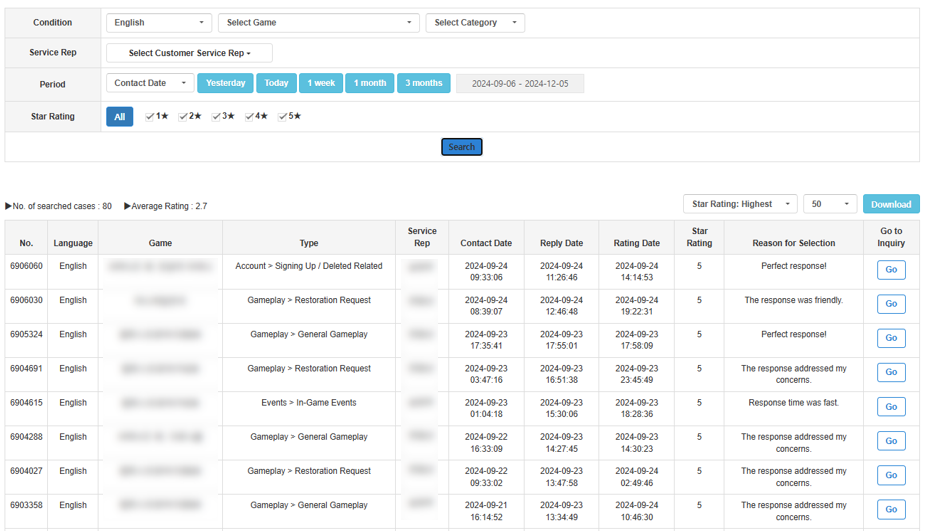
The search results display inquiry information, assigned agent, rating, and selected reason.
Agent Rating Status
View aggregated satisfaction ratings by agent.
Set conditions such as game and period to review the number of ratings and rating status for each agent.
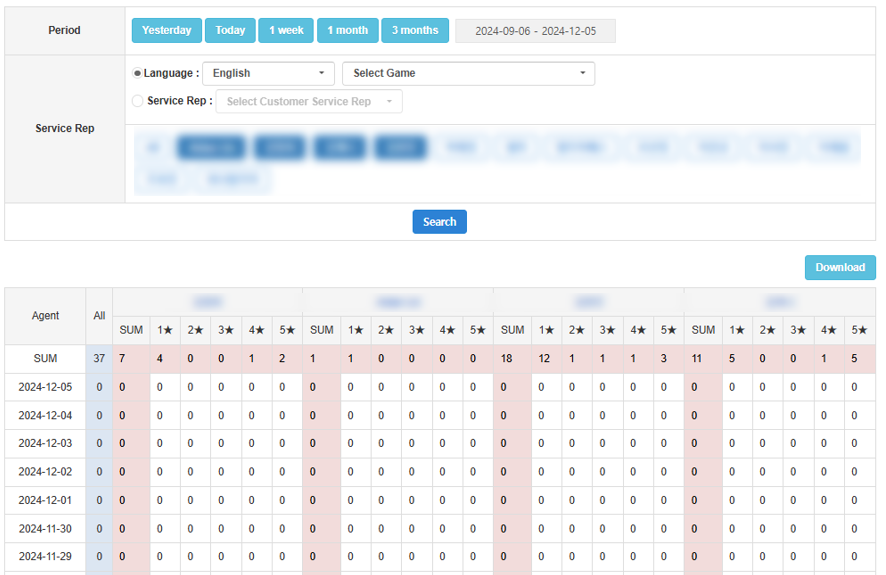
Manage Rating Reason
Configure satisfaction survey visibility and the reasons users can select when submitting a rating.
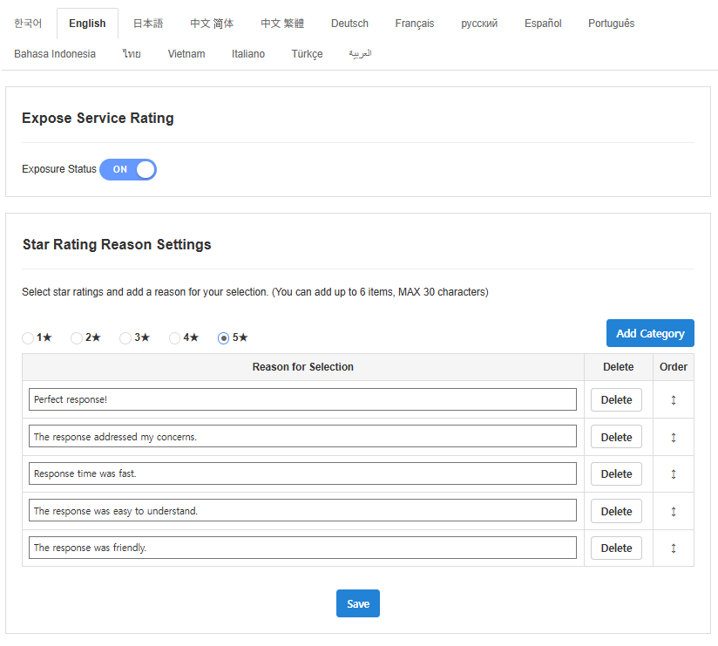
Satisfaction Survey Settings
- Set Satisfaction Survey Visibility.
- Register the selectable reasons displayed for each rating.
- Review the settings and save the changes.
Registering rating reasons
At least one selectable reason must be registered for each rating from 1 to 5 stars.