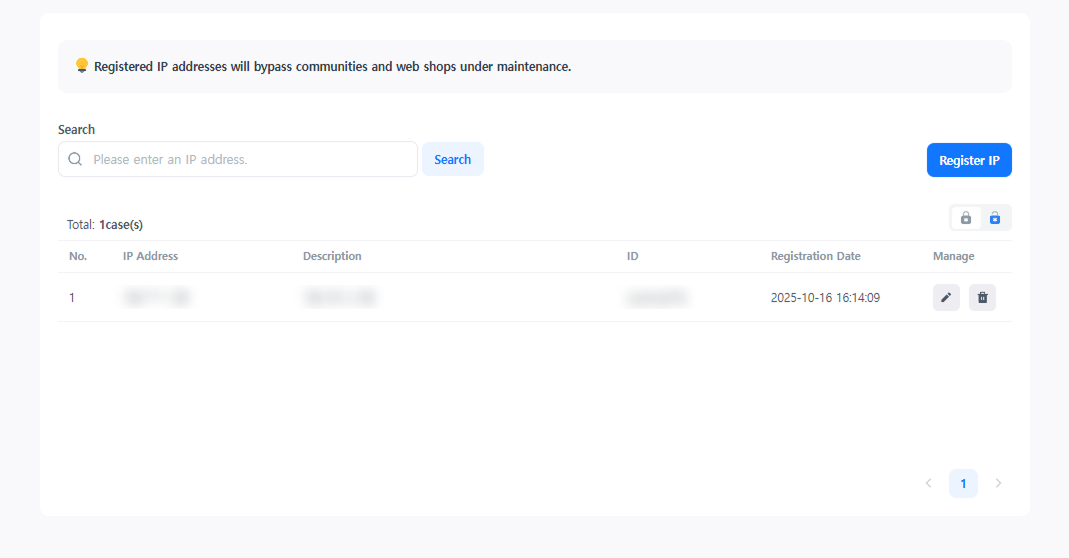
Maintenance Test IP
When the service maintenance mode is applied, exceptional access permission is granted to registered IPs. Through this, the functions of the community and web shop under maintenance can be pre-verified.
➡️ Console Path: Community & Web Shop > Common Operation Settings > Maintenance Test IP
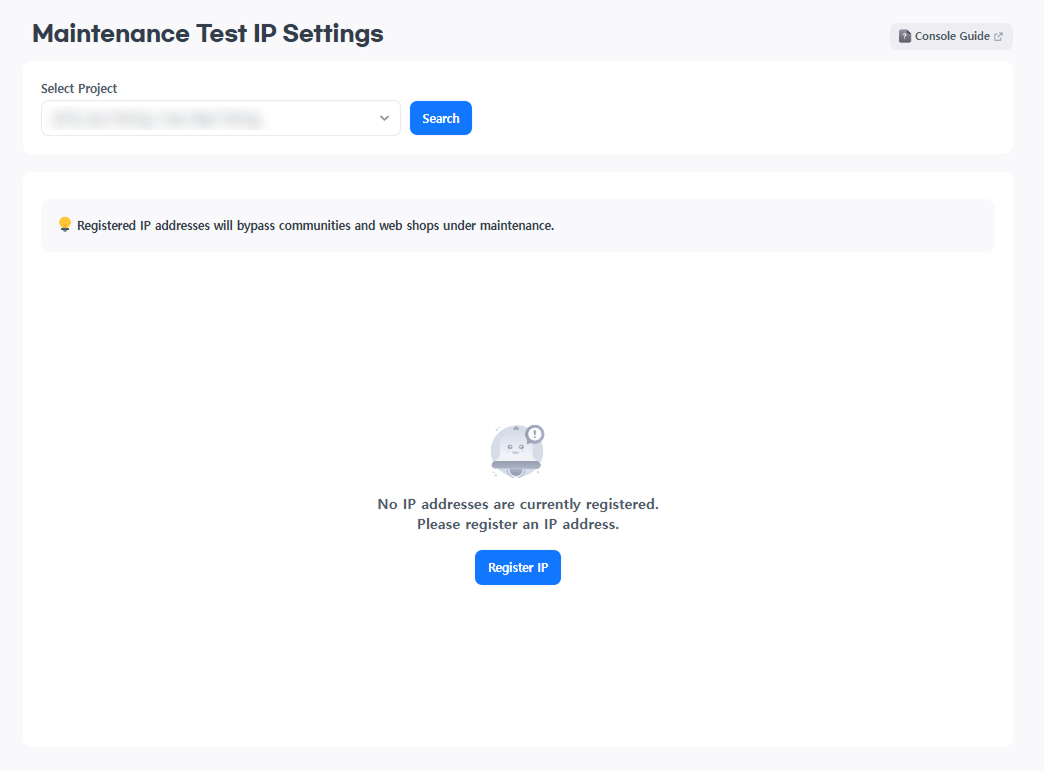
How to configure:
- Select the project to register the maintenance test IP and click the [Search] button.
- Click the [Register IP] button.
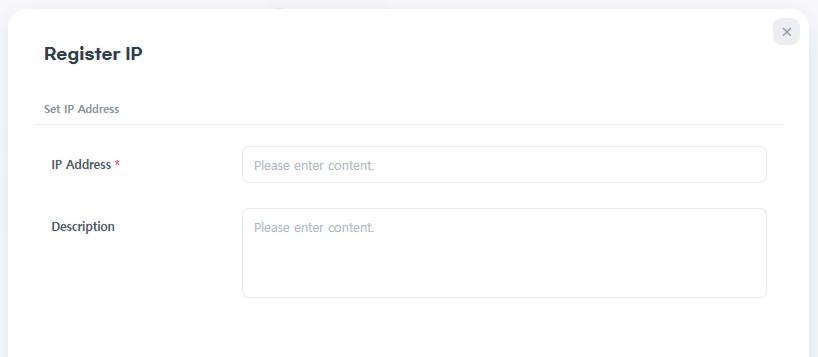
- Enter the IPv4 format IP address to be registered in the IP input field. (e.g., 0.0.0.0 ~ 255.255.255.255)
- Enter the IP address and description, and click the [Register] button. The registered IP will be displayed in the IP list.
- For registered IPs, click the [Edit] button to modify the description, or click the [Delete] button to delete them individually.