Price Discount
Promotional features that adjust the payment amount in the web shop consist of product discounts and coupons.
➡️ Console Path: Community & Web Shop > Web Shop > Web Shop Settings + Product Management
Promotion Features and Application Criteria
- Product Discount
- Application Method: Applies a percentage (%) discount to the base product price.
- Input Restriction: Can only be entered as an integer, with a maximum setting range of 90%.
- Amount Calculation: Decimal amounts generated after applying the discount are rounded according to the minimum transaction unit of each currency.
- Coupon
- Application Method: Determines whether to allow the use of coupons for the product during payment.
- Application Scope: Deducted based on the final total payment amount, not the individual product price.
- Product Discount + Coupon
- When both a product discount and a coupon are activated simultaneously, the final payment amount is determined in the following order:
- Base product price → Apply product discount → Deduct coupon discount from the calculated balance
Payment Validation Settings
If the payment amount changes due to the application of discounts and coupons, a verification step is performed to prevent fraudulent payments. Refer to the Payment Amount Verification API Guide to implement the verification API first, and after integration is complete, proceed with the settings in the following order.
How to configure:
-
Implement the API on the app server referring to the Payment Amount Verification API Guide.
-
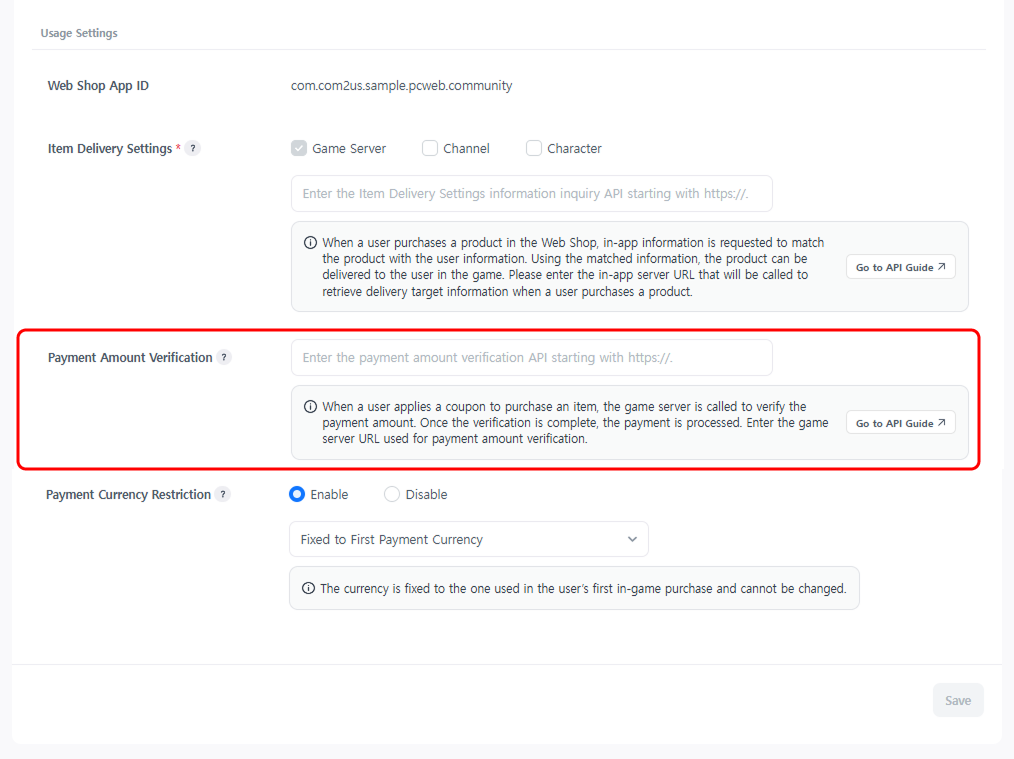
Register the URL in Web Shop > Web Shop Settings > Service Settings > Payment Amount Verification and click the [Save] button.
-
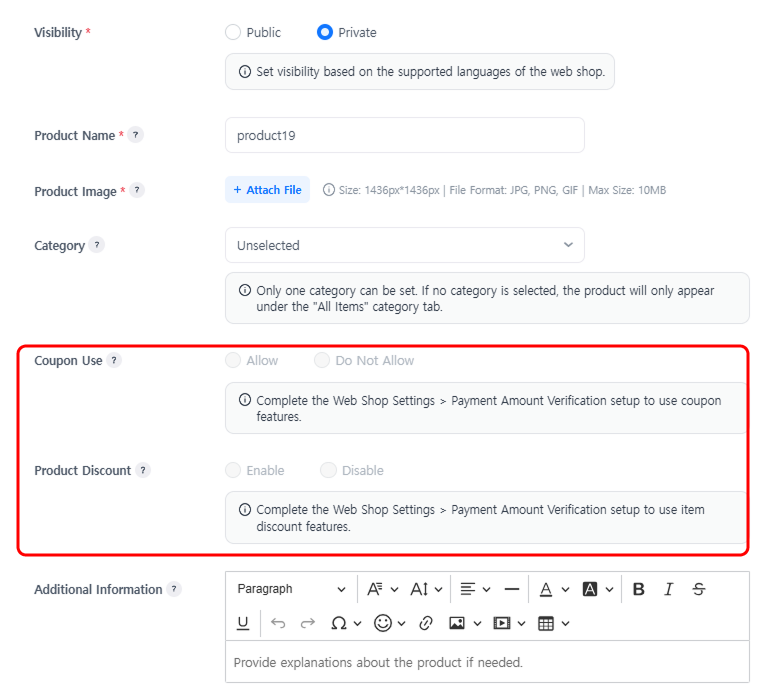
Configure coupon usage and discount information in the Web Shop > Product Management > Product Management pop-up.
-
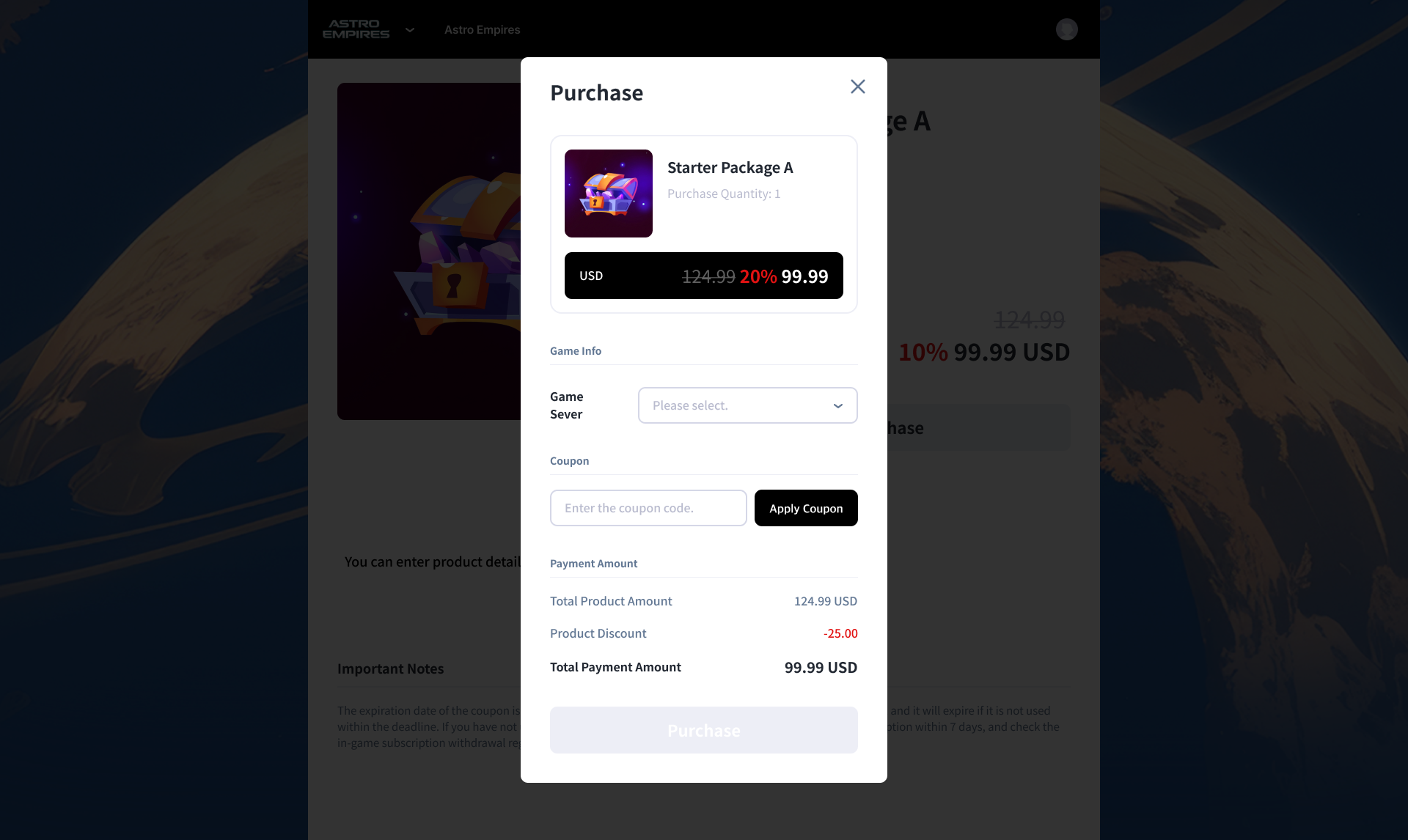
Check the results of the discount information settings in the web shop.