Site Settings
This is the step to set the site address, site usage, and supported languages for the community or web shop.
➡️ Console Path: Community & Web Shop > Common Settings > Site Settings
How to configure:
- Select the project to open the service and click the [Search] button.
- When creating for the first time, create it via the [Start] button.
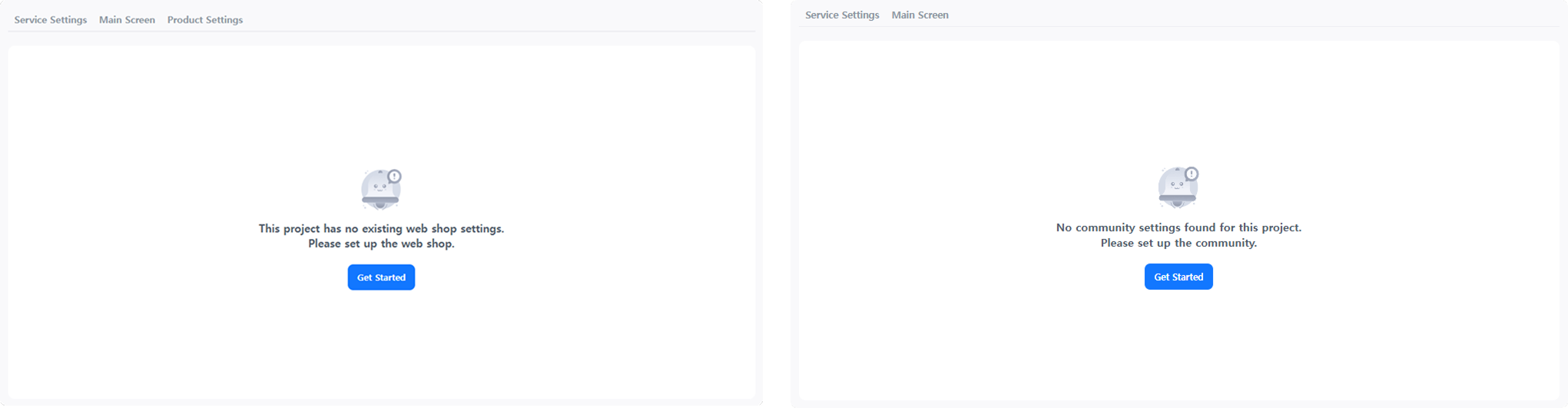
- When creating for the first time, create it via the [Start] button.
- Enter the keyword to use in the URL. The entered keyword is used commonly in the site address of the community and web shop as shown below.
- Community:
https://community.withhive.com/(keyword) - Web Shop:
https://shop.withhive.com/(keyword)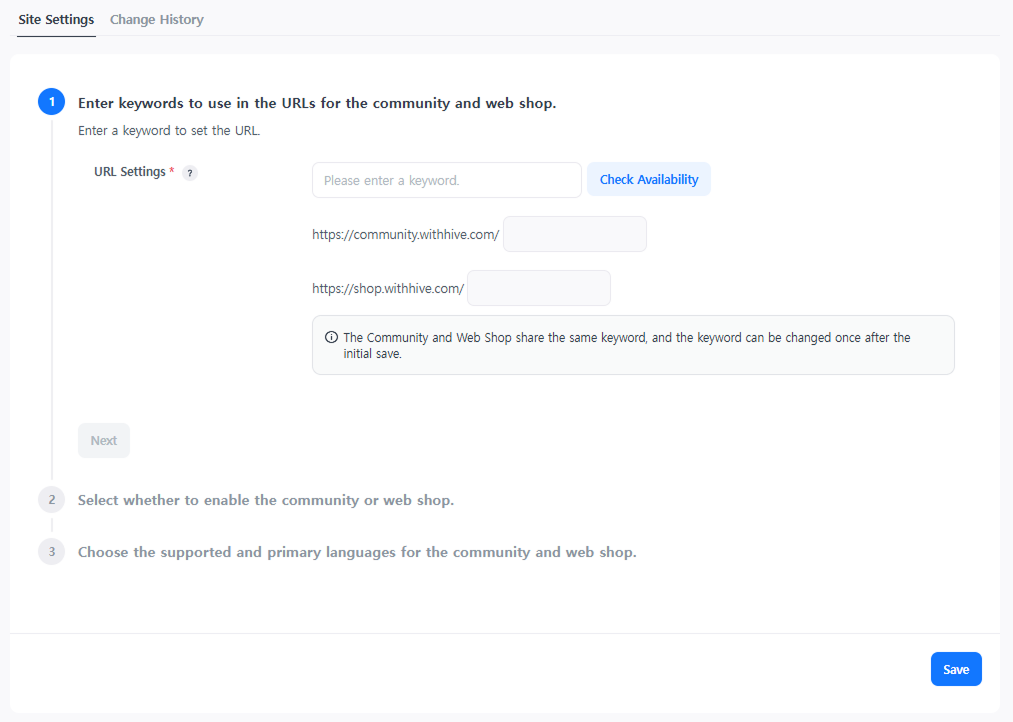
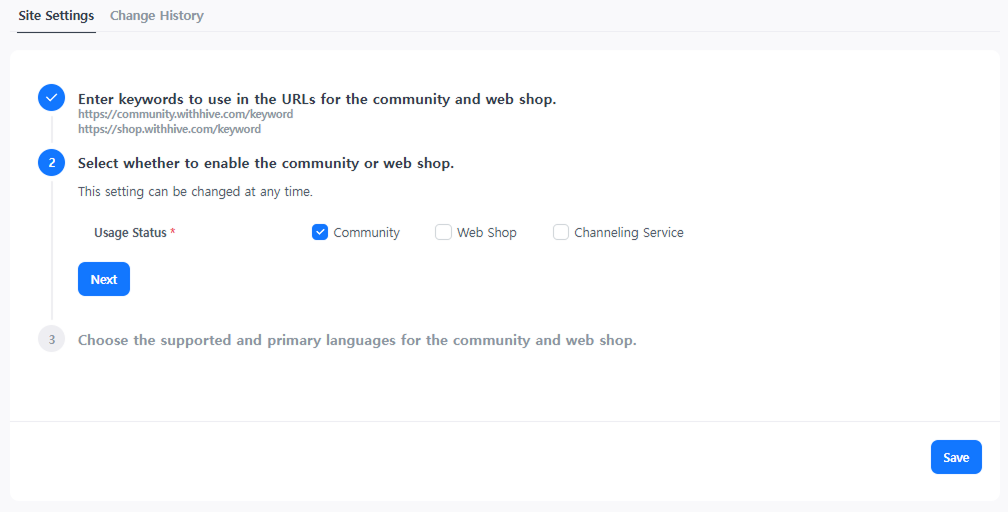
- Select 'Community' or 'Web Shop' for usage.
- Select the supported languages and the default language.
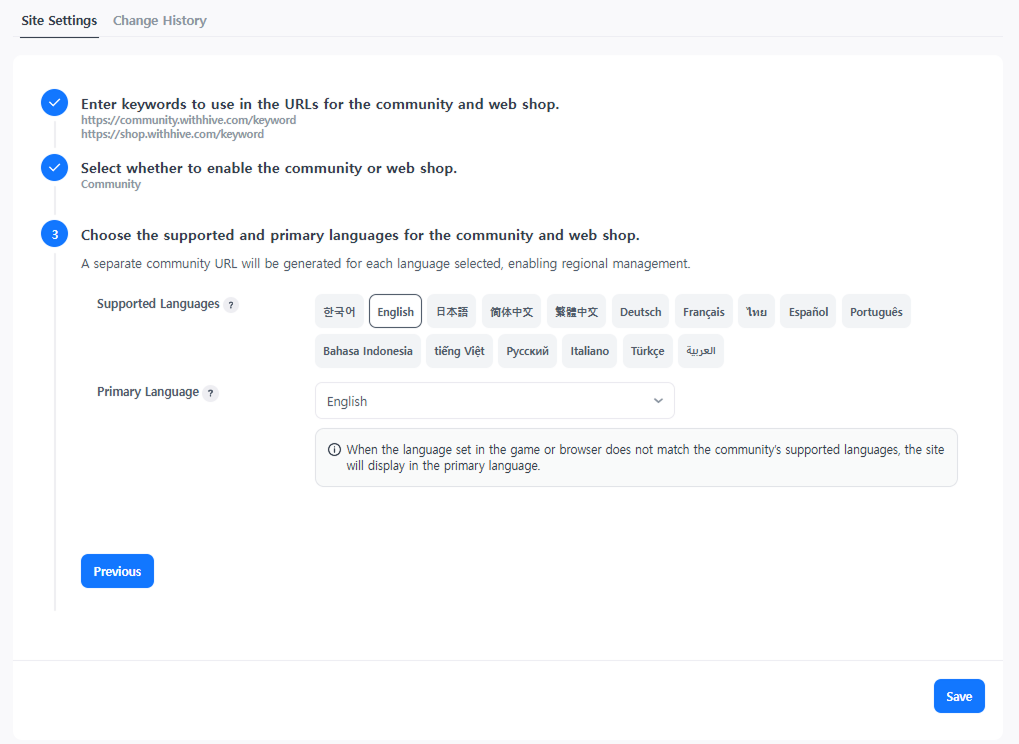
- Click the [Save] button to complete the site creation for using the community & web shop.
- If you need to change the supported languages after creation, edit them on the current page.
Next Steps
Register common items to be exposed in the community or web shop or configure features. Learn more