Bulletin Board
Register the bulletin boards to be operated in the community. Create bulletin boards by types that match the content characteristics, such as general, video, image, and one-line, and manage the scope of access by configuring read, write permissions.
➡️ Console Path: Community & Web Shop > Community > Bulletin Board
Category
Register the categories that make up the community and set their visibility and exposure method. 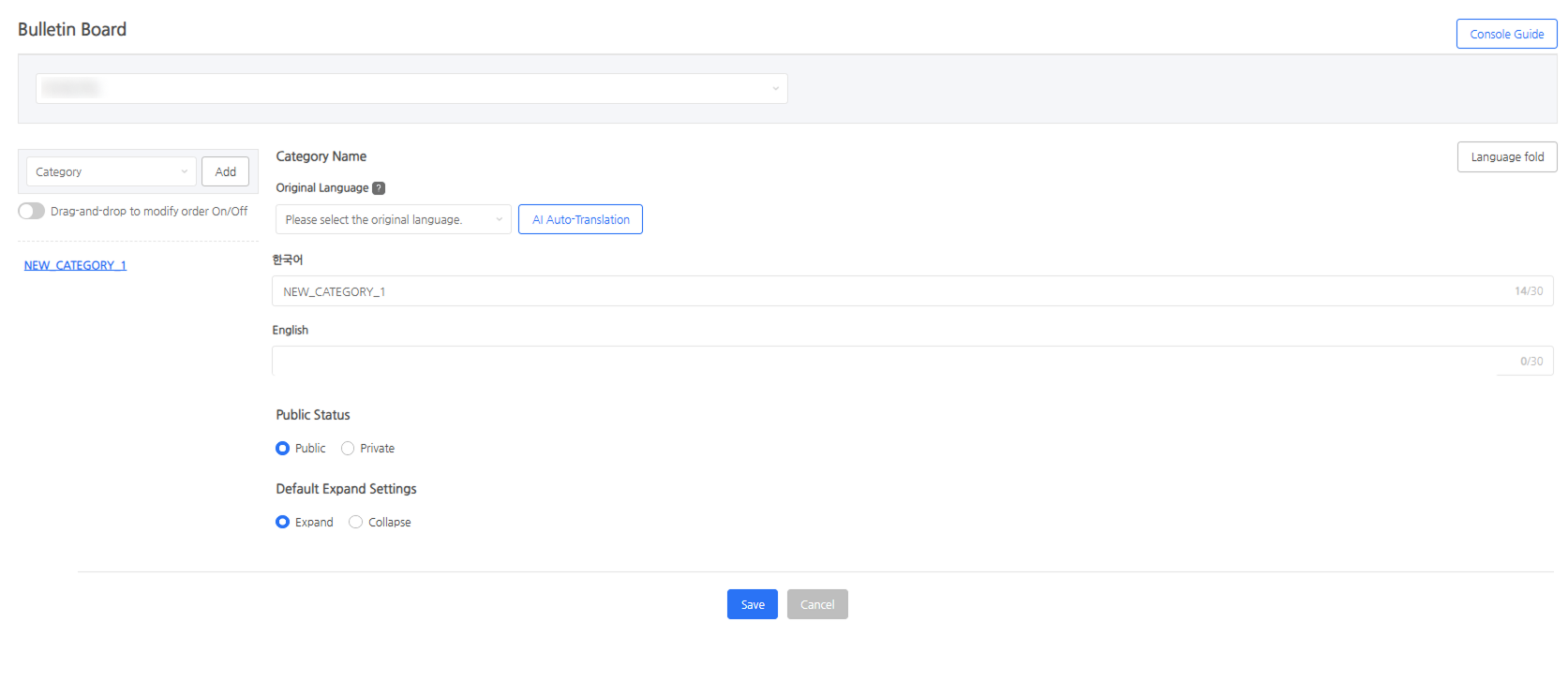
- Language: Supports up to 16 languages, and Korean is a required field. If you enter a title for each language and save, a category will be created on the corresponding language site.
- Visibility: Set whether the category is public or private.
- Default Expand Settings: Set whether the menus within the category are expanded or collapsed by default.
Menu
Register the menus to be exposed under the category and set the bulletin board type and permissions. 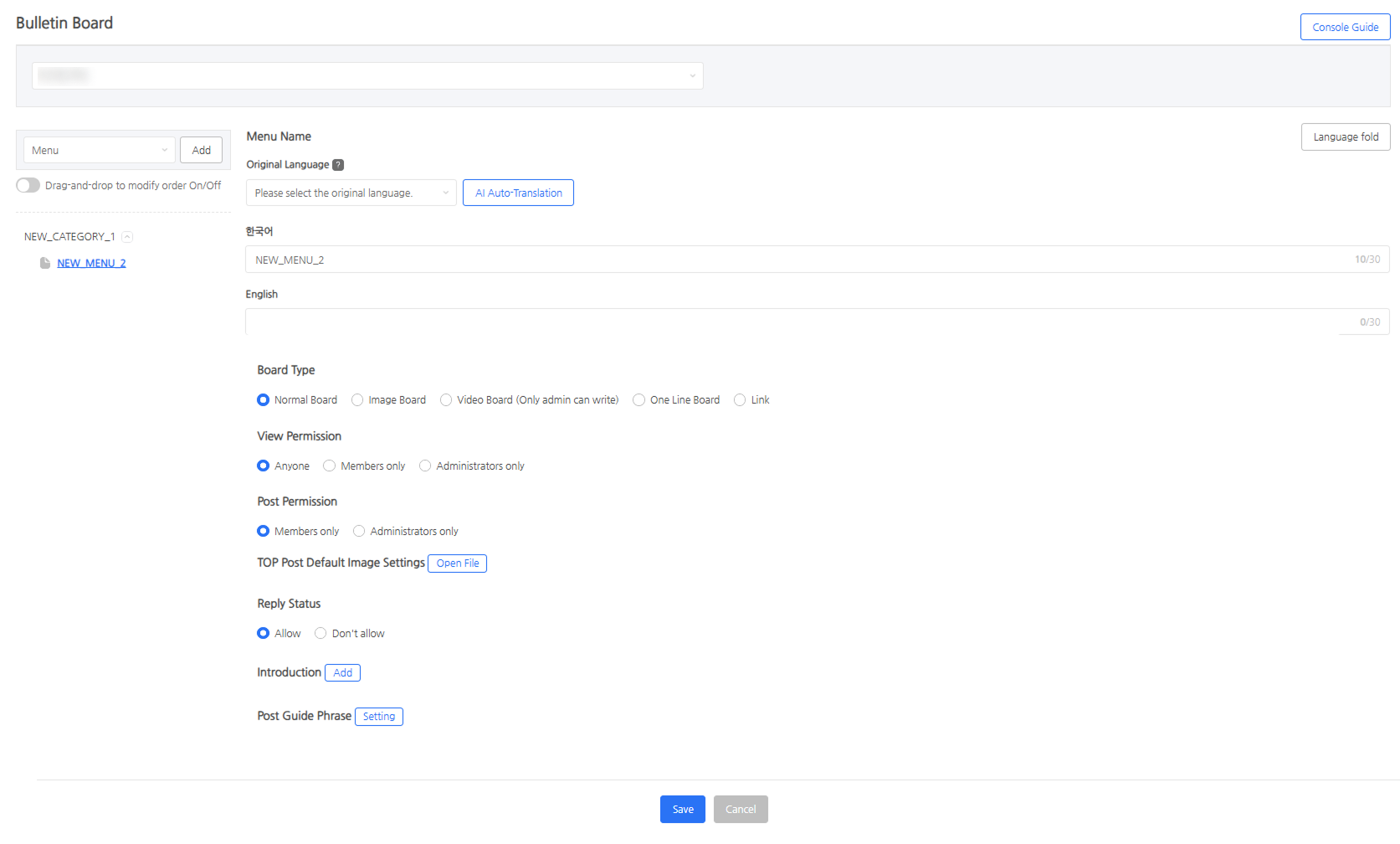
- Bulletin Board Type
- General: A basic bulletin board to freely write text, images, etc.
- Image: Must be registered with an image included and provides a thumbnail-type list.
- Video: Must be registered with a video included and is operated exclusively by admins.
- One-line: A simple bulletin board where posts are entered in the form of comments.
- Link: Directs immediately to a link when the menu is clicked.
- View Permission: Select from Anyone, Members Only, Admins Only, and set the view permission broader than the write permission.
- Write Permission: Select from Members Only, Admins Only.
- TOP Post Banner Default Image: Set the default image exposed when a representative image is not set after configuring a TOP post.
- Allow Comments: Set whether to allow comment writing per bulletin board.
- Prefix: Set the prefix to be exposed when writing a post.
- Post Guide Text: Set the guide text exposed when writing a post.
Next Steps
Register the banner image to be exposed on the community main screen. Learn more