FAQ management
Register and manage FAQs by game and by language.
You can set the display order, required-read status, and visibility of FAQs, and copy registered FAQs to another game or inquiry type.
Register New FAQ
- Click Write in the FAQ list.
- Enter the FAQ title and content, then click Save.

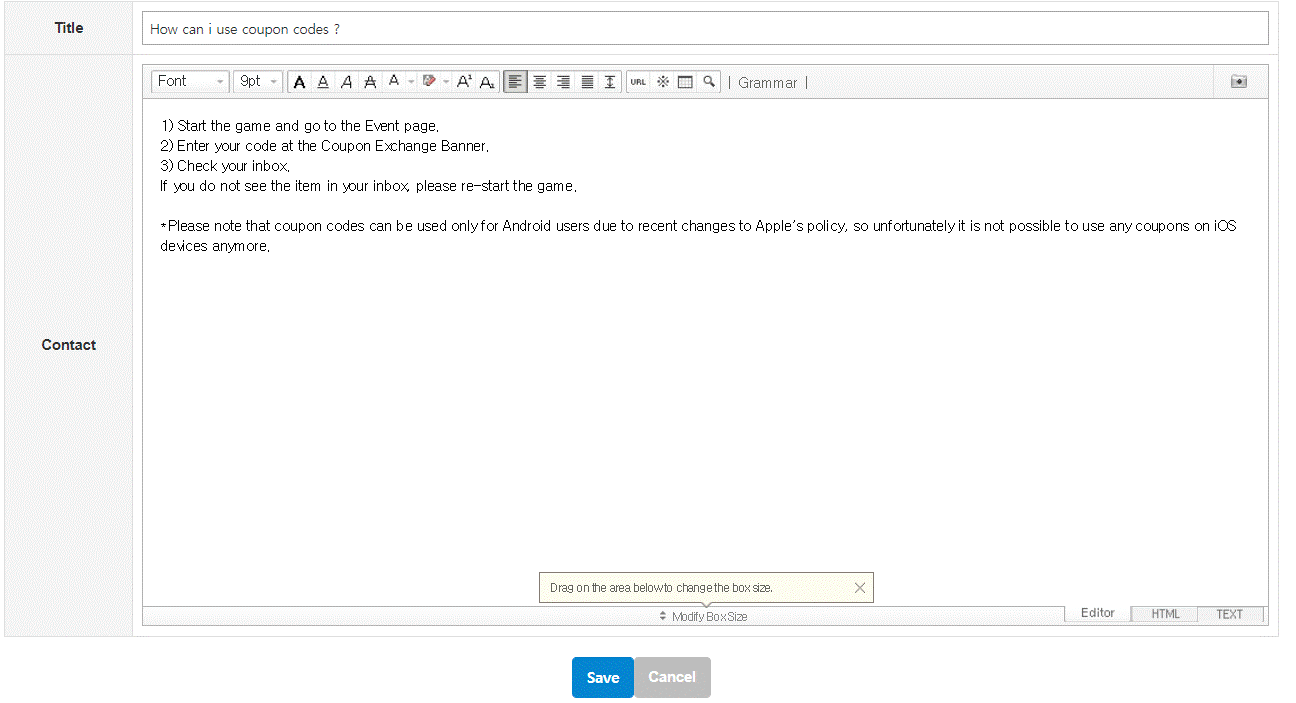
New FAQ Visibility Settings
Newly registered FAQs are saved as Private by default.
To display the FAQ in Customer Support, set Visibility to ON in the FAQ list.
FAQ List Management
Select the game and language you want to manage to check the registered FAQs.
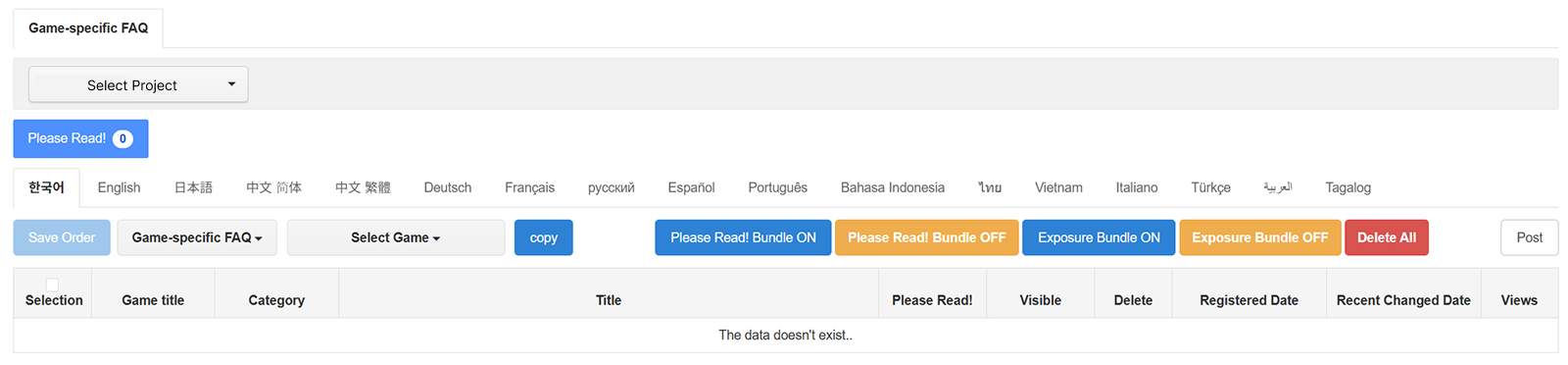
| Feature | Description |
|---|---|
| Select Project | Select the project whose FAQs you want to manage. |
| Save Order | Drag and drop FAQ items to change the display order. When the order changes, the Save Order button is enabled; click it to save the updated order. FAQs with Visibility set to OFF are also included when reordering. |
| Please Read! | Setting Please Read! to ON displays the FAQ in the Please Read! FAQ category on Customer Support. |
| Visibility | Setting Visibility to ON displays the FAQ on Customer Support. Set it to OFF to stop displaying it. |
| Batch Management | Select FAQs, then use Batch Please Read! ON, Batch Please Read! OFF, Batch Visibility ON, Batch Visibility OFF to change settings in bulk, or click Batch Delete to delete them. |
| Copy | Select the FAQ to copy, choose the target game and inquiry type, then click Copy. |
Copied FAQ Visibility Settings
Copied FAQs are added to the bottom of the FAQ list in the target category and are created with Visibility OFF by default.
To display the FAQ in Customer Support, review the FAQ content after copying and set Visibility to ON.