User Post
This is the page to inquire about and manage posts registered by community users. Utilize it for event operations or community management through changing post status, writing comments, and downloading data.
➡️ Console Path: Community & Web Shop > Community Post Management > User Post
Post List
Inquire about posts by bulletin board, prefix, and language, and move, delete, and download data. 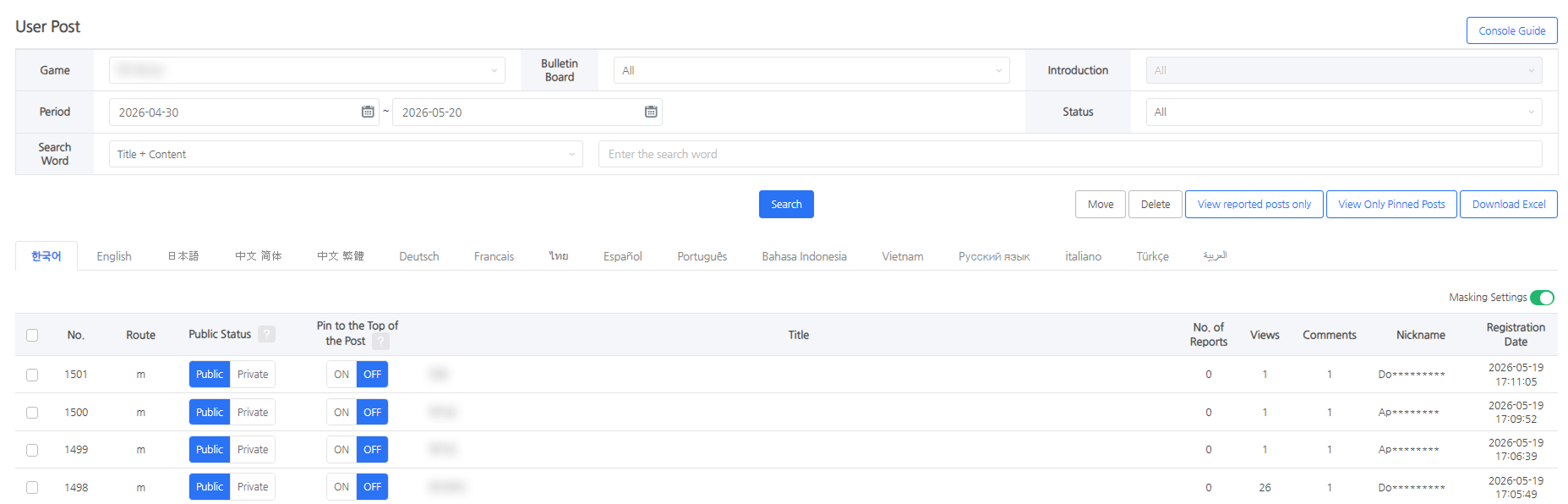 - Inquiry and Filter: Inquire by bulletin board, prefix, and language, and filter only reported posts or posts pinned to the top. - Post Management: Move posts to another bulletin board or delete them. - Data Download: Download up to a week's worth of post data in Excel through period filtering.
Post Details
Manage posts and comments, and check detailed post information such as views and report counts. 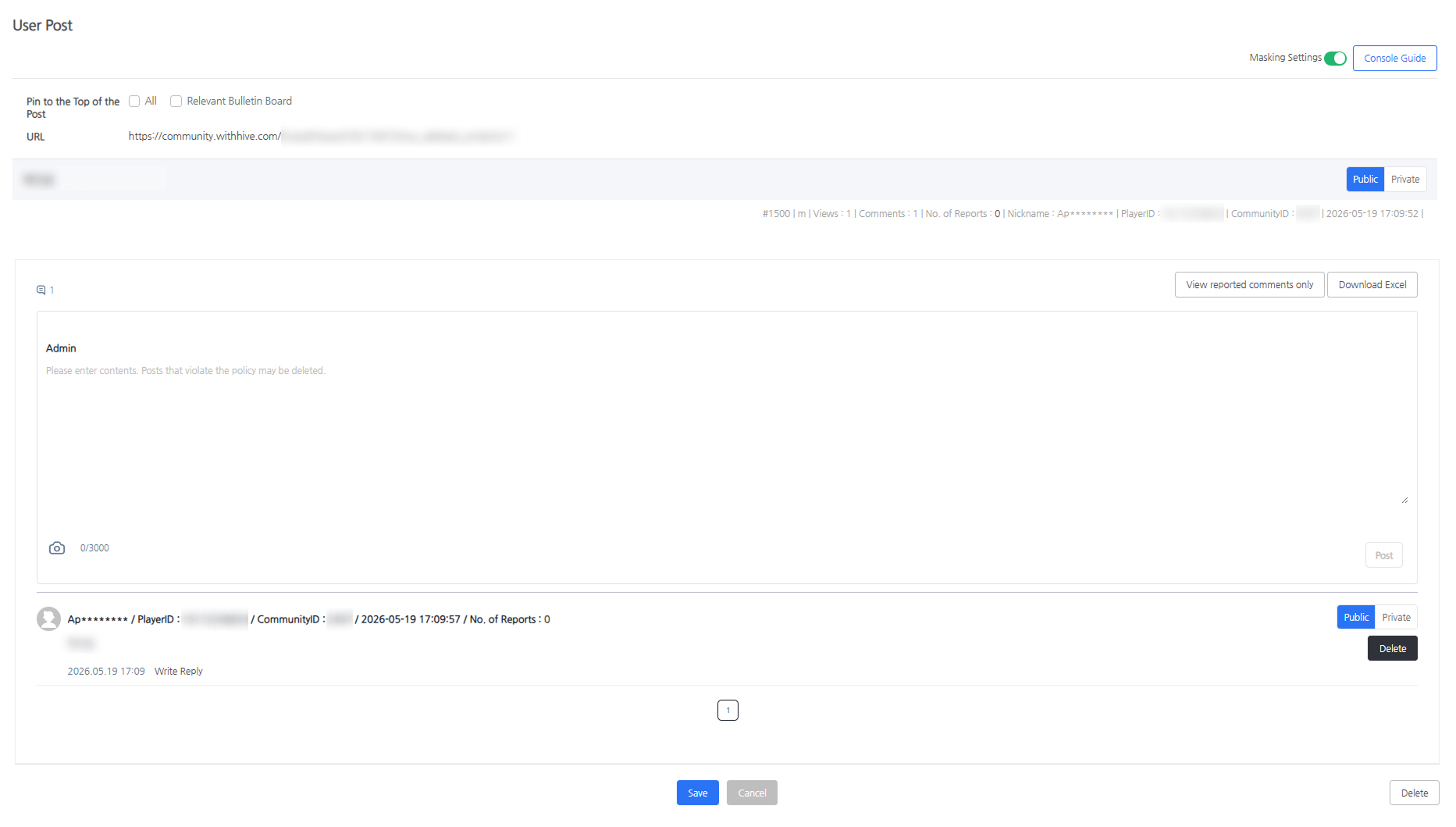 - Post Management: Can set public or private, set whether to pin to the top, and edit and delete posts. - Comment Management: Can write comments and replies, set public or private, delete comments, and download comment data in Excel. - Check Post Information: Views, comment count, report count, author nickname, PlayerID, CommunityID - Posts and comments of withdrawn users are displayed as "Withdrawn User", and PlayerID and CommunityID are not provided.