Subscription server notification URL
'Subscription server notification URL' is the screen where you register, for each server, the app server URL that receives change events when a subscription status changes. When a subscription is renewed or canceled, a status change event is delivered to the registered URL, so the app server can keep subscription entitlements up to date.
➡️ Console path: Payment > Subscription Server Notification URL
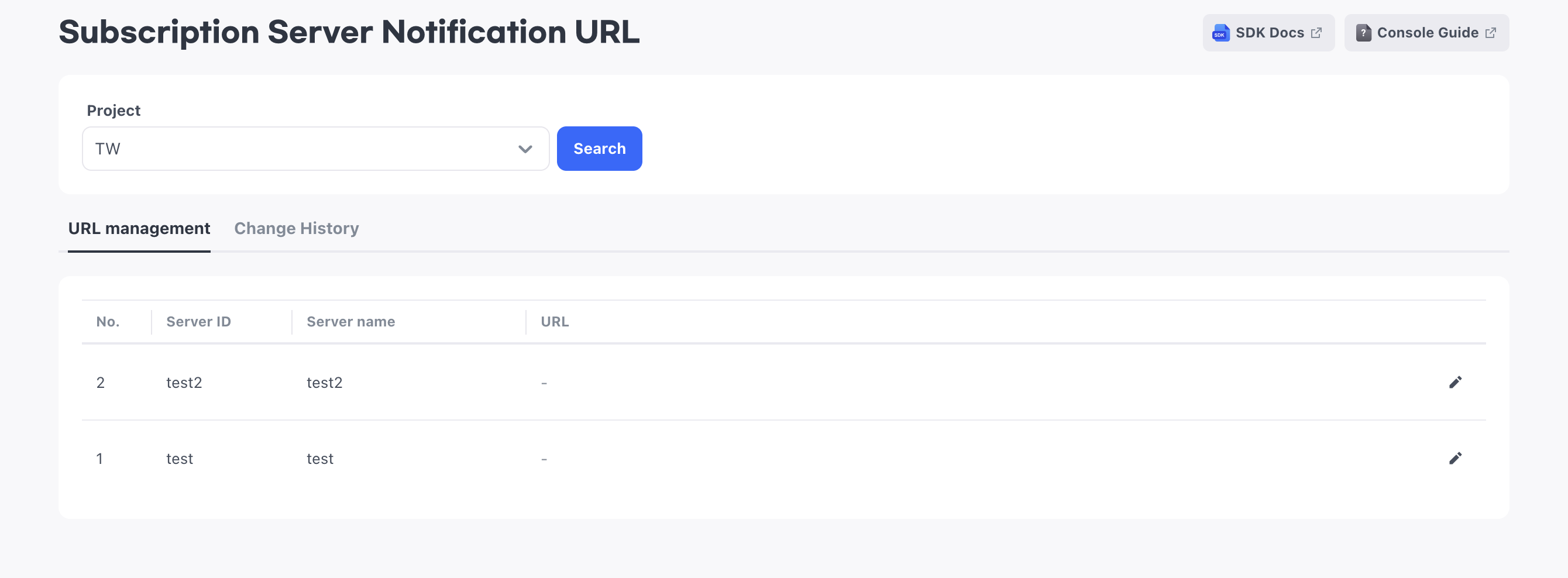
Subscription products are sold only on Google Play and the App Store. Use this setting when you sell subscription products in these two stores.
Check the servers to receive notifications
You register one URL per server. The list shows the servers registered in App Info > App Server. When you add a server in App Server, it is automatically added to this list as well, and when you delete a server in App Server, it also disappears from this list.
The URL registered for a deleted server is not kept. If you register the same server again, you must also enter the URL again.
If the list is empty, there are no servers to connect a URL to yet. Register servers in App Info > App Server, and then return to this screen, choose the project again, and reload the list.
Register notification URLs for each server
You register one URL per server, and you can leave servers that do not need notifications empty. We recommend HTTPS so that events are exchanged securely.
How to set up:
- In the row of the server to register a URL for, select the edit icon to open the input field.
- Enter the subscription server notification URL.
- Select the save icon.
Next steps
Check payment history, including subscription products, in Purchase history.